5-13
7. AGC Gain Calibration Adjustment
Subject Clear chart (Color bar chart standard
picture frame)
Measurement Point DDS display of LCD or monitor TV
Measuring Instrument
Adjusting Page E
Adjusting Address 3A, 3B, 3C, 3D
Switch setting:
1) STEADY ZOOM (Menu display)....................................OFF
Adjusting method:
1) Select page: 0, address: 01, and set data: 01.
2) Select page: F, address: 6E, and set data: 08.
3) Select page: 6, address: 01, set data: 71, and press the PAUSE
button of the adjustment remote commander.
(The AGC GAIN calibration adjustment is performed and the
adjustment data is automatically stored in page: E, address:
3A to 3D.)
4) The adjustment is complete when the data of page: 6, address
02 is “01”.
Processing after Completing Adjustments:
1) Select page: F, address: 6E, set data: FF, and press the PAUSE
button of the adjustment remote commander.
2) Select page: 6, address: 01, set data: 00, and press the PAUSE
button of the adjustment remote commander.
3) Select page: 0, address: 01, and set data: 00.
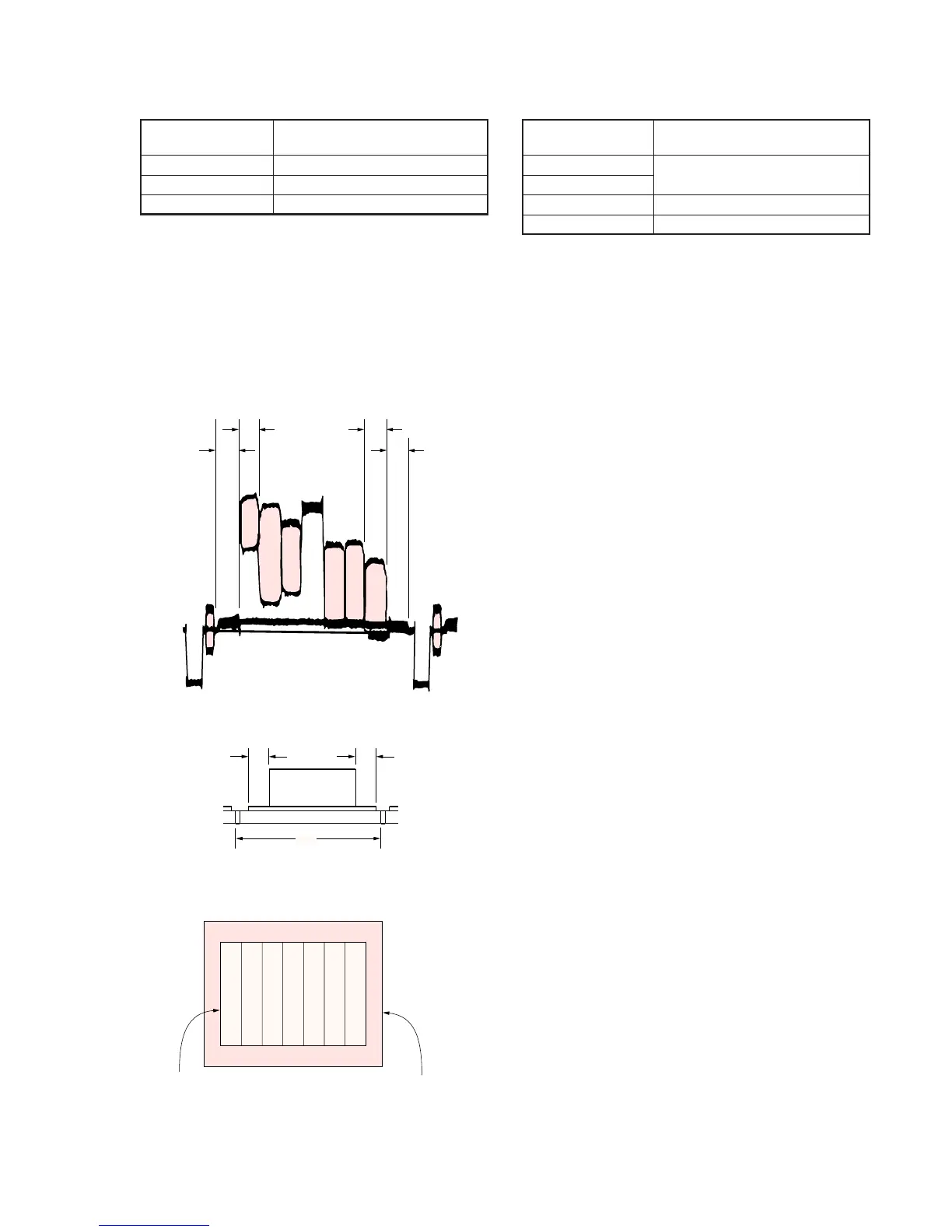
6. Picture Frame Setting
Subject Color bar chart standard picture frame
(1.5 m from the front of the lens)
Measurement Point Video output terminal
Measuring Instrument Oscilloscope and monitor TV
Specified Value A=B, C=D, t=0 ± 0.1msec
Setting method:
1) Adjust the zoom and the camera direction, and set to the
specified position.
2) Mark the position of the picture frame on the monitor display,
and adjust the picture frame to this position in following
adjustments using “Color bar chart standard picture frame”.
Check on the oscilloscope
1. Horizontal period
Fig. 5-1-7
2. Vertical period
Fig. 5-1-8
Check on the monitor TV (Underscanned mode)
Fig. 5-1-9
A=B
C=D
A
BC
D
E=F
V
EF
Color bar chart picture frame
Monitor TV picture fram


 To Next Page
 Loading...










