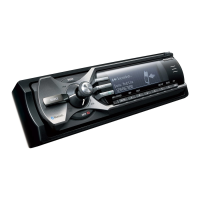
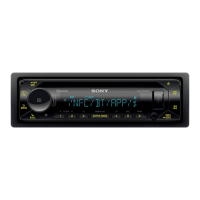
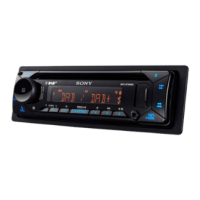
~
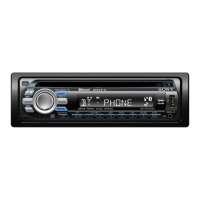
SEEK
+/-
buttons
CDIUSB:
To skip tracks (press); skip tracks
continuously (press, then press again within
about I second and hold); reverse/fast-
forward a track (press and hold).
Radio:
To tune in stations automatically (press); find
a station manually (press and hold).
Bluetooth
audio
device*2:
To skip tracks (press).
[1]
~
(front
panel
release)
button
page 7
ff2I
BT
(BLUETOOTH)
button
page
16
For Bluetooth signal on/off, pairing.
~
Receptor
for
the
card
remote
commander
[HI
ZAP
button
page 12
To
enter ZAPPINTM mode.
I1§]
BTM/CAT*3
button
page 12
To start the
BTM
function (press and hold).
~
Number
buttons
CDIUSB:
(D/CD:
ALBM
-/+
(during
MP3IWMN
AAC playback)
To
skip albums (press); skip albums
continuously (press and hold).
®:
REP page
13,14,15
0:
SHUF page
13,14,15
@:PAUSE
To
pause playback.
To
cancel, press
again.
Radio:
To receive stored stations (press); store
stations (press and hold).
Bluetooth
audio
device*2:
@:PAUSE
To
pause playback. To cancel, press
agam.
Bluetooth phone:
®:
MIC page 18
I11l
DSPL
(display)/SCRL
(scroll)
button
page
13,14,15,16
To
change display items (press); scroll the
display item (press and hold).
1m
AUX
input
jack
page
21
To
connect a portable audio device.
~
RESET
button
page 6
[gQ]
Microphone
page 18
Note
Do
not
cover
the microphone, the handsfree
function
may
not
work properly.
*1 In the case
of
a
CD
changer.
HD
Radio
tuner
or
SAT
tuner
being connected; when
(SOURCE)
is
pressed, the connected device ("HD," "XM"
or
"SR'J
will
appear
in the display, depending
on
which
device is connected. Furthermore,
if
(
MODE)
is
pressed, you can switch the changer.
HD
Radio
tuner
band
or
SAT tuner band.
*2 When a Bluetooth audio device (supports
AVRCP
of
Bluetooth technology) is connected. Depending
on the device, certain operations
may
not
be
available.
*3 When the SAT tuner is connected.
Notes
• When ejecting/inserting a disc, keep
any
USB
devices disconnected to avoid damage to the disc.
•
If
the unit is turned
off
and
the display disappears, it
cannot
be
operated with the
card
remote
commander
unless
(SOURCE)
on
the unit is
pressed,
or
a disc is inserted to activate the
unit
first.


 To Next Page
 Loading...