Back Back to Top Print
Digital Music Player
NW-E393/E394/E395
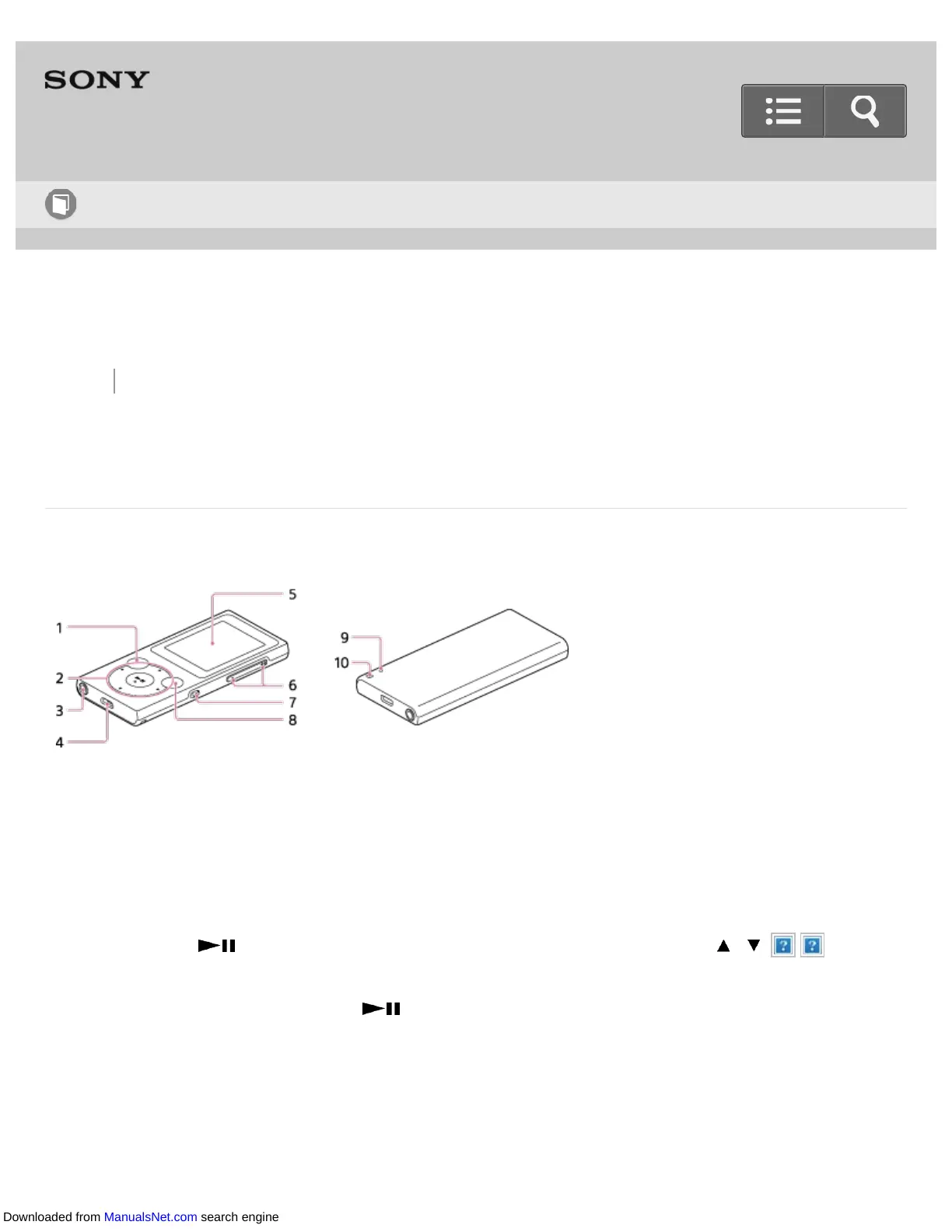
Parts and controls
This section explains the functions of buttons, jacks, and other parts of your Walkman.
1. BACK/HOME button
Press to go up one list screen level or to return to the previous menu.
Press and hold to display the Home menu.
2. 5-way button
Press the button at the center to start playback, or press the / / / marks
to navigate through the on-screen menus of your Walkman.
There is a tactile dot on the button to help you operate the buttons without
looking.
3. Headphone jack
Insert the headphone plug until it clicks into place.
Sound will be impaired if the headphones are not connected properly.
Help Guide
How to Use
Downloaded from ManualsNet.com search engine


 To Next Page
 Loading...







