22
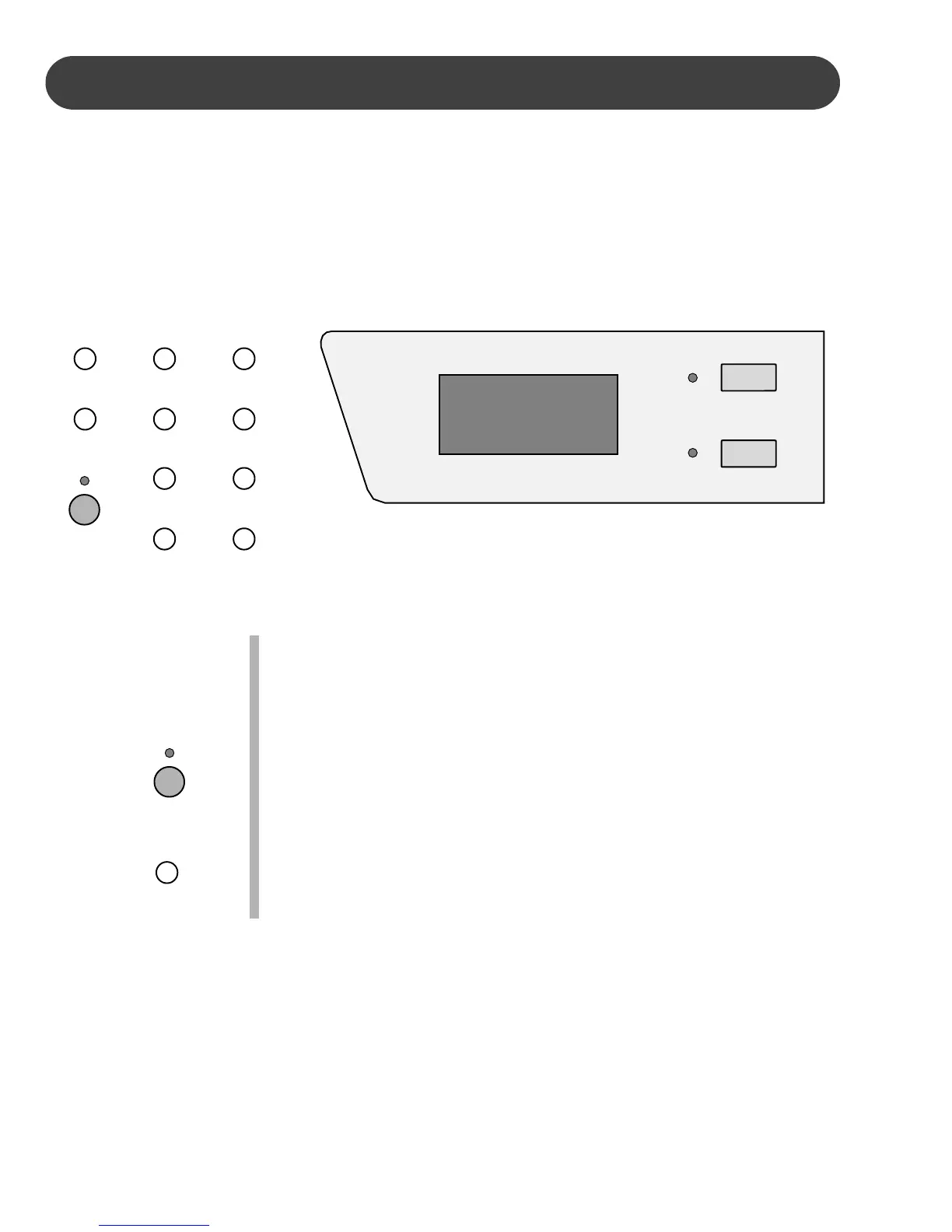
QUICK SELECT - There are twenty rhythm styles that can be selected
quickly by pressing one of the ten quick select buttons. These
buttons are assigned to a kit A and a kit B. The rhythm style
name in kit A is printed above the style quick select button and
the rhythm style name in kit B is printed beneath the button.
1. Press the A/B button to select the style kit. Selection of the kits
will alternate as the A/B button is pressed repeatedly. The indica-
tor will not be lit when the style kit B is selected.
2. Press the quick select button that corresponds to the rhythm style
you desire, in the kit you have selected. The style number will
show on the display. After three seconds the display will revert to
the voice number display screen.
RHYTHM
RHYTHM STYLE SELECTION - This piano offers 100 professionally produced rhythm
styles and a variation of each style pattern to choose from. There is a complete list of all
100 styles in the back of the manual and listed on the keyboard cabinet.
For dynamic effect you may select from 5 different drum kits.
Please note, the L1 and L2 orchestration parts will not be available when the rhythm style
is engaged. Please see the Orchestration section of this manual for more information.
A/B
POP 1
EURO POP
DANCE
E. DANCE
TECH. POP
TRANCE
LOUNGE
R&B 1
SOUL
16 BEAT
ROCK
8 BEAT
REGGAE
POP 2
RHUMBA
JAZZ
BOOGIE
R&B 2
COUNTRY
POLKA
VOICE/STYLE
VOICE DIRECT
9 8
A/B
COUNTRY
POLKA


 To Next Page
 Loading...