5-61
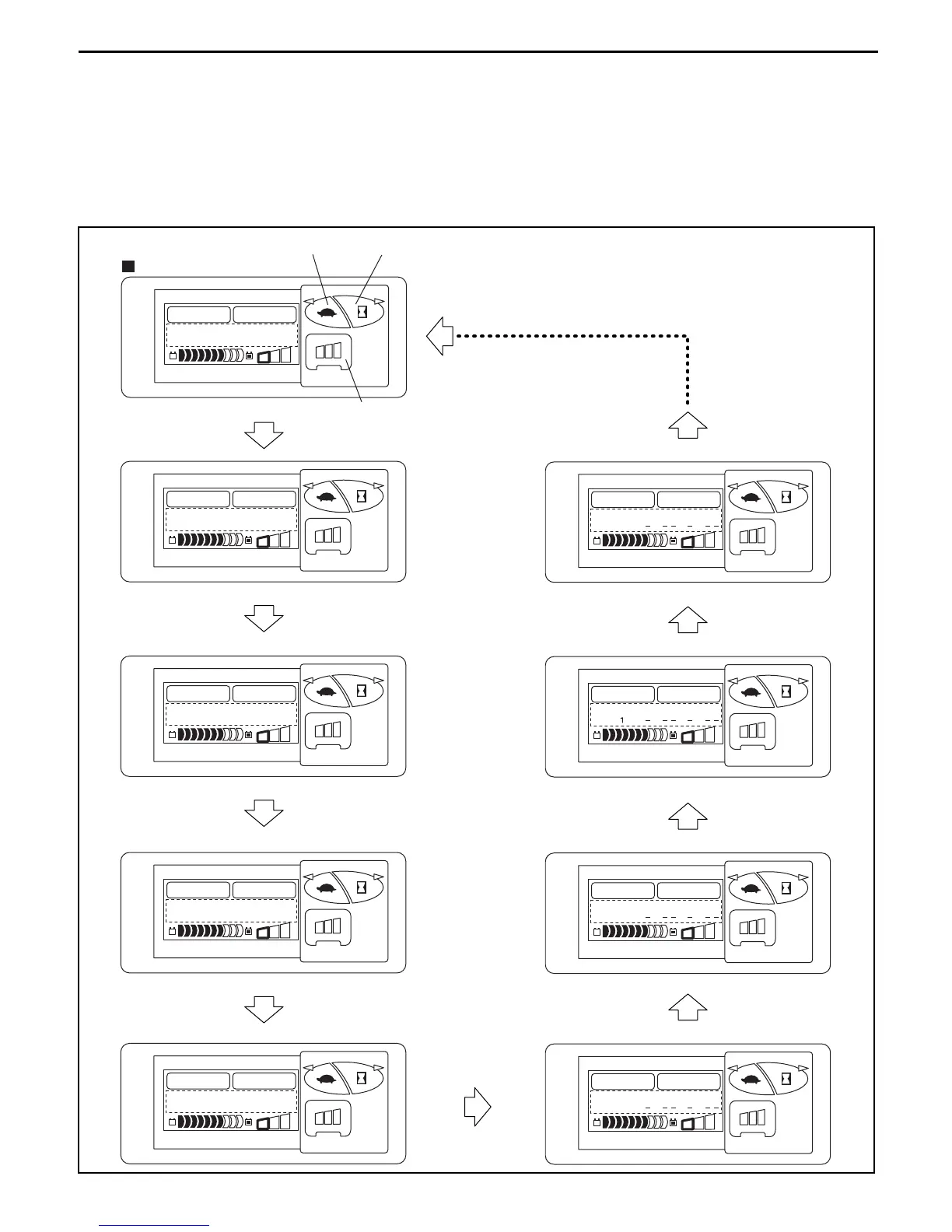
*: Press button (3) on the ATT2 matching set screen to display the MASK MENU screen.
OK on the display is indicated only after matching (by pressing button (2)).
The value in parentheses is the one stored at present.
The value outside parentheses is the one under the present vehicle condition.
Note:
Matching is necessary when the two values, inside and outside the parentheses are different in the
vehicle standard condition.
S
P
H
S
P
H
MENU
=
4M
A
T
C
H
IN
G
.
=ME
N
U
S
P
H
S
P
H
MENU
<
MA
T
C
H
I
N
G
>
OK
T
ILTL (2 2..0000)
S
P
H
S
P
H
MENU
<
MA
T
C
H
I
N
G
>
OK
T
ILTF (2 2..0000)
S
P
H
S
P
H
MENU
<
MA
T
C
H
I
N
G
>
OK
L
OAD ( 0 0..7700)
S
P
H
S
P
H
MENU
<
MA
T
C
H
I
N
G
>
OK
T
IRE (2 2..4400)
S
P
H
S
P
H
MENU
<
MA
T
C
H
I
N
G
>
A
TT2 (
..)
S
P
H
S
P
H
MENU
<
MA
T
C
H
I
N
G
>
A
TT
( ..)
S
P
H
S
P
H
MENU
<
MA
T
C
H
I
N
G
>
T
ILT (
..)
S
P
H
S
P
H
MENU
<
MA
T
C
H
I
N
G
>
L
IFT (
..)
Press button (3)
Press button (3)
Press button (3)
Press button (3)
Press button (3)
Press button (3)
Press button (3)
Press button (3)
Press button (3)
Button (3)
Button (1)
Button (2)
MASK MENU screen


 To Next Page
 Loading...