46
XM® SATELLITE RADIO TUNING
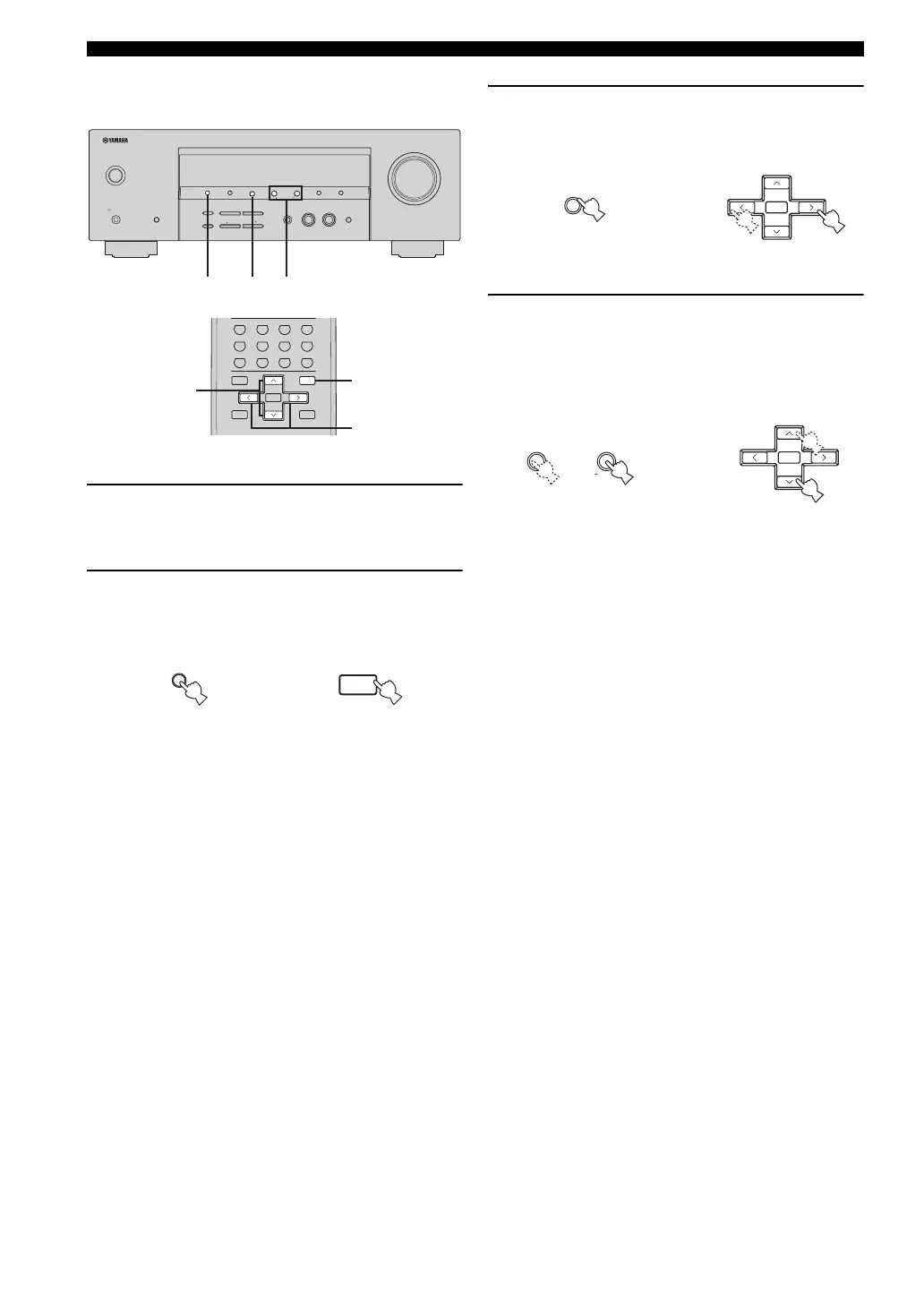
■ Category Search mode
1 Select “XM” as the input source.
See “Basic XM Satellite Radio operations” on
page 44 for details.
2 Press SEARCH MODE on the front panel (or
SRCH MODE on the remote control)
repeatedly to select “CAT SEARCH”.
3 Press CATEGORY on the front panel (or
A-E/CAT. j / i on the remote control)
repeatedly to change the channel category.
4 Press PRESET/TUNING/CH l / h on the
front panel (or PRESET/CH u / d on the
remote control) repeatedly to search for a
channel within the selected channel
category.
y
You can search for a channel quickly by pressing and
holding PRESET/TUNING/CH l / h on the front panel
(or PRESET/CH u / d on the remote control).
PRESET/TUNING/CH
VOLUME
STANDBY
/ON
PHONES
SILENT CINEMA
SPEAKERS
A/B/OFF
FM/AMPRESET/TUNING
A/B/C/D/E
lh
NEXT
AUTO/MAN'LMAN'L/AUTO FM
MEMORY
TUNING MODE
EFFECT
STRAIGHT
TONE CONTROL
BASS/TREBLE
l
PROGRAM
h
EDIT
INPUT MODE
l
INPUT
h
MULTI CH INPUT
SET MENU
SEARCH MODE
XM
CATEGORY
DISPLAY
342
(U.S.A. model)
STRAIGHT
NIGHT
ENT.
+10
09
8765
432
1
ENTER
MENU
RETURN
DISPLAY
TITLE
B
5CH STEREOSTANDARD
MOVIEENTERTAIN
LEVEL
TEST
SPEAKERS
A
MEMORY
2CH STEREO
+
–
A-E/CAT.
MUSIC
SET MENU
PRESET/CH
SRCH MODE
BAND
2
3
4
(U.S.A. model)
PRESET/TUNING
EDIT
SEARCH MODE
SET MENU
SRCH MODE
MENU
or
Front panel Remote control
A/B/C/D/E
NEXT
CATEGORY
ENTER
PRESET/CH
A-E/CAT.
+
Front panel
Remote control
or
PRESET/TUNING/CH
lh
SET MENU
ENTER
PRESET/CH
A-E/CAT.
+
Remote control
Front panel
or


 To Next Page
 Loading...