Ventilation only
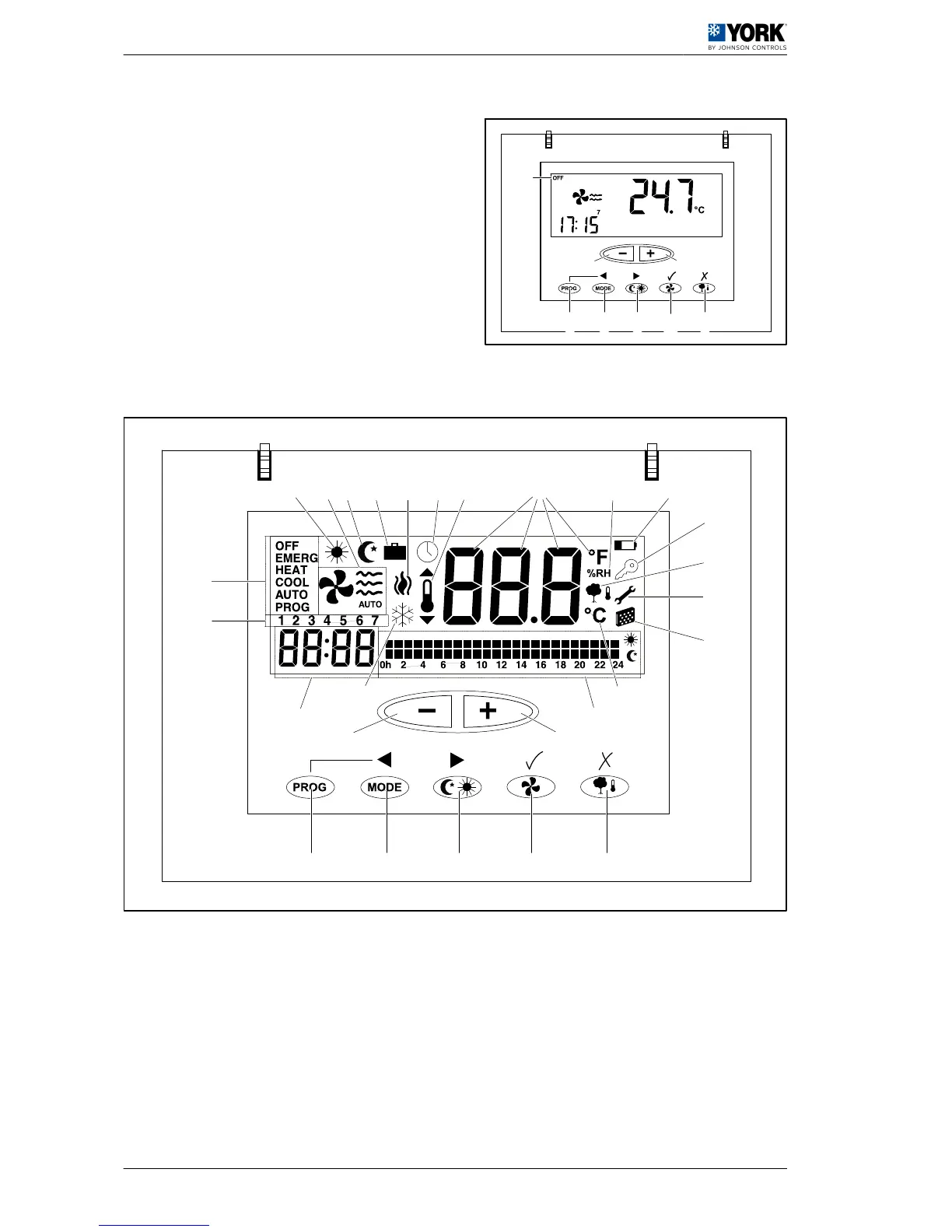
This is accessed in OFF-7- mode and button -B- is
pressed to select the fan speed.
This means that the HVAC system is stopped and
only the fan is running.
2.1.2 Button functions
HVAC mode button -A-
By pressing this button (in
Normal mode
) the current HVAC mode will be modified (OFF, COOL, HEAT,
AUTO, AUTO PROG, EMERG HEAT).
Fan button -B-
By pressing this button it will enter
Adjustment mode
, which lasts for 5 seconds. In this mode, the fan
flashes and the configured speed is displayed, together with whether it is in
Auto
or
Fixed
mode.
Outside temperature button -C-
By pressing this button (in
Normal mode
) the outdoor temperature is displayed for 5 seconds.


 To Next Page
 Loading...