6 Using third-party applications
Backup/Restore
71
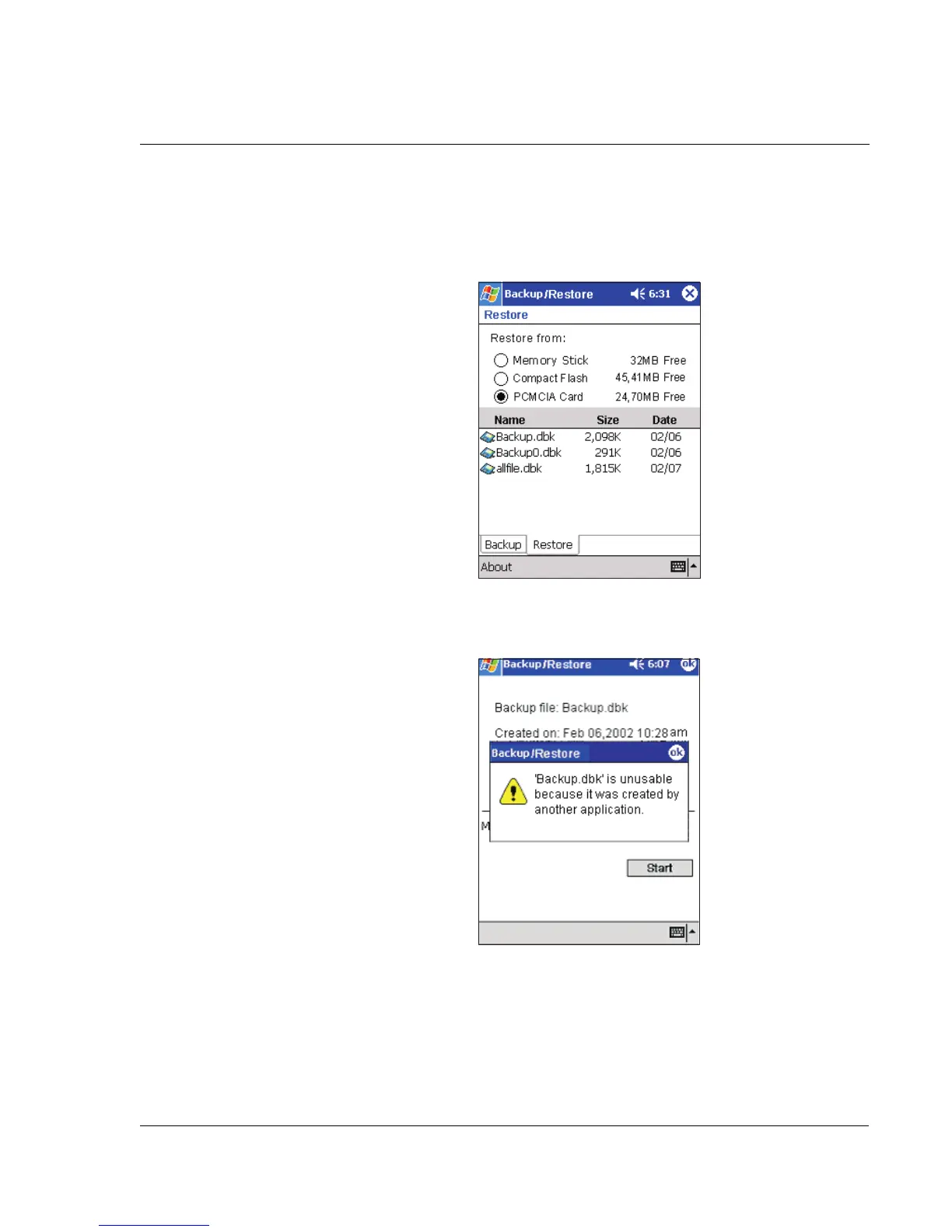
2 Select a source storage card (default: Memory Stick) from the 'Restore from' radio
buttons.
A list of files contained in the selected storage card is displayed on the lower half of
the screen. The filename, file size and creation of each backup file are shown.
3 Tap a filename to select the file you wish to restore.
If a .dbk file generated by another application is selected, a warning message will pop
up.
Tap ok then, select a .dbk file generated by Backup/Restore.
Once a valid .dbk file is selected, the window will shift to display related file
information including:
• Backup file - filename of the selected .dbk file
• Created on - date when the selected .dbk file was created


 To Next Page
 Loading...