15
Basic Functions
Preparations
E
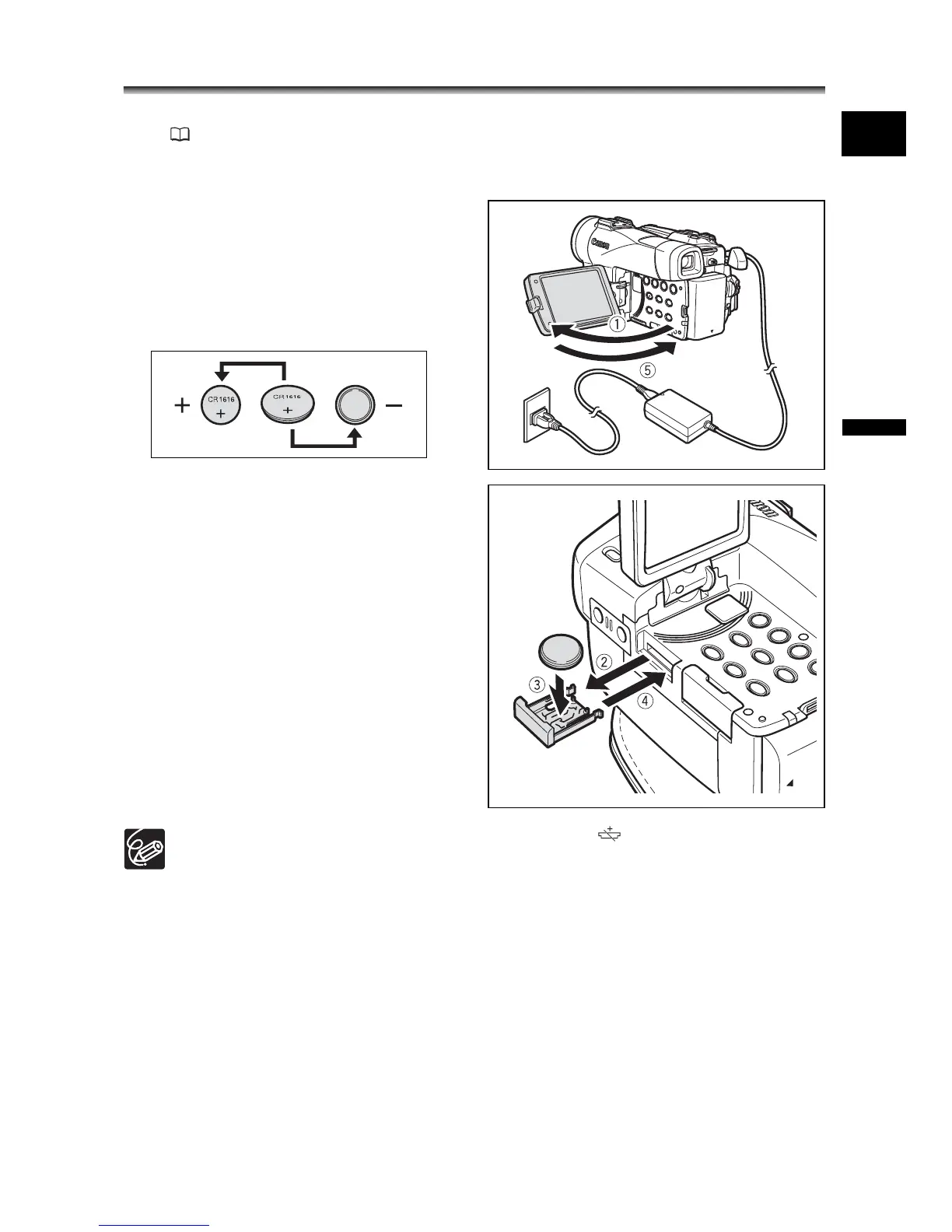
Installing the Backup Battery
The backup battery (lithium button battery CR1616) allows the camcorder to retain date,
time ( 20) and other camcorder settings while the power source is disconnected.
Connect a power source to the camcorder when replacing the backup battery to retain the
settings.
1. Press the OPEN button to open the
LCD panel.
2. Pull out the battery holder.
3. Place the lithium battery with the +
side facing downward into the
battery holder.
4. Insert the battery holder.
5. Close the LCD panel.
The backup battery has a life span of about a year. “ ” flashes in red to inform
you that it needs to be replaced.


 To Next Page
 Loading...







