26
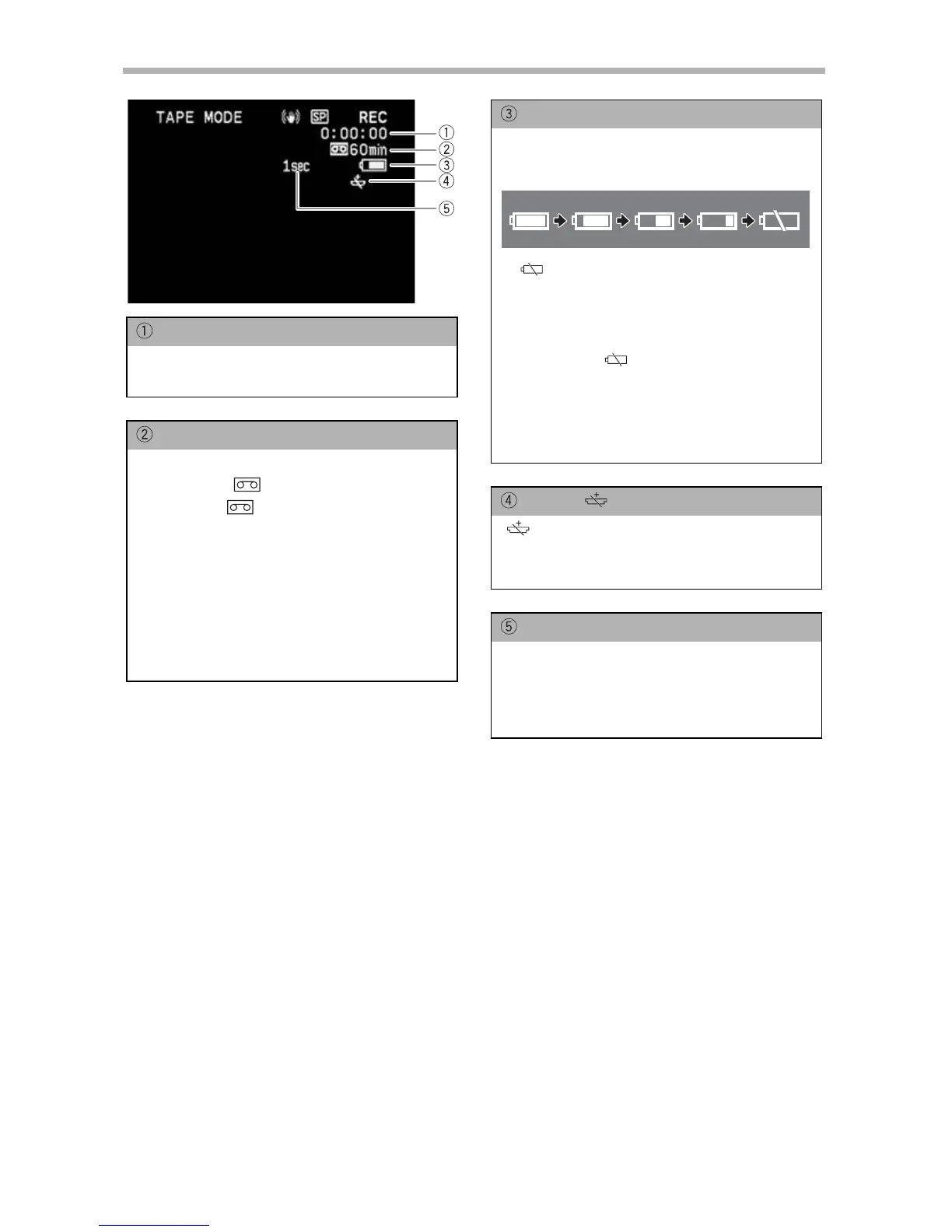
Screen Displays during Recording
Time Code
Indicates the recording time in hours,
minutes and seconds.
Remaining tape
Indicates the remaining time of the tape
in minutes. “ ” moves during
recording. “ END” flashes when the
tape reaches the end.
• When the time left is less than 15
seconds, the remaining tape time may
not appear.
• Depending on the type of the tape, the
indication may not be displayed
correctly.
Remaining battery charge
The battery symbol indicates the charge
status of the battery pack.
• “ ” starts flashing in red when the
battery pack is empty.
• When you attach an empty battery
pack, the power may turn off without
displaying “ ”.
• The actual battery charge may not be
indicated accurately depending on the
condition under which battery pack
and camcorder are used.
When “ ” flashes
“ ” flashes in red when the lithium
button battery is not installed, or when it
needs replacing.
Recording reminder
The camcorder counts from 1 to 10
seconds when you start recording. This
is helpful to avoid scenes that are too
short.


 To Next Page
 Loading...







