22
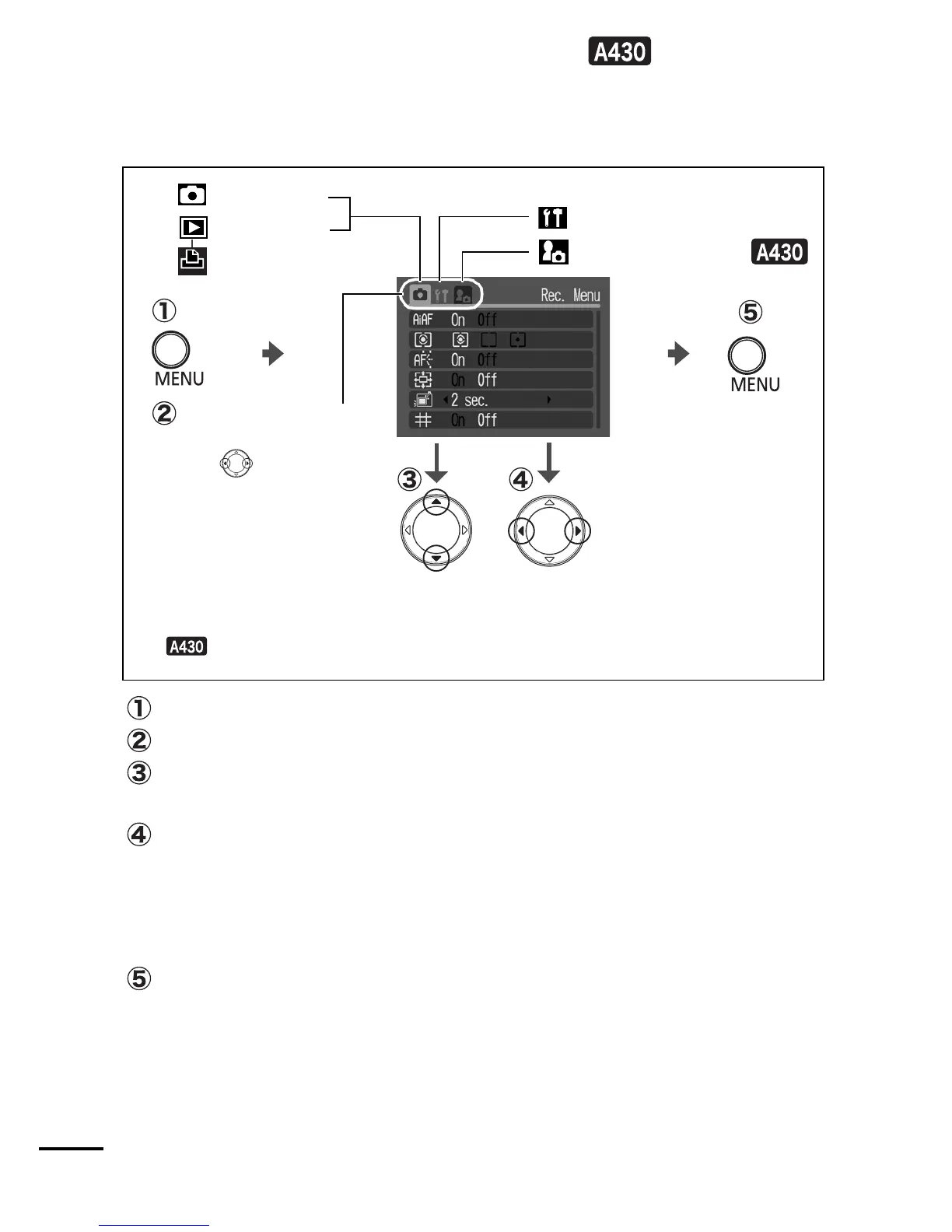
Rec., Play, Print, Set up, and My
Camera Menus
Convenient settings for shooting, playback or printing can be set
with these menus.
Press the MENU button.
Use the
W
or
X
button to switch between menus.
Use the
S
or
T
button to select menu items.
Some items may not be selectable in some shooting modes.
Use the
W
or
X
button to select an option.
Menu items followed by an ellipsis (...) can only be set after
pressing the FUNC./SET button to display the next menu.
Press the FUNC./SET button or MENU button again to confirm
the setting.
Press the MENU button.
* This example shows the Rec. menu.
* In playback mode, the Play menu, Print menu, Set up menu, and
My Camera menu displays.
You can switch
between menus with
the button
when this part is
selected.
(Rec.) Menu
(Play) Menu
(Set up) Menu
(Print) Menu
(My Camera) Menu


 To Next Page
 Loading...












