51
Advanced Settings
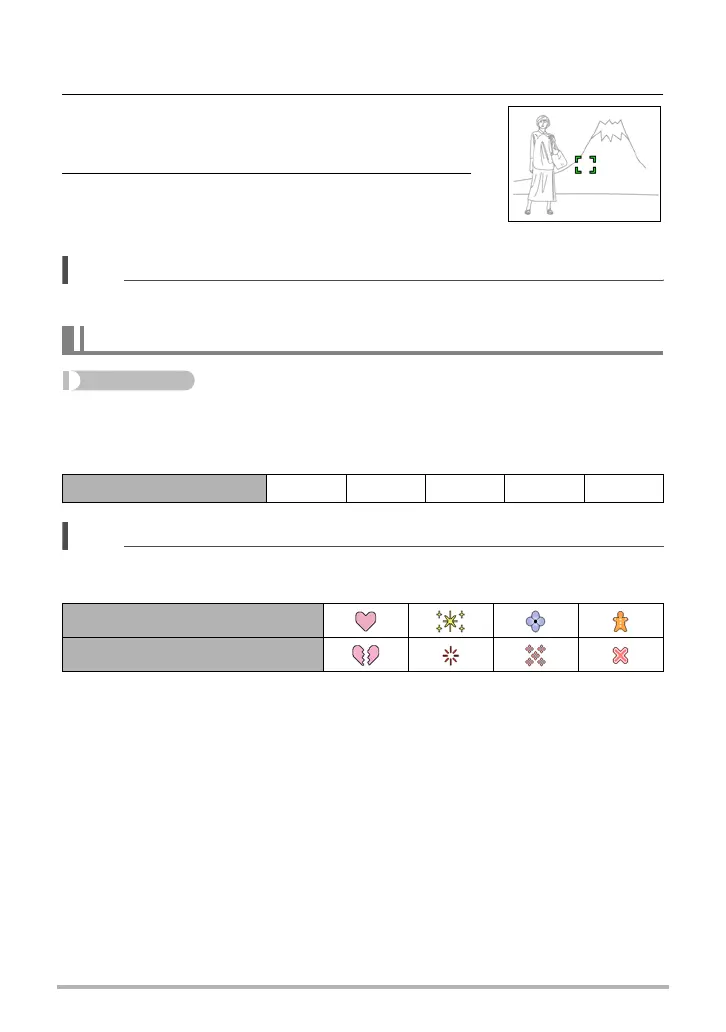
1. Align the monitor screen’s focus frame with the subject you want to
focus on and then half-press the shutter button.
2. Keeping the shutter button half-pressed
(which maintains the focus setting), move the
camera to compose the image.
3. When you are ready to shoot the image,
press the shutter button the rest of the way
down.
NOTE
• Focus lock also locks exposure (AE).
Procedure
Enter the REC Mode * [MENU] * “REC” Tab * Focus Frame
You can use this procedure to select from among five different shapes, including a
heart shape, for the focus frame.
NOTE
• Half-pressing the shutter button will cause the focus frame to change one of the
shapes shown below.
• When shooting with face detection, the frame shape is ß.
Changing the Focus Frame Shape (Focus Frame)
Settings ß¹ ™ ¬ μ
Focus successful
Focus not successful


 To Next Page
 Loading...