DES-3226S Layer 2 Fast Ethernet Switch User’s Guide
24
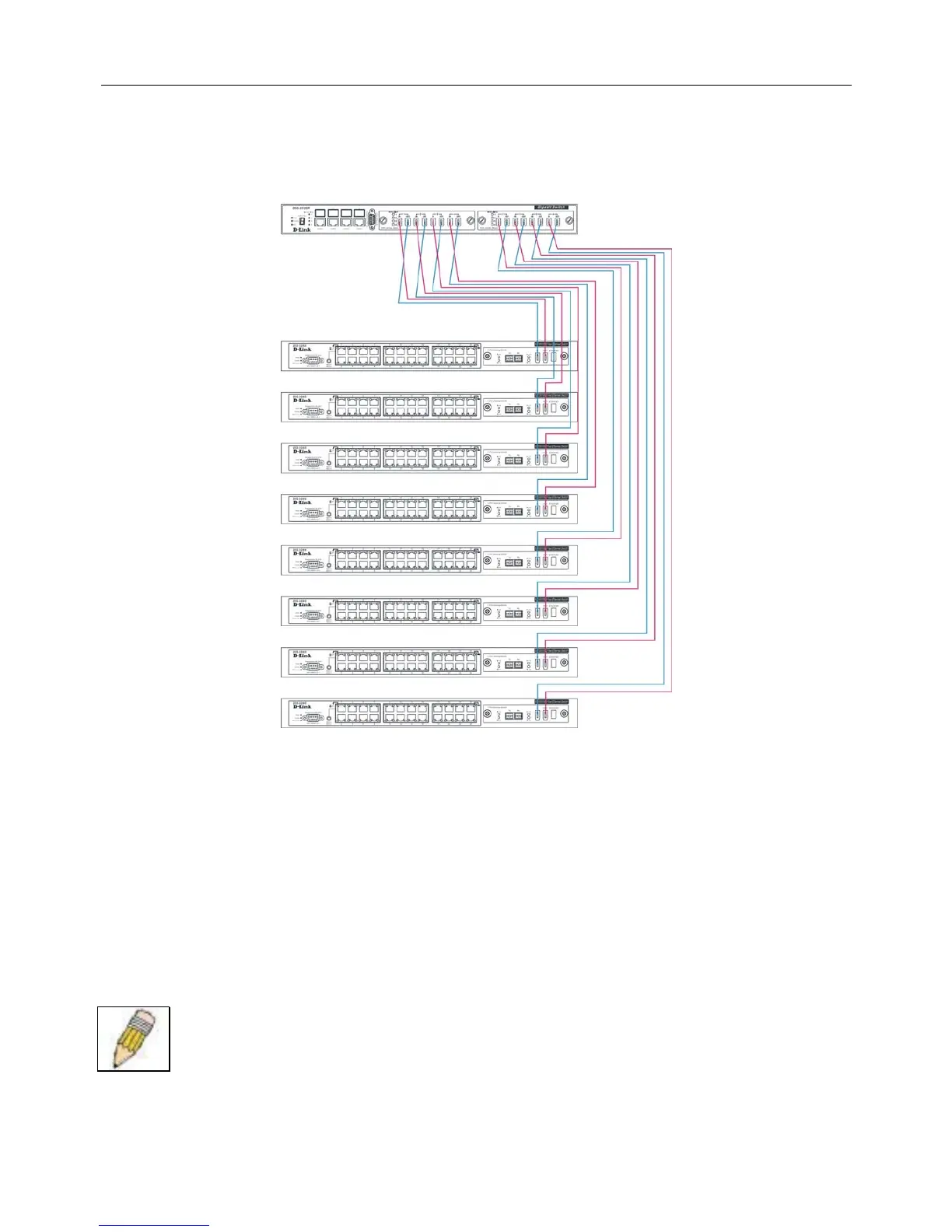
Stacking with DGS-3212SR or DGS-3312SR
The DES-3226S Release 4.01 Switch can be arranged in a star topology and managed as slave devices through either the DGS-
3212SR or DGS-3312SR Master Switch. Up to eight Switches can be connected to the DGS-3x12SR series Switch in this
arrangement.
Figure 5 - 1. DES-3226S Switches with DGS-3212SR
Setting up a star topology with a DGS-3212SR or DGS-3312SR is a simple matter. Each DES-3226S connects to the master
through the stacking port to a similar stacking port on a DGS-3x12SR series Switch equipped with one or two special stacking
modules designed for the DGS-3x12SR series Switch. Each DES-3226S slave must be configured with stacking mode enabled.
When stacked in a star topology arrangement with the DGS-3x12SR, the Switch will automatically assume slave status. The
unit number is determined by the port number to which it is connected on the DGS-3x12SR master. The DGS-3x12SR must
have a stacking module installed and have stacking mode enabled as well. Stacking for the DGS-3x12SR uses the identical
CLI command: config stacking mode enable. Be sure to save the configuration change using the CLI command
save.
Remember that for star topology arrangements, if the stacking link to a given Switch fails or is disconnected, that Switch will
loose its status in the stack and reboot as a standalone device with the IP settings. The DGS-3212SR/DGS-3312SR and
remaining slave units are not effected by the link failure.
NOTE: The DES-3226S must have stacking mode enabled to be used with the DGS-3212SR or the
DGS-3312SR in a star topology arrangement.


 To Next Page
 Loading...










