Installing the Palmrest
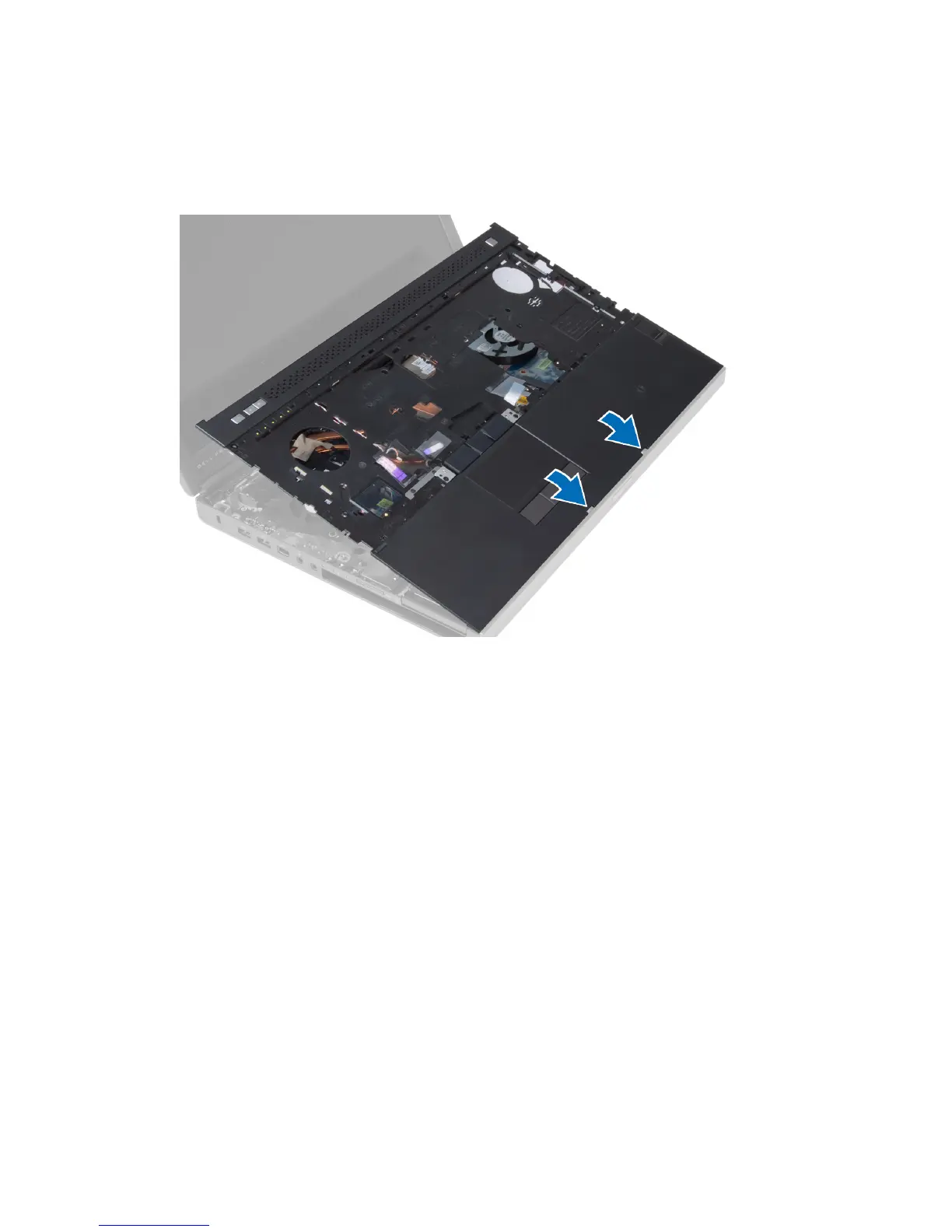
1. Align the palmrest to its original position on the computer and press on the positions indicated until it snaps in
place.
2. Tighten the screw that secures the palmrest to the computer.
3. Connect the following cables:
a) bluetooth module
b) power button
c) touchpad
d) media board
e) speaker
4. Affix the adhesive tape that secures the media card cable, speaker cable and touchpad cable to the palmrest.
5. Tighten the screws at the bottom of the computer.
6. Connect the smart card cable and affix the adhesive tape that secures it to the computer.
7. Install the:
a) secondary hard drive
b) primary hard drive
c) optical drive
d) keyboard
e) keyboard trim
f) base cover
g) battery
8. Follow the procedures in
After Working Inside Your Computer
.
41


 To Next Page
 Loading...











