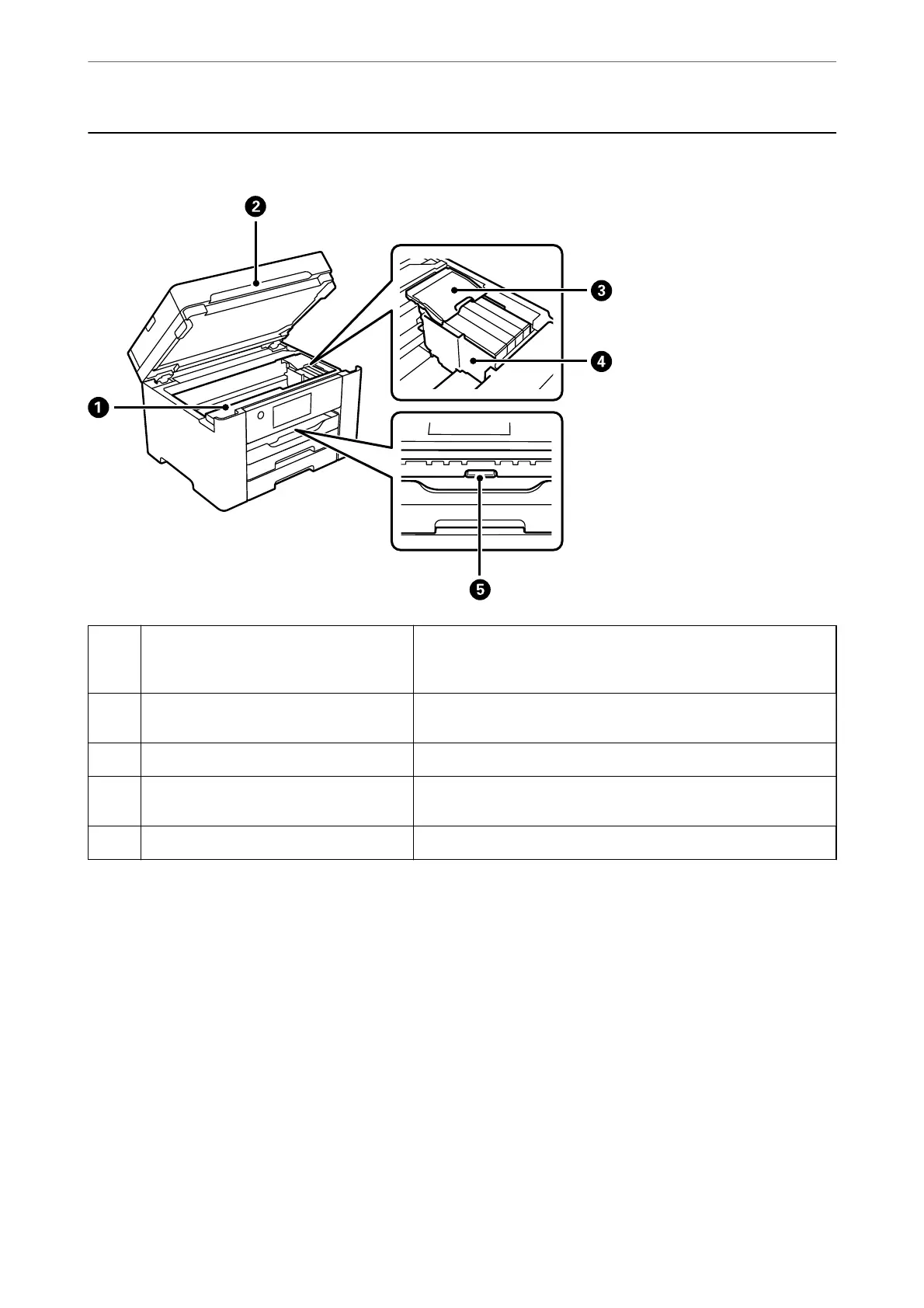
Inside
A
Maintenance box cover Open when replacing the maintenance box. The maintenance box is
a container that collects a very small amount of surplus ink during
cleaning or printing.
B
Scanner unit Scans placed originals. Open to remove jammed paper. This unit
should usually be kept closed.
C
Ink cartridge cover Open when replacing ink cartridges.
D
Ink cartridge holder Install the ink cartridges. Ink is ejected from the print head nozzles
underneath.
E
Inner cover Open to remove jammed paper.
Part Names and Functions
>
Inside
20


 To Next Page
 Loading...