1. OPERATION
1-30
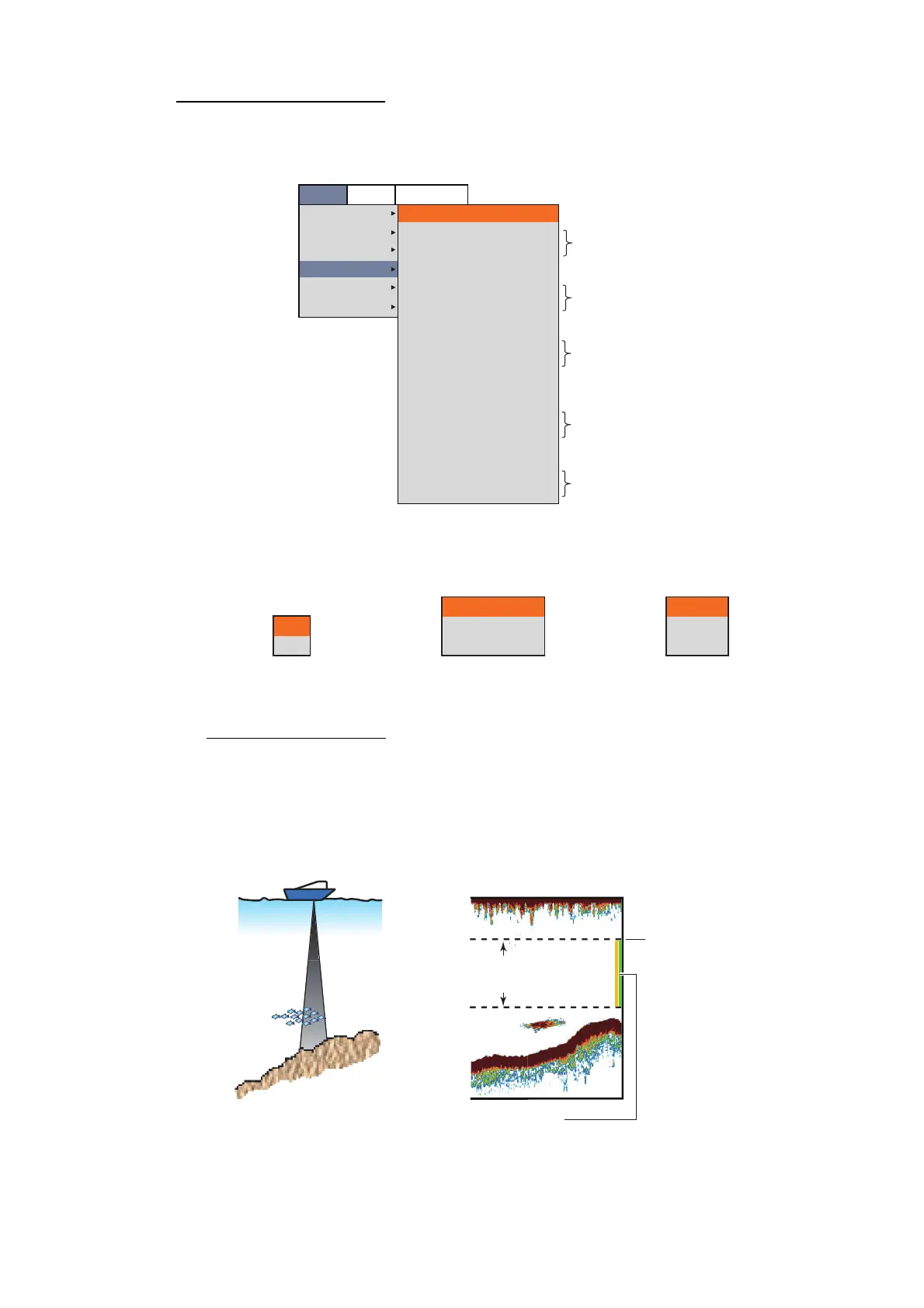
How to activate an alarm
1. Press the MENU/ESC key, then open the [Setting] tab.
2. Select [Alarm], then push the ENTER knob.
3. Select [Bottom], [Fish (Normal)], [Fish (B/L)], [Temperature] or [Fish Size], then
push the ENTER knob.
4. Do one of the following according to the item selected at step 3.
[Bottom] (bottom alarm)
1) Select [On], then push the ENTER knob.
The alarm marker (greenish yellow) appears at the starting point for the alarm.
2) Select [From], then push the ENTER knob.
3) Set the starting depth (distance from the bottom of the transducer), then push
the ENTER knob.
4) Select [Span], then push the ENTER knob.
Setting
Sounder
Display
Measurement
Alarm
Data
System
Bottom
From
Span
Fish (Normal)
From
Span
Fish (B/L)
From
Span
Fish Level
Temperature
From
Span
Fish Size
From
Span
Off
0ft
10ft
Off
0ft
0ft
Off
0.0ft
0.1ft
Medium
Off
65.0ºF
1.0ºF
Off
4inch
12inch
BBDS1
Telesounder
*
*
*
*
*
*: Operable when corresponding alarm is activated.
[Bottom], [Fish (B/L)] or
[Fish Size] is selected.
[Fish (Normal)] is selected.
[Temperature] is selected.
Off
On
Off
Defined Area
All Area
Off
Inside
Outside
Starting depth ([From])
Alarm range ([Span]):
Width from the starting depth
Alarm marker:
• Bottom and normal fish alarm: Right side
• Bottom lock fish alarm: Center


 To Next Page
 Loading...




