Finding an Item
Use the Find menu to search for addresses, food & drink, fuel services, lodging, banks/ATMs, cities, shopping, stored waypoints, and
points of interest (POIs). To open the Find menu, press the FIND key. The Find menu is comprised of several default categories, including
Waypoints, Cities, Exits, Transportation, and Data, just to name a few. Additional categories appear depending on the optional BlueChart or
MapSource data card in the unit.
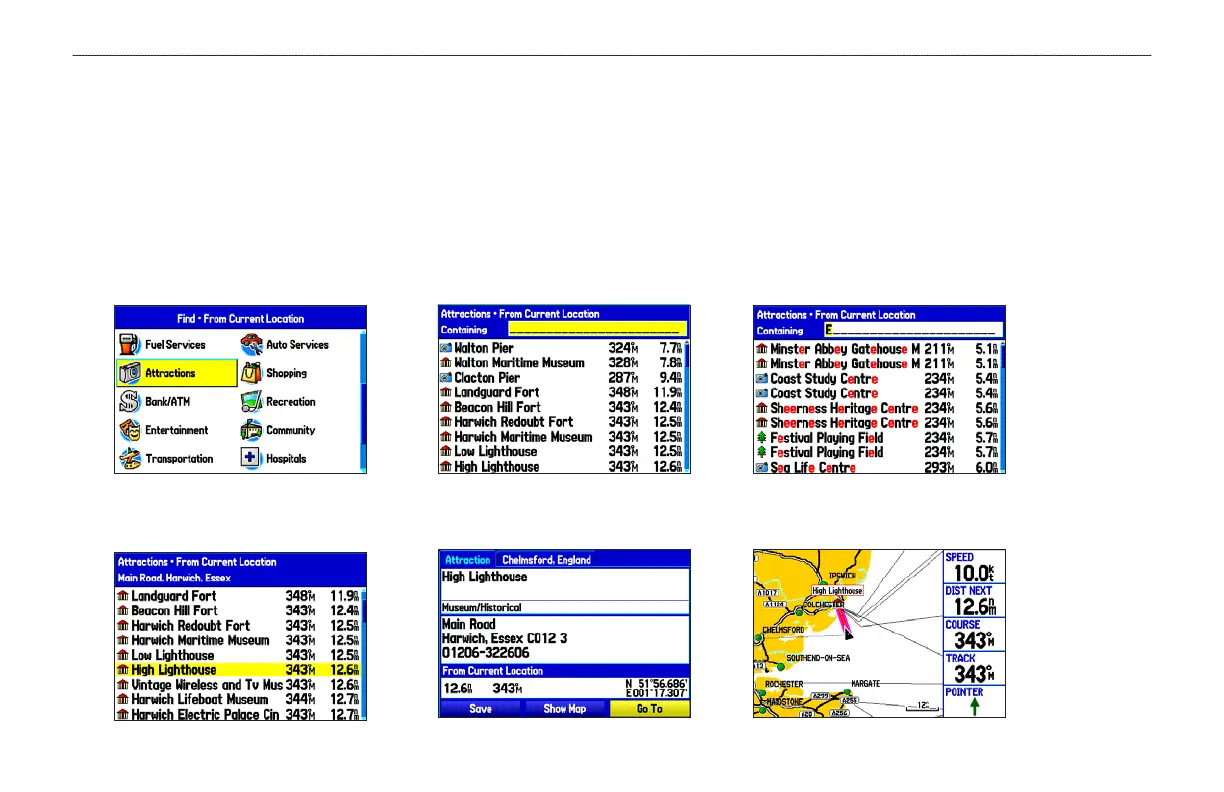
To find an item and go to it:
Press FIND to open the
Find menu.
Highlight a category, and
press ENTER.
Press ENTER, and then
spell the name of the item.
Highlight the Go To button,
and press ENTER.
Follow the magenta line
created on the Map Page.
Select an item from the list,
and press ENTER.
GPSMAP 278 Owner’s Manual 17
MARINE MODE > FINDING AN ITEM


 To Next Page
 Loading...