9-3
SNIFFER MODEUSER HANDBOOK
9.4 SNIFFER BUTTON OPERATION
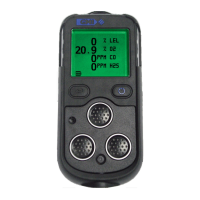
A summary of the button operation is detailed in Table 9.1:
LH
(INVERT)
RH
(PUMP)
CENTRE
(RANGE)
ACTION
PRESS
INVERT
DISPLAY
BACKLIGHT /
FLASHLIGHT
PUMP
ON / OFF
CLEAR FLOW
FAULT
ZERO
PRESS
and
HOLD
Table 9.1 Button Operation in Sniffer Mode
9.5 DESCRIPTION OF SNIFFER BUTTON OPERATION
9.5.1 Lights
To switch ON the backlight:
• Press and hold the Centre button .
To switch ON the ashlight:
• Press and hold the Centre button again.
The backlight and ashlight are both timed to switch OFF after two
minutes. Both can be switched OFF by a third press and hold the
Centre button .
9.5.2 Pump
To switch pump ON and OFF:
• Press the RH button .



 To Next Page
 Loading...