Note:Fordetails,refertotheinstructionsin“Attachingasecuritylock(not
supplied)”onpage16.
2ACpoweradapterjack:Connecttheacpoweradapterhere.
Note:Fordetails,refertotheinstructionsin“Usingacpoweradapterandbattery”
onpage9
.
3Fanlouvers:Dissipateinternalheat.
Note:Makesurethatnoneofthefanlouversareblockedorelseoverheating
ofthecomputermayoccur.
4VGAport:Connectstoexternaldisplaydevices.
5RJ-45port:ThisportconnectsthecomputertoanEthernetnetwork.
Note:Fordetails,refertotheinstructionsin“Wiredconnection”onpage17
.
6HDMIport(onsomemodels):ConnectstodeviceswithHDMIinputsuchas
aTVoradisplay.
7eSATA/USBconnector(onsomemodels):ConnectstoeSATAorUSB
devices.
Note:Fordetails,refertotheinstructionsin“Connectingauniversalserialbus
(USB)device”onpage13
.
8USBconnector:ConnectstoUSBdevices.
Note:Fordetails,refertotheinstructionsin“Connectingauniversalserialbus
(USB)device”onpage13
.
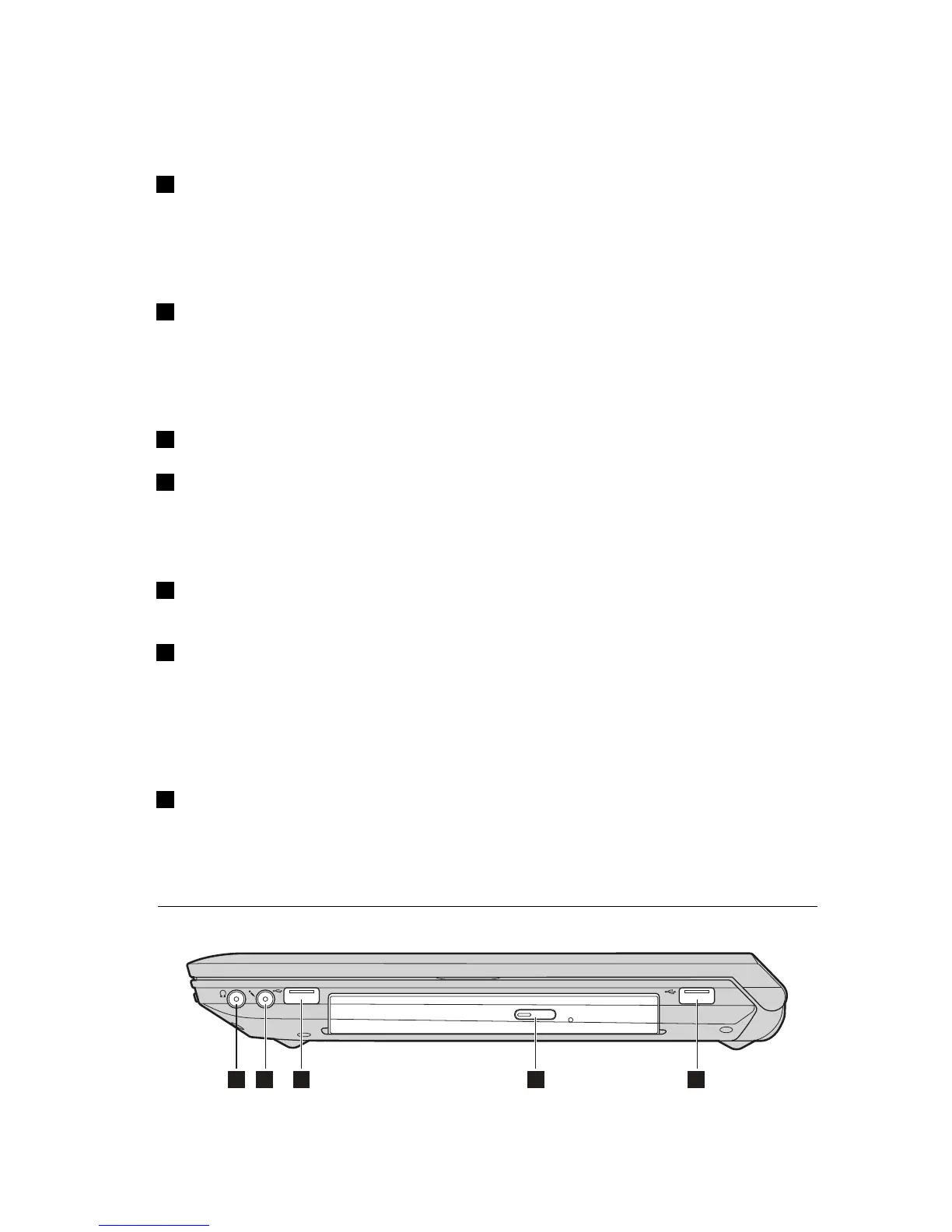
Right-sideview


 To Next Page
 Loading...






