42
Shooting in One-Touch Portrait Mode
Shooting in One-Touch Portrait Mode
One-Touch Portrait Mode
When b is pressed with shooting, the camera enters one-touch portrait mode,
which is suited to portraits.
The following features are automatically activated:
• Settings that make the portrait subject stand out clearly are automatically
applied.
• Face-priority AF, with which the camera automatically detects and focuses on
faces, is activated.
• Auto with red-eye reduction flash mode (A 31) is automatically applied to
reduce the “red-eye” phenomenon that often occurs when the flash is used (this
setting can be modified).
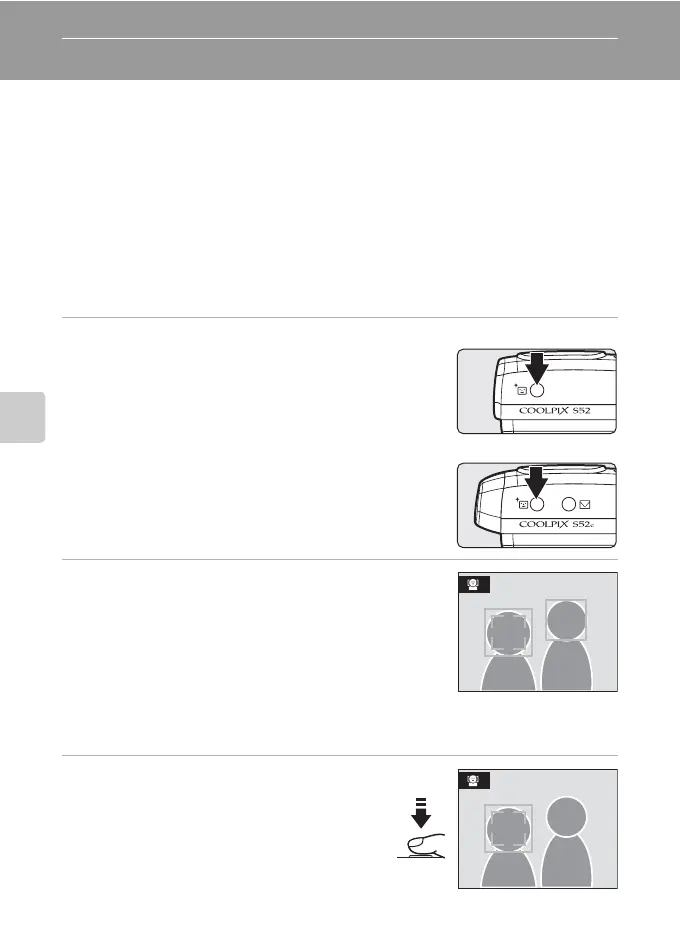
1 Press b (one-touch portrait mode).
The camera enters one-touch portrait mode.
Press b again to return to shooting mode selected in
the shooting- mode selection menu.
2 Frame the subject.
When the camera detects a face, the guide is displayed
with a double yellow border.
Up to five people can be detected.
When the camera detects more than one face, the closest
face is framed by a double border and the rest by a single
border. The camera focuses on the face framed by the
double border. If the camera loses its ability to detect a face (for example, because the
subject has looked away from the camera), borders are no longer displayed.
3 Press the shutter-release button
halfway.
Focus and exposure are set, and the double
border glows green.
Press the shutter-release button the rest of the
way down to shoot.
COOLPIX S52
COOLPIX S52c



 To Next Page
 Loading...









