Advanced (Playback)
- 103 -
[Protect]
You can set protection for pictures you do not want to delete by mistake.
Select [Protect] on the [Playback] Mode menu. (P39)
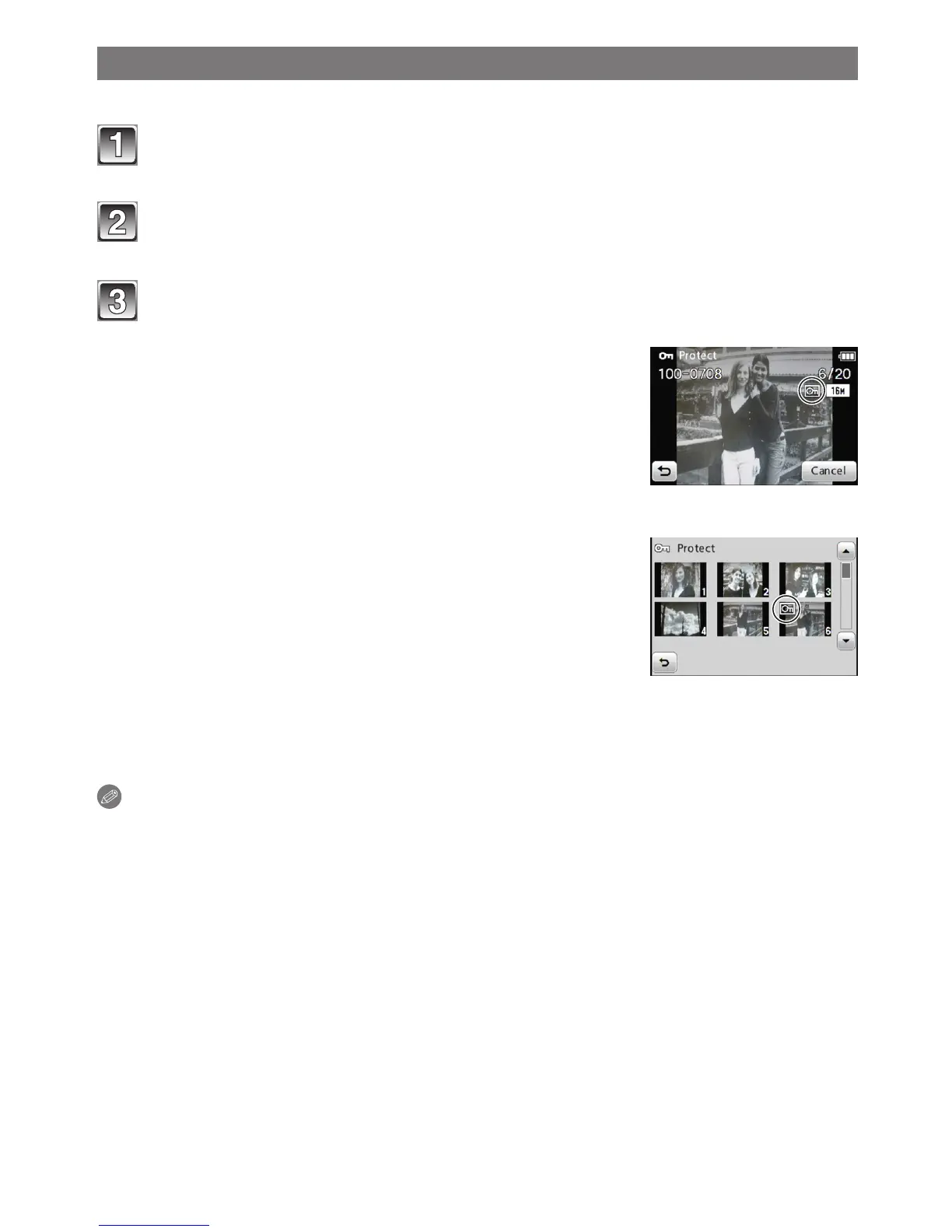
Touch [S (Single)] or [M (Multi)].
Select the picture.
[Single]
[Single] setting
Drag the screen horizontally to select an image,
and then touch [Set].
• For how to select a picture, see P31.
• Setting is canceled by touching [Cancel].
[Multi]
[Multi] setting
Touch the picture you wish to protect.
• For how to select a picture, see P31.
• Setting is canceled by touching the same picture
again.
• After setting, close the menu.
Canceling all the [Protect] settings
Select [Protect] " [CANCEL] " [Yes] on the playback menu.
Note
• The protect setting may not be effective on other equipment.
• Even if you protect pictures in the built-in memory or a card, they will be deleted if the
built-in memory or the card is formatted.
• Even if you do not protect pictures on a card, they cannot be deleted when the card’s
Write-Protect switch is set to [LOCK].



 To Next Page
 Loading...