English_22
BASIC OPERATION OF YOUR MEMORY CAMCORDER
This section explains the basic techniques of recording movies, and also basic settings on your memory camcorder.
Set the appropriate operation mode according to your preference using POWER switch and MODE button.
Turning memory camcorder on or off
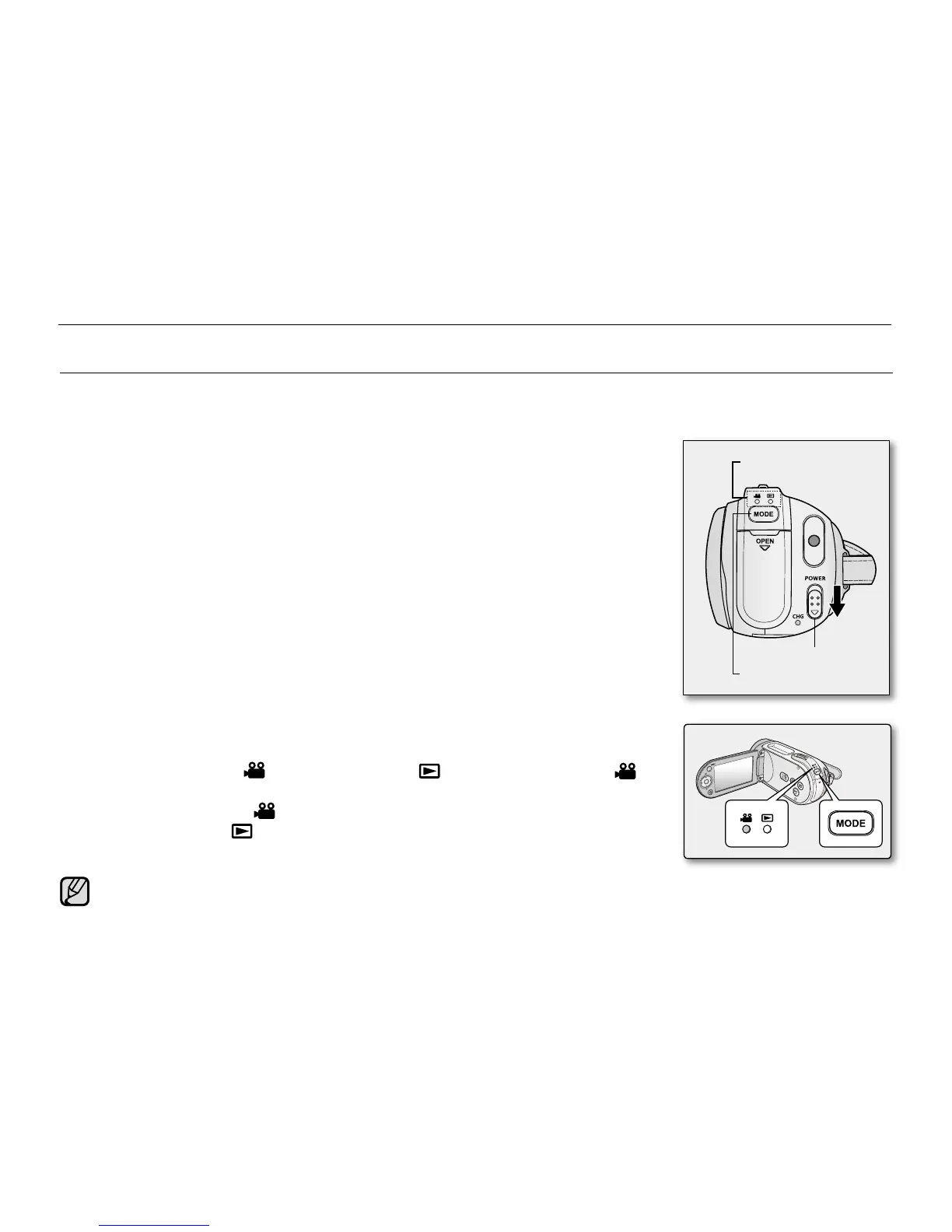
You can turn the power on or off by sliding the POWER switch down.
Slide the POWER switch repeatedly to toggle the power on or off.
•
Setting the operating modes
You can switch the operating mode in the following order each time you press
the MODE button.
- Movie Record mode ( )
➔
Movie Play mode ( )
➔
Movie Record mode ( )
Each time the operational mode changes, the respective mode indicator lights up.
- Movie Record mode ( ): To record movie images.
- Movie Play mode ( ): To play movie image.
•
•
MODE button
POWER switch
Mode indicator
preparation
When the memory camcorder is turned on, the self-diagnosis function operates and a message may appear.
In this case, refer to "Warning indicators and messages" (on pages 100-102) and take corrective action.
Movie Record is set by default with the power on.
•
•


 To Next Page
 Loading...