English_74
CHANGING THE MENU SETTINGS IN "SETTINGS"
You can change the menu settings to customize your memory camcorder.
Access the desired menu screen by following the steps below and change the various settings.
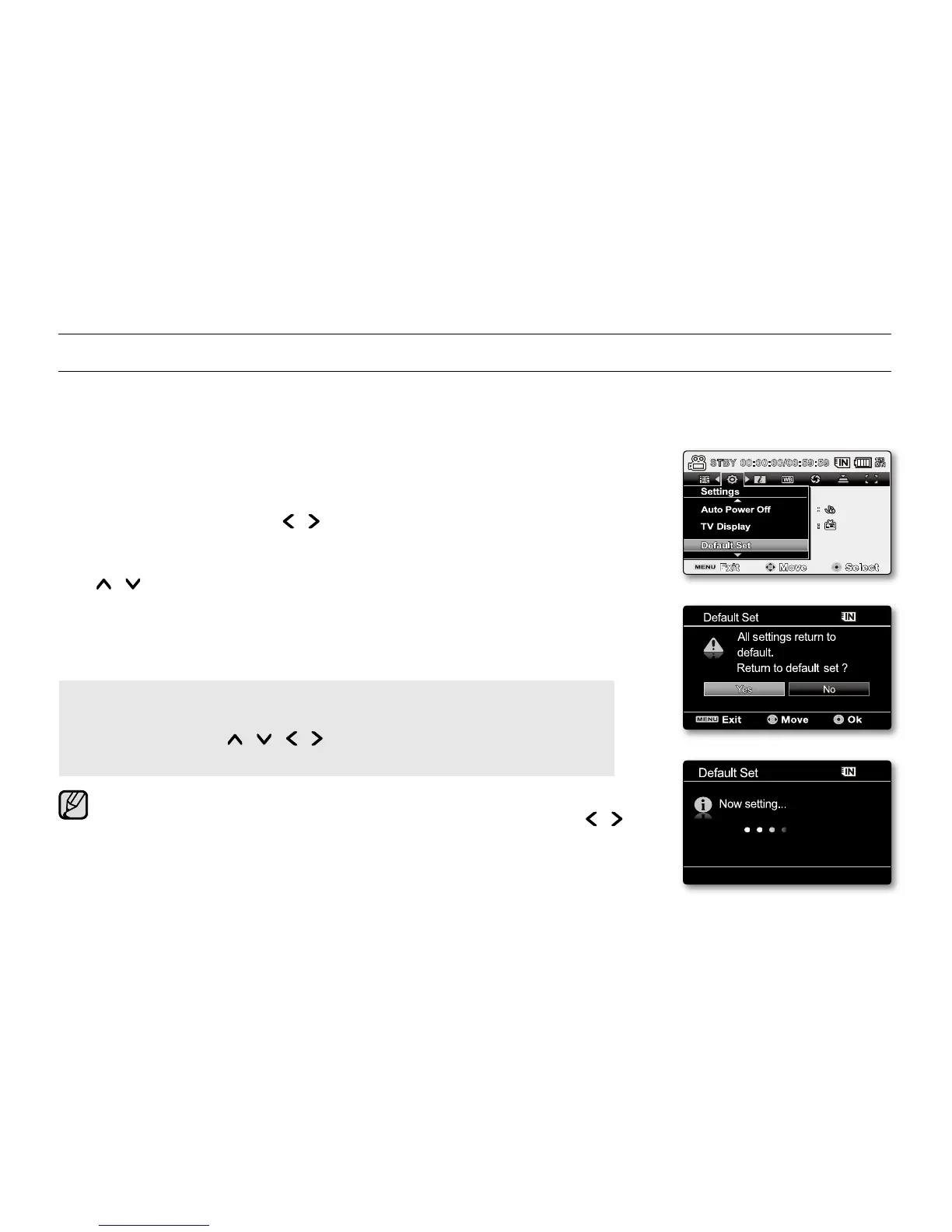
1. Slide POWER switch downward to turn the memory camcorder on.
2. Press MENU button.
The menu screen appears.
3. Press the Control button ( / ) to select "Settings".
The menus in "Settings" mode will appear.
4. Select the desired sub menu and menu item with the Control buttons
( / ) and the OK button.
To return to the normal screen, press MENU button.
Depending on the mode selected, not all items will be selectable to be changed.
(If there is no storage media inserted, it can not be selected and will be dimmed
on the menu: "Storage", "Storage Info", "Format", etc.)
Button Tips
a.
MENU button : Use it to enter or exit the menu.
b. Control button ( / / / ) : Use it to move up/down/left/right
c. OK button : Use it to select or confirm the menu.
The pop-up selection menu will appear depending on the selected menu
item. In this case, select the desired item with the Control buttons ( / )
and the OK button.
•
•
•
•
settings options


 To Next Page
 Loading...