EasyManua.ls Logo

Sony DPP-FP97 - Before you begin; Identifying the parts

Sony DPP-FP97
96 pages
Print Icon
To Next Page IconTo Next Page
To Previous Page IconTo Previous Page
Loading...
Before
you
begin
Identifying
the
parts
For details, see the pages indicated in the
parentheses.
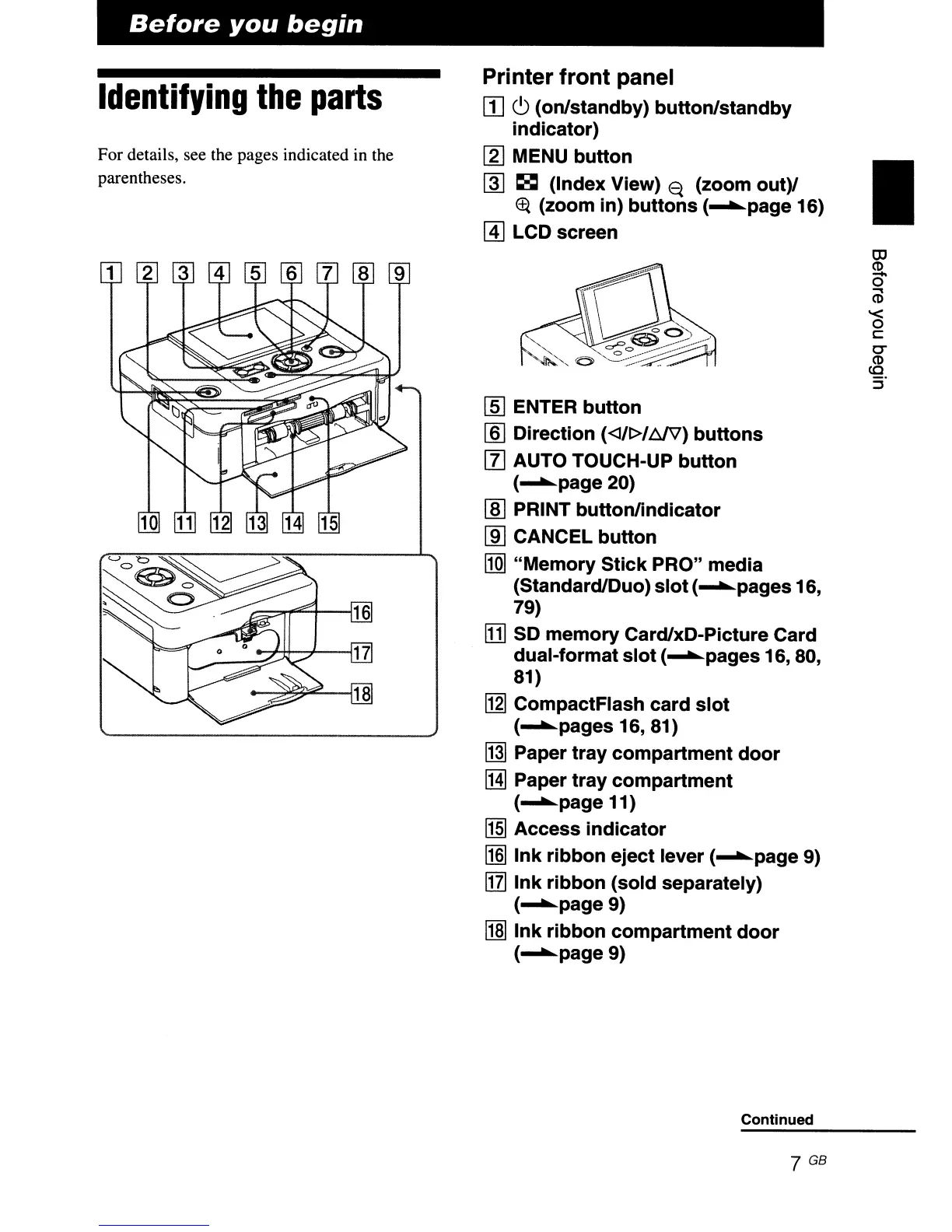
Printer
front
panel
rn
C)
(on/standby)
button/standby
indicator)
[gJ
MENU
button
~
~
(Index View)
<q
(zoom
out)/
EF{
(zoom in)
buttons
(
......
page 16)
@]
LCD screen
[ID
ENTER
button
[§J
Direction
(<J/~/M'V)
buttons
[l] AUTO TOUCH-UP
button
(
......
page20)
lID
PRINT
buttonlindicator
[ID
CANCEL
button
[1Q]
"Memory
Stick
PRO" media
(Standard/Duo)
slot
(
......
pages 16,
79)
!DJ
SO
memory
Card/xD-Picture Card
dual-format
slot
(
......
pages 16, 80,
81)
~
CompactFlash
card
slot
(
......
pages
16,81)
~
Paper
tray
compartment
door
!HI
Paper
tray
compartment
(
......
page 11)
!1§J
Access
indicator
~
Ink
ribbon
eject lever (
......
page 9)
[IT]
Ink
ribbon
(sold
separately)
(
......
page9)
l1m
Ink
ribbon
compartment
door
(
......
page9)
Continued
7 GB
I
llJ
CD
-
o
m
'<
o
c::
0-
CD
co
:f

Related product manuals