24
Options Menu
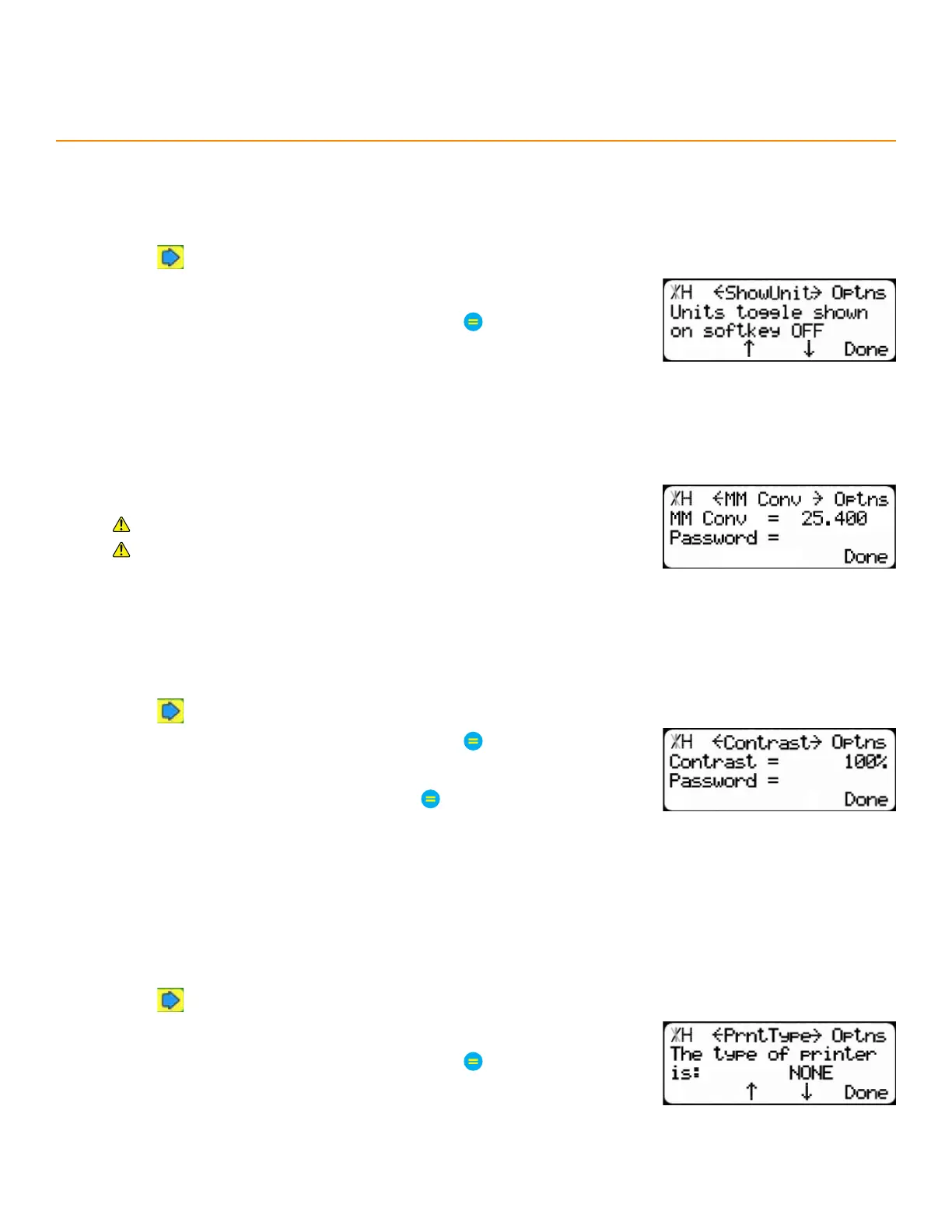
SHow unitS
Adds/removes a soft key command to the Ready Screen for switching between inches and millimeters.
1. Press until reaching the ShowUnit screen.
2. Press the [↓] or [↑] soft key.
3. Enter the TigerStop
®
’s password and then press
• By default, the TigerStop
®
’s password is the serial number.
4. Press the [↓] or [↑] soft key to toggle the setting.
millimeteR conveRSion
Modify the conversion math for inches and millimeters.
Used for TigerSaw MiterXL, only.
Contact TigerStop
®
Customer Service before adjusting this setting.
contRaSt
Contrast adjusts the darkness level of the display’s text.
1. Press until reaching the Contrast screen.
2. Enter the TigerStop
®
’s password and then press
• By default, the TigerStop
®
’s password is the serial number.
3. Enter a new contrast value and then press
• 75 is the minimum value.
PRinteR tyPe
Printer Type tells the TigerStop
®
which kind of printer is installed, if any.
1. Press until reaching the PrntType screen.
2. Press the [↓] or [↑] soft key.
3. Enter the TigerStop
®
’s password and then press
• By default, the TigerStop
®
’s password is the serial number.
4. Press the [↓] or [↑] soft key to select a printer type.


 To Next Page
 Loading...