40
1. BASIC INFORMATION BEFORE OPERATION
RAV4_Navi+MM_OM42A43U_(U)
15.08.10 11:04
6. SCREEN ADJUSTMENT
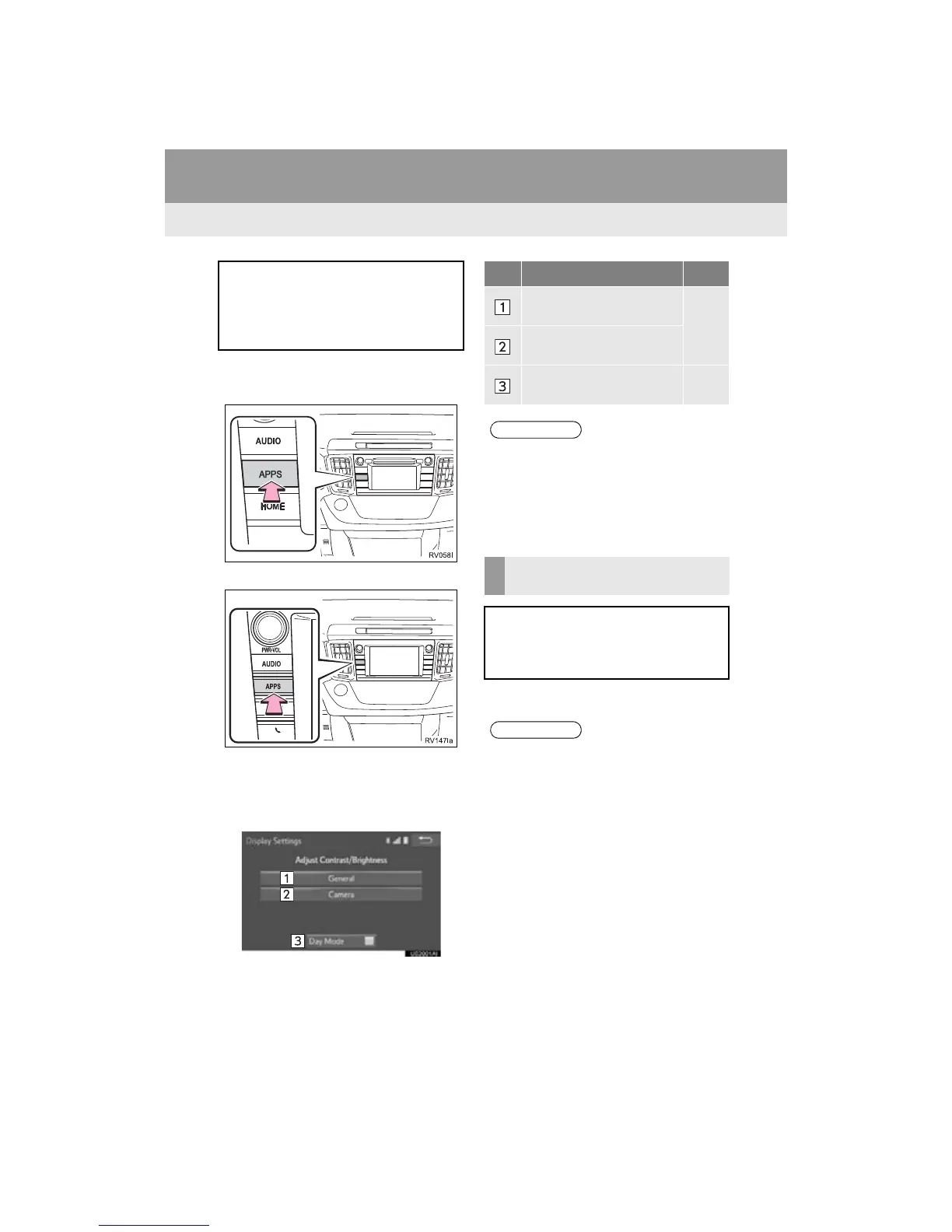
1 Press the “APPS” button.
Entune Audio Plus
Entune Premium Audio
2 Select “Setup”.
3 Select “Display”.
4 Select the items to be set.
1 Select “Day Mode”.
The contrast and brightness of the
screen display and the image of the
camera display can be adjusted. The
screen can also be changed to either
day or night mode.
No. Function Page
Select to adjust the screen
display.
41
Select to adjust the camera
display.
Select to turn day mode on/
off.
40
● When the screen is viewed through
polarized sunglasses, a rainbow pattern
may appear on the screen due to optical
characteristics of the screen. If this is
disturbing, please operate the screen
without polarized sunglasses.
CHANGING BETWEEN DAY
AND NIGHT MODE
Depending on the position of the head-
light switch, the screen changes to day
or night mode. This feature is available
when the headlight is switched on.
● If the screen is set to day mode with the
headlight switch turned on, this condition
is memorized even with the engine
<hybrid system> turned off.


 To Next Page
 Loading...




