VX-6R/E OPERATING MANUAL 23
ADVANCED OPERATION
RF SQUELCH
A special RF Squelch feature is provided on this radio. This feature allows you to set the
squelch so that only signals exceeding a certain S-meter level will open the squelch.
To set up the RF squelch circuit for operation, use the following procedure:
1. Press the
[
F/W
]
key, then press the
[
0
(
SET
)]
key to enter the Set mode.
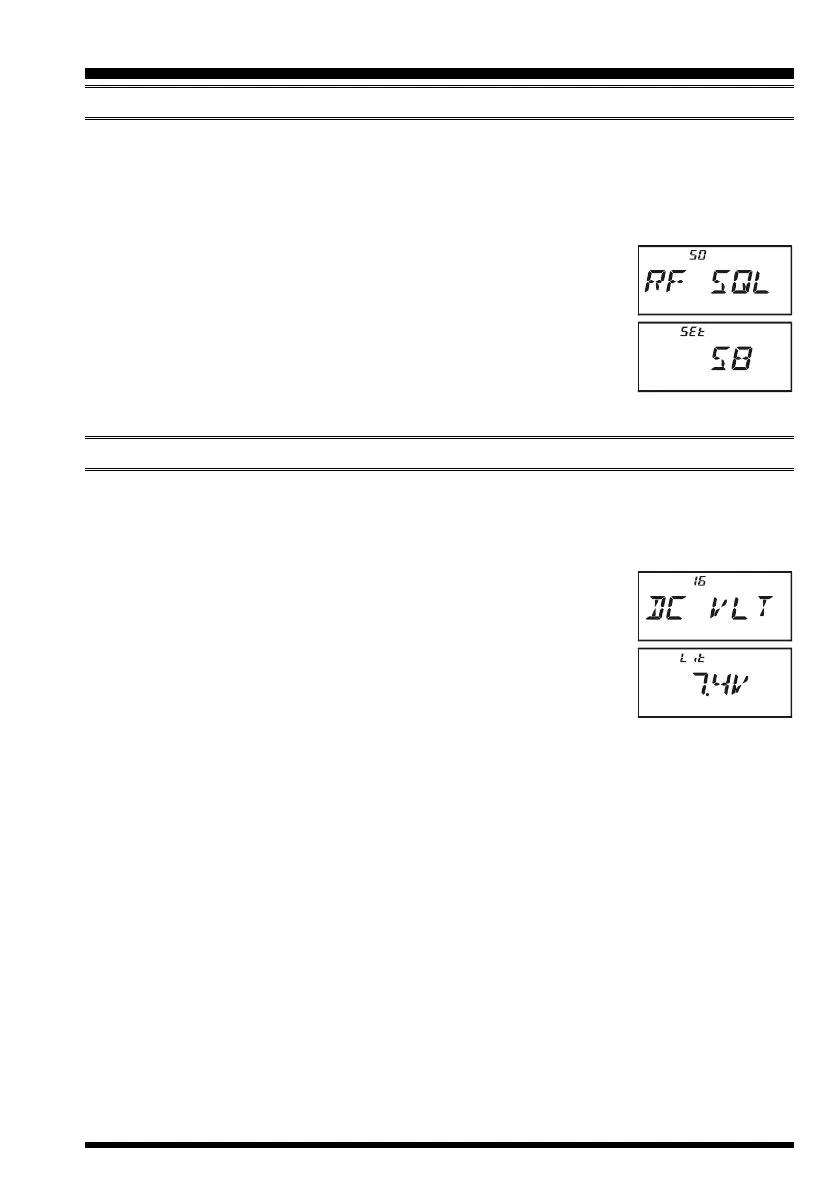
2. Rotate the DIAL knob to select Set Mode Item 50: RF SQL.
3. Press the
[
0
(
SET
)]
key momentarily to enable adjustment of
this Item.
4. Rotate the DIAL knob to select the desired signal strength level
for the squelch threshold (S1, S2, S3, S4, S5, S6, S7, S8, S9,
S9+, or OFF).
5. Press the PTT switch to save the new setting and return to normal operation.
CHECKING THE BATTERY VOLTAGE
The VX-6R/E’s microprocessor includes programming which will measure the current bat-
tery voltage.
1. Press the
[
F/W
]
key, then press the
[
0
(
SET
)]
key to enter the Set mode.
2. Rotate the DIAL knob to select Set Mode Item 16: DC VLT.
3. Press the
[
0
(
SET
)]
key momentarily to display the current DC
voltage being supplied.
Lit: FNB-80LI is in use.
Edc: An external DC source is in use.
4. Press and hold in the
[
0
(
SET
)]
key for 2 seconds to return to
normal operation.


 To Next Page
 Loading...