Using the Software on the Windows Platform – The Basics
20
Printing Images
TherearethreemethodsforusingZoomBrowserEXtoprintimages:[PhotoPrint],[IndexPrint]
and[PrintUsingOtherSoftware].Thissectionexplainshowtousethe[PhotoPrint]option.
Photo Print
Printsoneimageoneachpage.
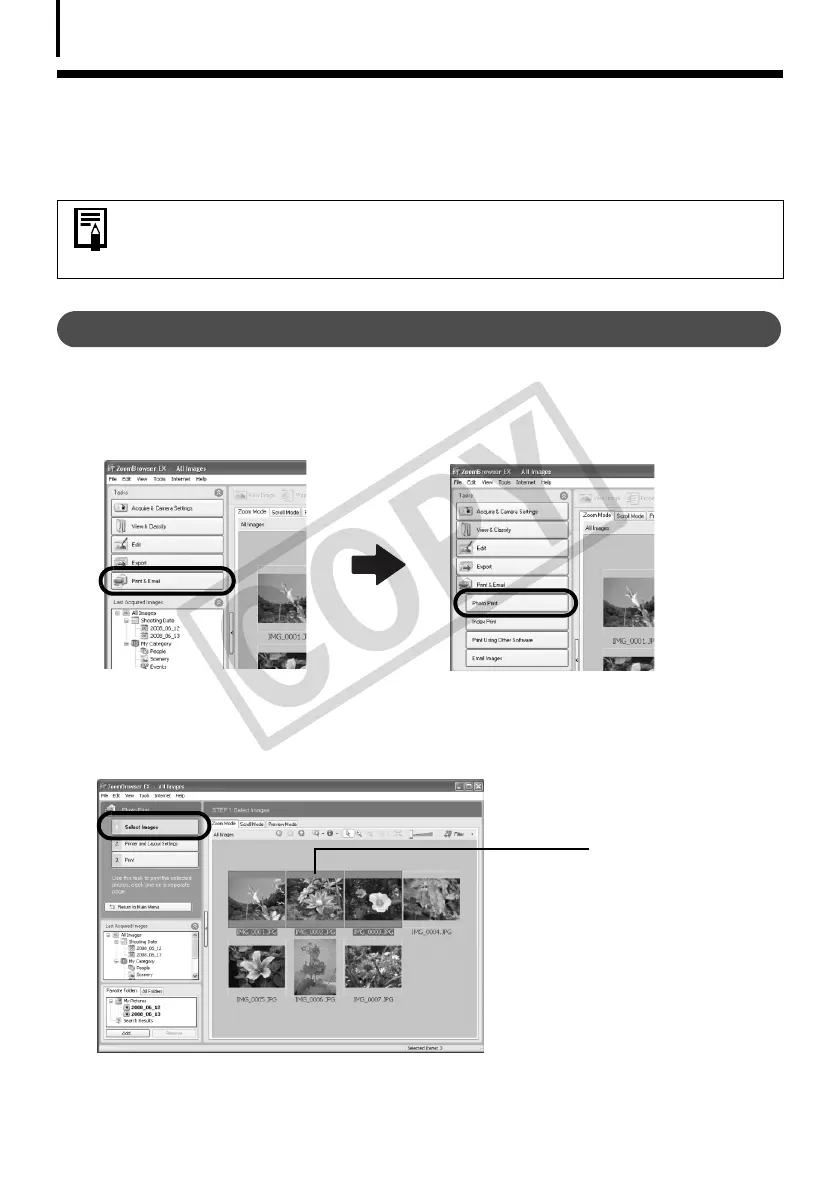
1 Click [Print & Email] in ZoomBrowser EX's Main Window, followed by [Photo
Print].
2 After confirming that [1. Select Images] is selected, select images.
Youcanselectmultipleimagesbyholdingthe[Ctrl]keydownwhileclickingonsuccessive
images.
• Movies cannot be printed, but you can print still images saved from movies.
• To use the Index Print option, click [Print & Email] in the Main Window,
followed by [Index Print].
The background of
selected images
changes to blue.


 To Next Page
 Loading...








