68
Projection Procedure
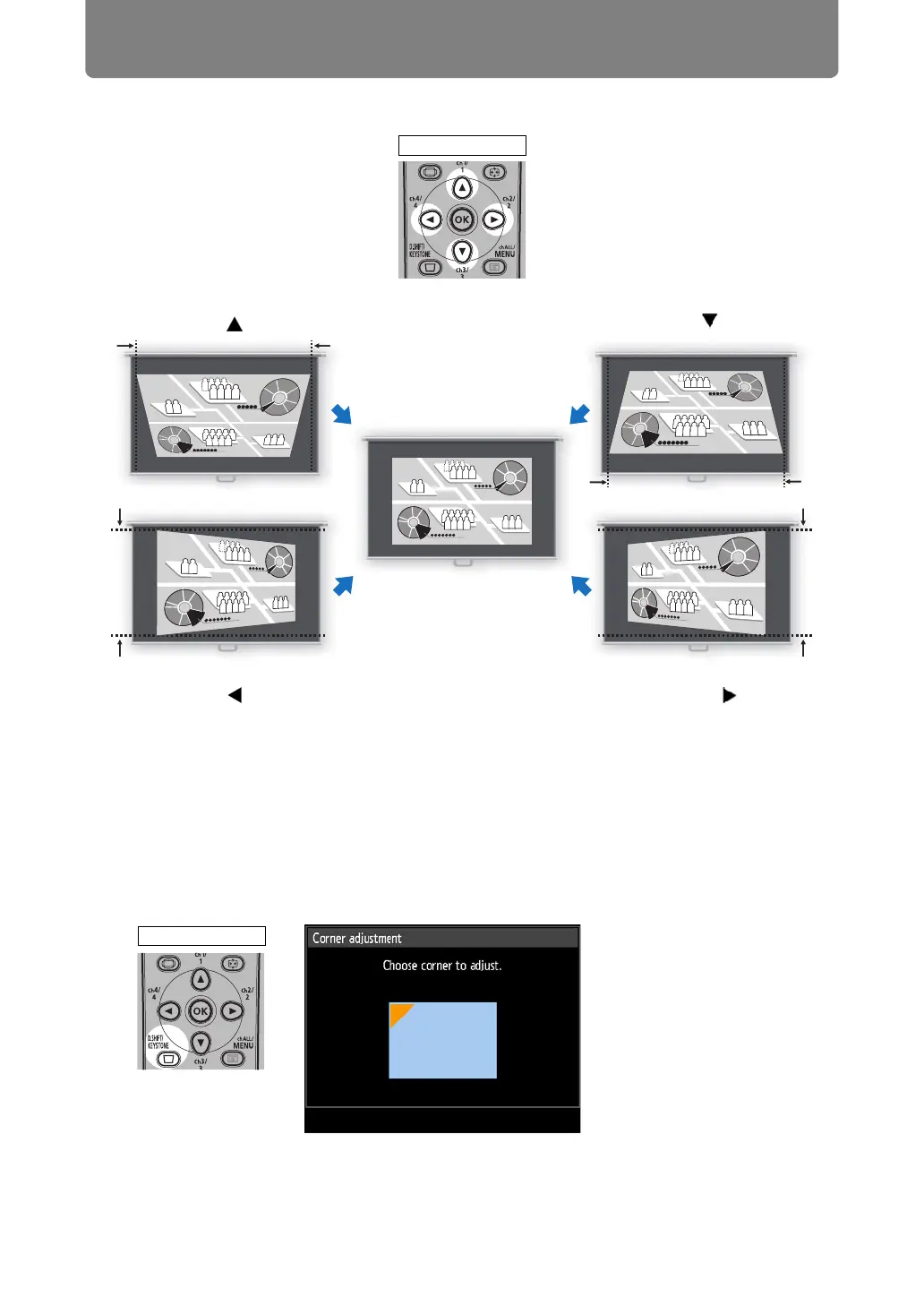
2 Press the pointer buttons to adjust the dimensions.
3 When keystone distortion has been corrected, press the OK button.
■ Corner Adjustment
1 Press the D.SHIFT/KEYSTONE button on the remote control to display the
corner adjustment window when [Keystone] is set to [Corner
adjustment].
To correct top distortion,
press the [ ] button.
To correct bottom distortion,
press the [ ] button.
To correct distortion on the
right, press the [ ] button.
Screen
To correct distortion on the left,
press the [ ] button.
Remote control
Remote control


 To Next Page
 Loading...