5D-Link DWR-961 User Manual
Section 1 - Product Overview
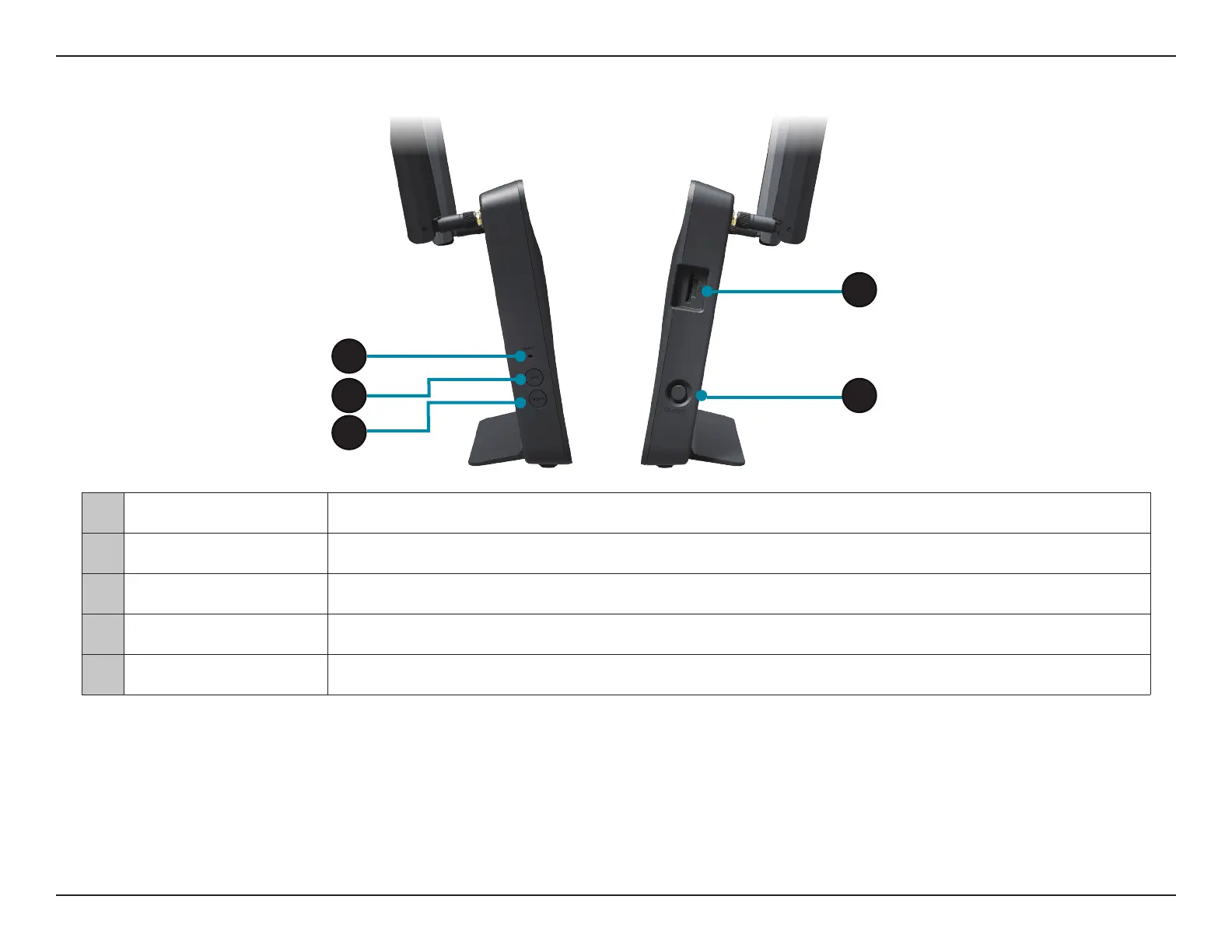
1 Reset Button Press this button with an unfolded paperclip and hold for ten seconds to reset the device.
2 WPS Button Press this button to initiate a new WPS connection. See WPS Button on page 119 for details.
3 WLAN Press this button to toggle wireless LAN on or o.
4 SIM/UICC Card Slot Accepts a standard mini-SIM card for 4G LTE connectivity.
5 Power Button Turns the device on or o.
Side View
5
4
1
2
3


 To Next Page
 Loading...