3. Reinstall the M2.5 x 4-mm screw that secures the flex-cable mounting bracket to the top cover.
4. Starting on the left side, use a magnetic screwdriver to reinstall the six M2 x 3-mm screws that
secure the display panel in the top cover.
5. Reinstall the M2.5 x 6-mm flex-cable strain relief screw, and reconnect the flex cable to the
graphics card.
6. Reinstall the display bezel.
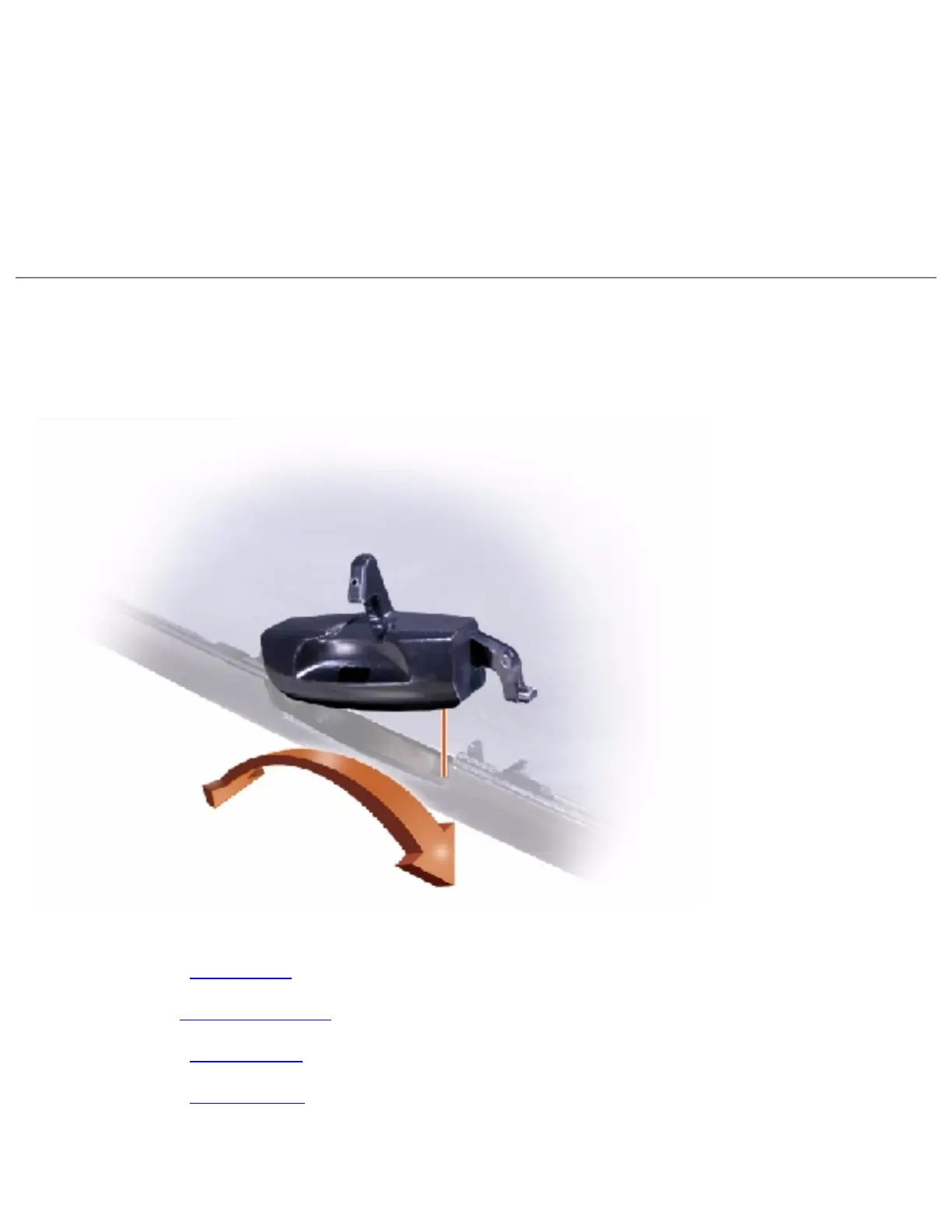
Display Latch
1. Remove the hinge cover.
2. Detach the display flex cable from the strain relief and the graphics card.
3. Remove the display bezel.
4. Remove the display panel from the top cover.
5. Remove the display latch by disengaging the latch and captive spring.
file:///I|/SERVICE%20MANUALS/DELL%20MANUALS/LA.../Latitude/C840/C840_SERVICE_MANUAL/display.htm (9 of 10)6/21/2004 1:36:15 AM


 To Next Page
 Loading...