Back to Contents Page
Fan
Dell™ Latitude™ C840 Service Manual
NOTICE: Disconnect the computer and attached devices from electrical outlets and remove any
installed batteries.
NOTICE: To avoid ESD, ground yourself by using a wrist grounding strap or by periodically
touching unpainted metal on the computer.
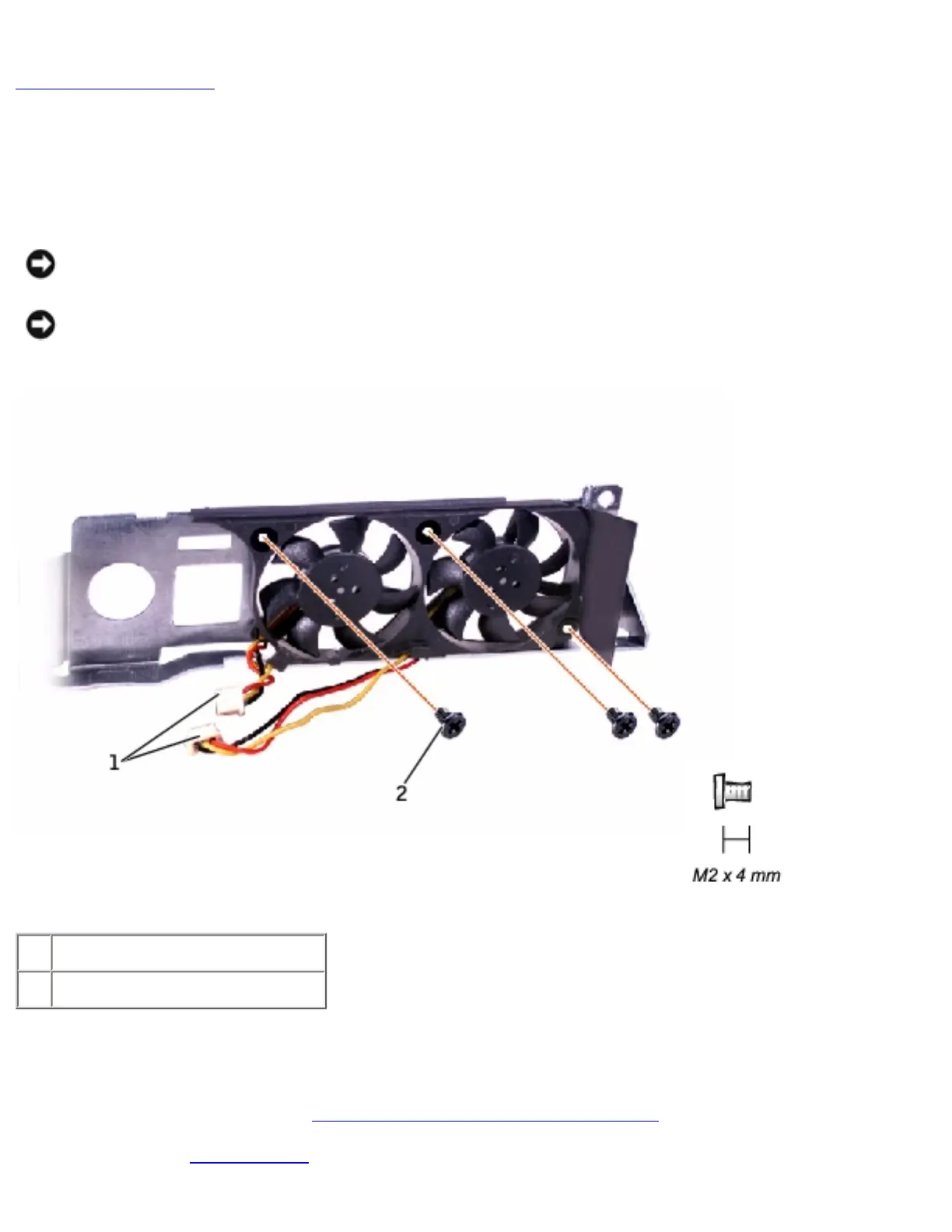
1 fan cables
2 M2 x 4-mm screws (3)
Removing the Fan
1. Follow the instructions in "Preparing to Work Inside the Computer."
2. Remove the system board.
file:///I|/SERVICE%20MANUALS/DELL%20MANUALS/LA...20ok/Latitude/C840/C840_SERVICE_MANUAL/fan.htm (1 of 2)6/21/2004 1:36:24 AM


 To Next Page
 Loading...