12-1
12. NAVIGATION TOOLS
This chapter presents the various navigation tools available with the system. With the
exception of the divider and mini-conning display, the tools listed below are in the
[Overlay/NAV Tools] Box.
*: Shown only when a EC-3000 with TCS functionality is connected to the network.
12.1 How to Access the Tools in the Overlay/Nav
Tools Box
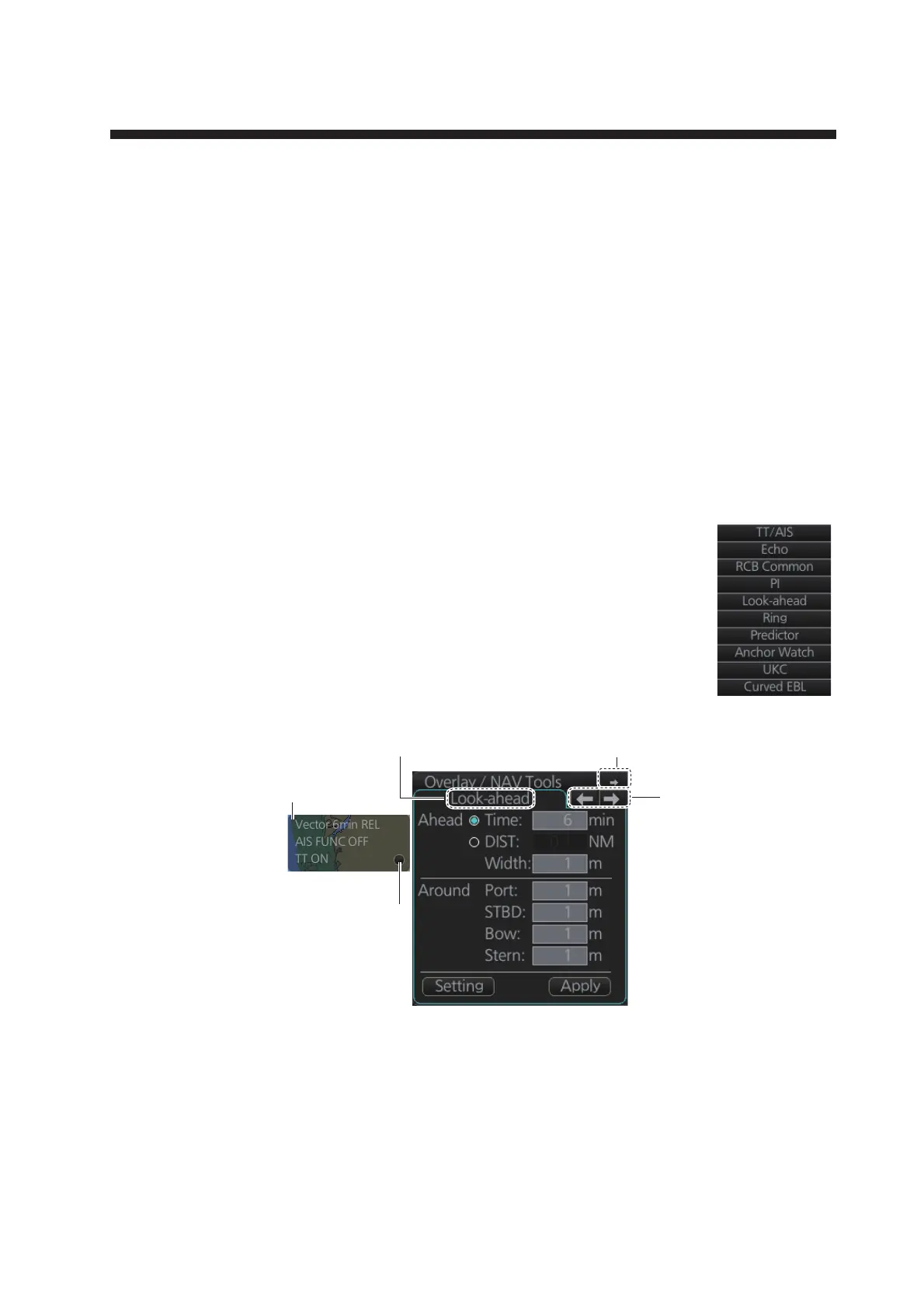
The [Overlay/NAV Tools] box is located at bottom-right position on
the screen, and contains various pages of functions for navigation.
There are two methods to select pages.
• Click the page selection buttons on the [Overlay/NAV Tools] box.
• Right-click the page name on the [Overlay/NAV Tools] box to show
a context menu of the available pages, as shown right.
The window that appears to the left of the [Overlay/NAV Tools] is
shown except when the [TT/AIS] page is selected.
• TT/AIS (see chapters 13 and 14)
• Echo (see chapter 16)
• RCB Common (see chapter 16)
• PI
• Look-ahead
• Ring (Range rings)
• Predictor
• Anchor Watch
• UKC (Under Keel Clearance)
• Curved EBL*
• Mini Conning
• Divider
Page
selection
buttons
Minimize button
Overlay/NAV Tools box (Look-ahead page)
Page name
TT/AIS
display
settings
Click radio button to open
menus for setting up TT/AIS.



 To Next Page
 Loading...









