2. OPERATIONAL OVERVIEW
2-6
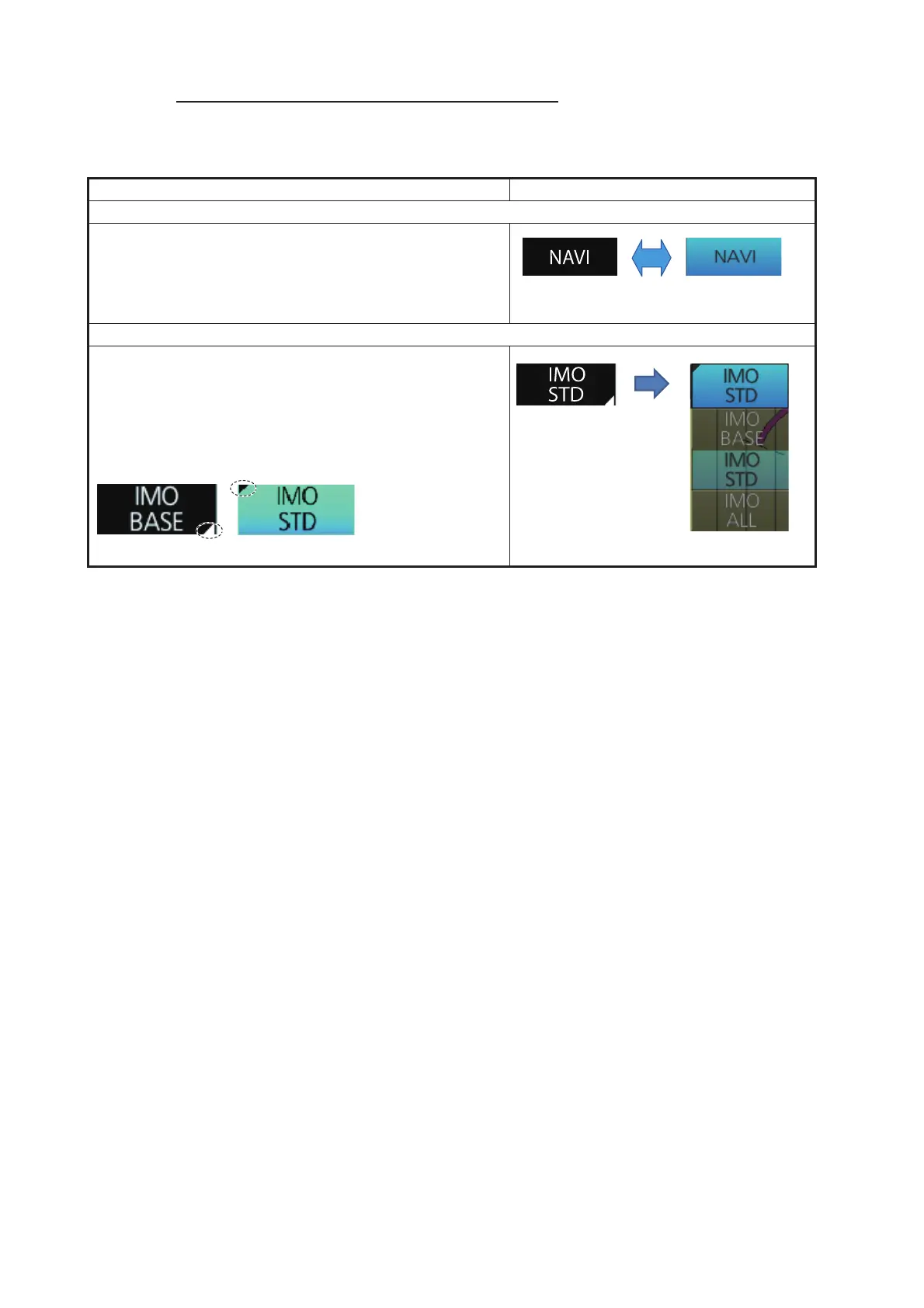
How to operate the buttons on the Status bar
There are two types of buttons on the Status bar: Toggle button and Drop-down list
button. Click the button to operate it.
Button type Operating procedure
Toggle button
A toggle button alternately selects one of two functions
assigned to a button. The background color of a toggle
button is light-blue when the button’s function is enabled;
gray (default color) when disabled. The [NAVI] button is
an example of a toggle button.
Drop-down list button
A drop-down list button provides a drop-down list from
which to select an option related to the label on the but-
ton. The [Chart Database] button is an example of a drop-
down list button. See the right figure. A drop-down list
button has a list status indicator whose position changes
according to list status.
ON
(light-blue)
Click
button.
Click
button.


 To Next Page
 Loading...









