Garmin © 2007 36 Honda Portable Navigation System
use The TraVel kiT
View Pictures
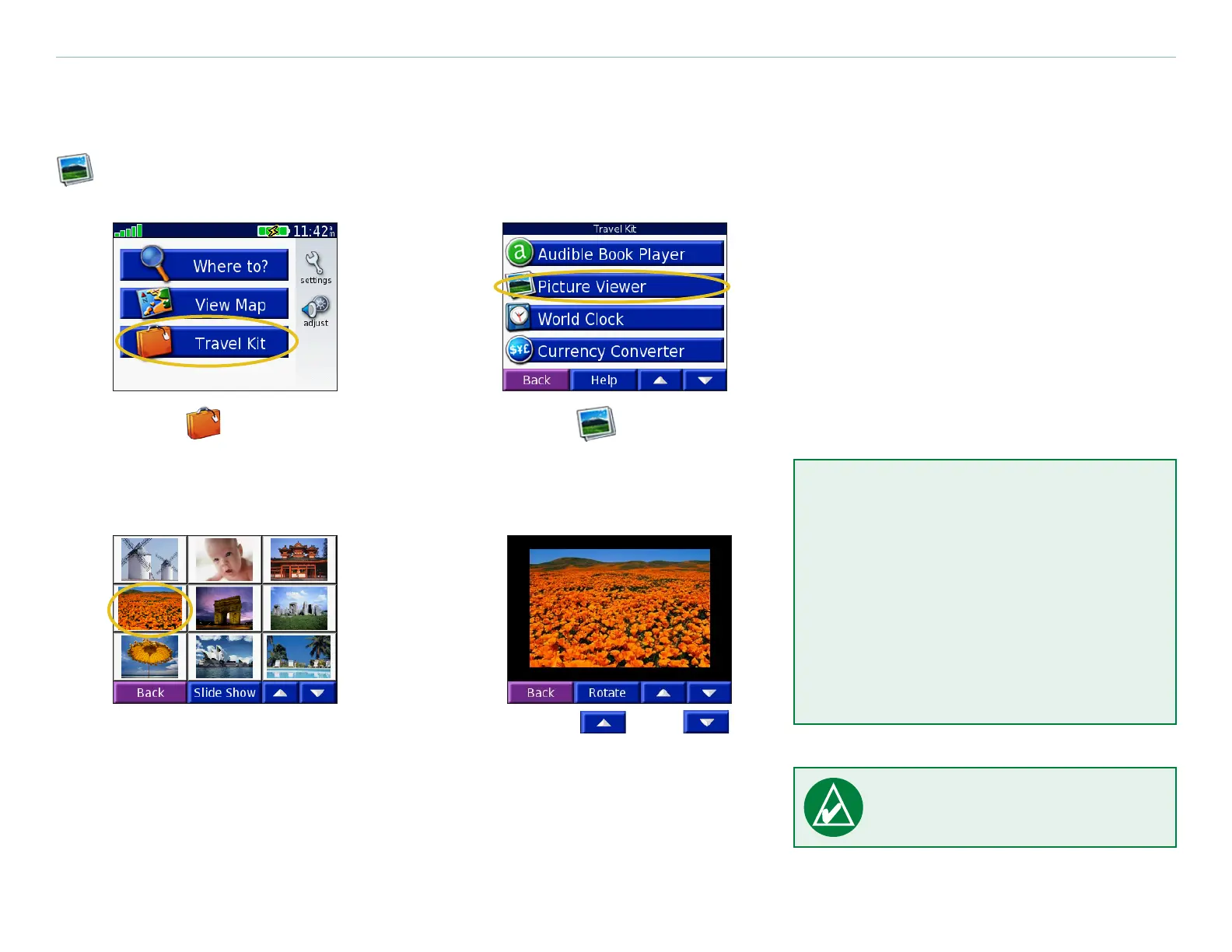
You can view pictures that you have stored in your Honda Portable Navigation System using the
Picture Viewer.
➊
Touch Travel Kit.
➋
Touch Picture
Viewer.
➍
Touch and
to scroll through
the images.
➌
Touch a picture to view
a larger image of it.
TIP: Touch Rotate to
rotate the image 90°.
View a Slide Show
Touch Slide Show to start a slide
show that displays each image for
a few moments and then displays
the next image.
Touch anywhere on the screen to
stop the slide show.


 To Next Page
 Loading...










