Garmin © 2007 42 Honda Portable Navigation System
cusToMize your honda PorTable naVigaTion sysTeM
cuStoMize your honda PortabLe
naVigation SySteM
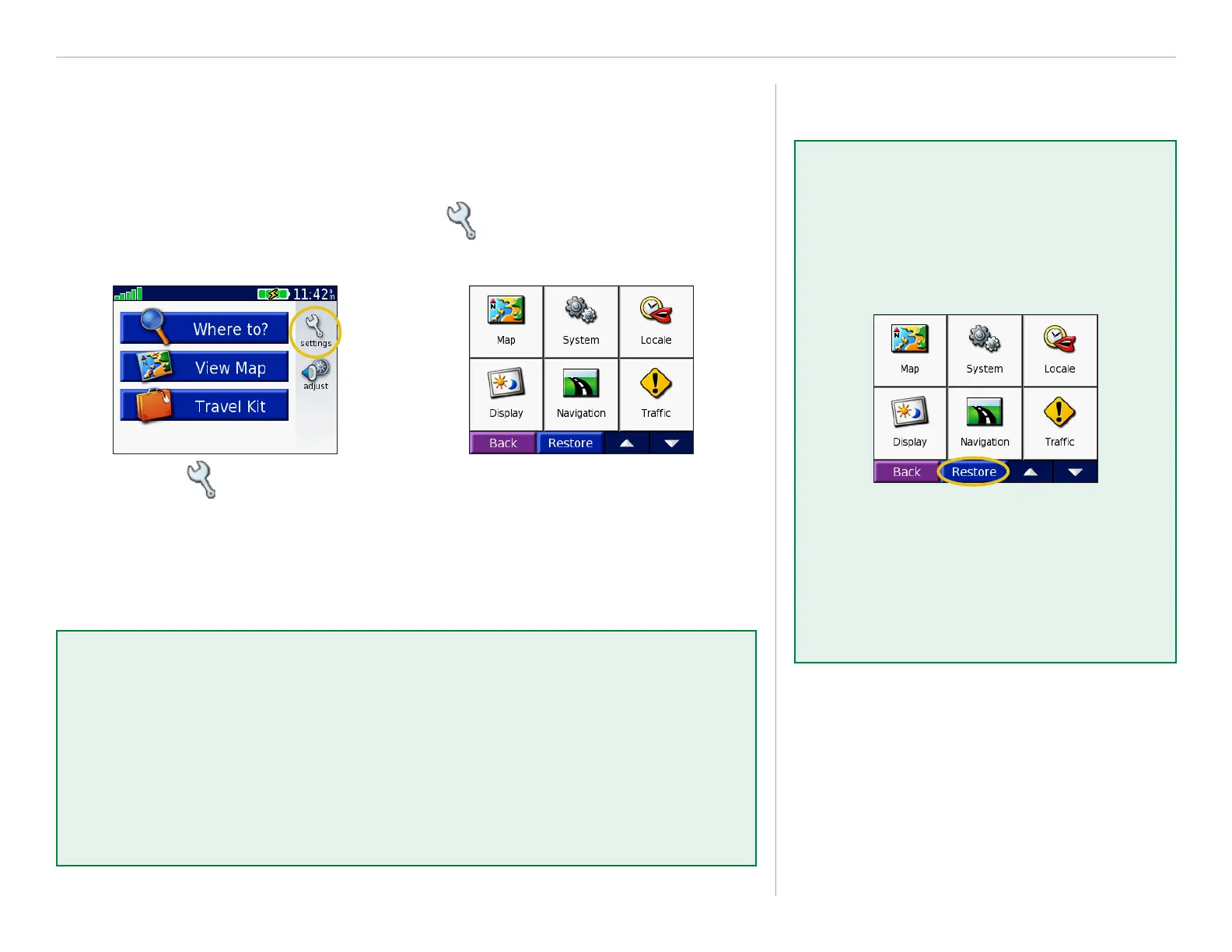
To change your unit’s settings, touch (settings). See the
following pages for more information.
Touch to display
the Settings page.
➊
Select the setting
you want to change.
➋
Restore Settings
To restore all settings you have
changed, press the Restore
button, as shown below.
To restore settings for an
individual category, such as Map,
touch the Restore button on that
particular page.
Clear User Data
Hold your nger on the upper right corner of the screen while
turning on the unit. Keep your nger pressed until the pop-up
window appears. Touch Yes to clear all user data.
All original settings are restored. Your Recent Selections and
audible bookmarks are also deleted.



 To Next Page
 Loading...









