Garmin © 2007 44 Honda Portable Navigation System
cusToMize your honda PorTable naVigaTion sysTeM
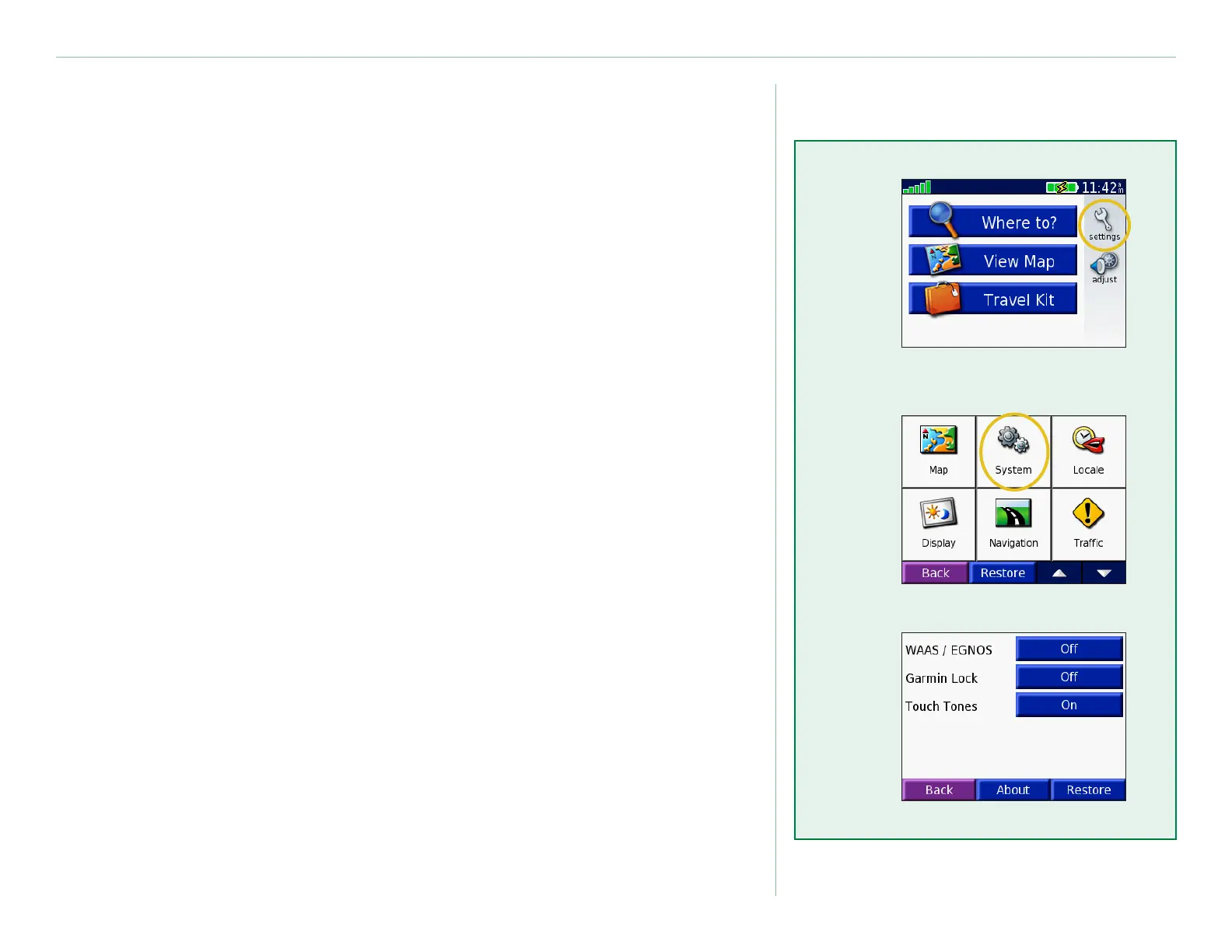
Change the System Settings
WAAS / EGNOS—turn on or off WAAS/EGNOS. For
information about WAAS, go to www.garmin.com/aboutGPS/
waas.html.
Garmin Lock—turn on Garmin Lock to lock your unit. Enter a
4-digit PIN, and set a security location. For more information, see
page 7.
Touch Tones—turn on or off the tone that sounds each time you
touch the screen.
About—display your unit’s software version number, unit ID
number, and audio version number. This information is needed
when you purchase additional map data. See page 52.
Restore—restore the original system settings.
➊
➋
➌


 To Next Page
 Loading...










