Garmin © 2007 4 Honda Portable Navigation System
Quick sTarT
Find Your Destination
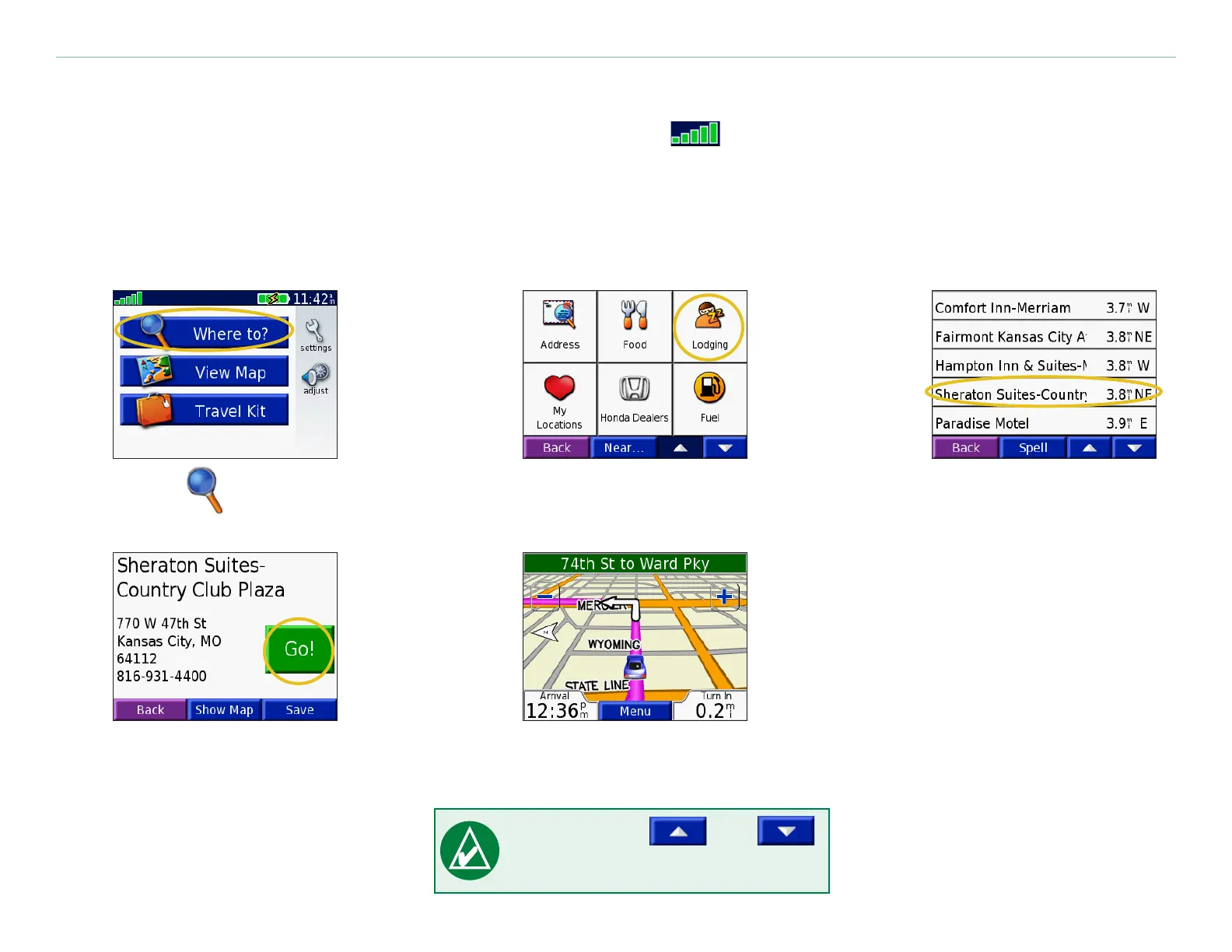
Flip up the antenna on the unit to get satellite signals. The bars in the upper left corner represent the
GPS satellite signals being received by your unit. When you see green bars, you have a strong signal. See
page 57 for more information. After you have a satellite x, use the Honda Portable Navigation System to
nd your destination and go to it.
Touch Where To.
➊
Select a destination.
➌
Select a category and
sub-category, if necessary.
➋
Enjoy the route!
➎
Touch Go.
➍
TIP: Touch and
to view more choices.


 To Next Page
 Loading...










