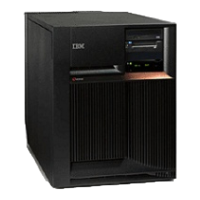
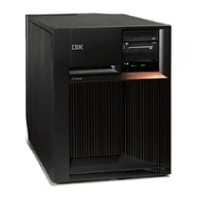
Note: The processor regulator is part of the processor card assembly (M03).
To remove or replace the processor regulator - M03:
1. Power off the system. (See “Power on/off the system and logical partitions” on page 561.)
2. Unplug the power cord from the back of the system unit.
3. Remove the left side cover. (See “Model 820 - Covers” on page 21.)
4. Remove the EMC shield by pulling out on the side two latches.
5. Unlatch the processor card and pull it towards you to remove it from the system.
6. Remove the processor regulator.
7. Install the new part by reversing the procedure. Go to “Verify the repair” on page 558.
This
ends the procedure.
Model 820 - Removable media - D13 and D14
For use by authorized service providers.
Use this procedure to remove or replace removable media - D13 and D14 on the Model 820.
Laser safety information: CAUTION:
This
product may contain a CD-ROM which is a class 1 laser product. (RSFTC240)
CAUTION:
This
product may contain a DVD which is a class 1 laser product. (RSFTC245)
Tp remove or replace the removable media (D13 and D14):
1. Power off the system. (See “Power on/off the system and logical partitions” on page 561.)
2. Pull the power plug in the rear of the system.
3. Remove the front cover. (See “Model 820 - Covers” on page 21.)
4. Partially remove the unit by pulling out on the two latches. The latches are located on each side of the
unit.
5. Remove the cables that attach to the rear of the unit.
Note: If both devices are installed, then you may have to remove both units to gain access to the
cables.
6. Remove the unit from the frame.
7. Install the new part by reversing the procedure. Go to “Verify the repair” on page 558.
Notes:
v If you need to remove a tape from the old tape unit, see “Tape cartridge - manual removal” on page
218.
v If you need to remove a optical media, go to “Optical media (CD-ROM, DVD-ROM, and DVD-RAM)
- manual removal” on page 223.
v If the replacement device is in location D13, address jumpers are required. See Removable media
address jumper positions.
This
ends the procedure.
Model 820 - System unit backplane (MB1) and power distribution board (PB1)
For use by authorized service providers.
Use this procedure to remove or replace the system unit backplane (MB1) and power distribution board
(PB1) in the Model 820.
Note: The PB1 and MB1 are included in the TWRCARD.
26 Hardware (Remove and Replace; Part Locations and Listings)



 To Next Page
 Loading...