iStorage datAshur® PRO
+
C
User Manual v1.0
34
28. How to format datAshur PRO
+
C for Windows
To format your datAshur PRO
+
C for Windows,
please follow the steps below.
1. Unlock and connect the datAshur PRO
+
C to the Windows machine.
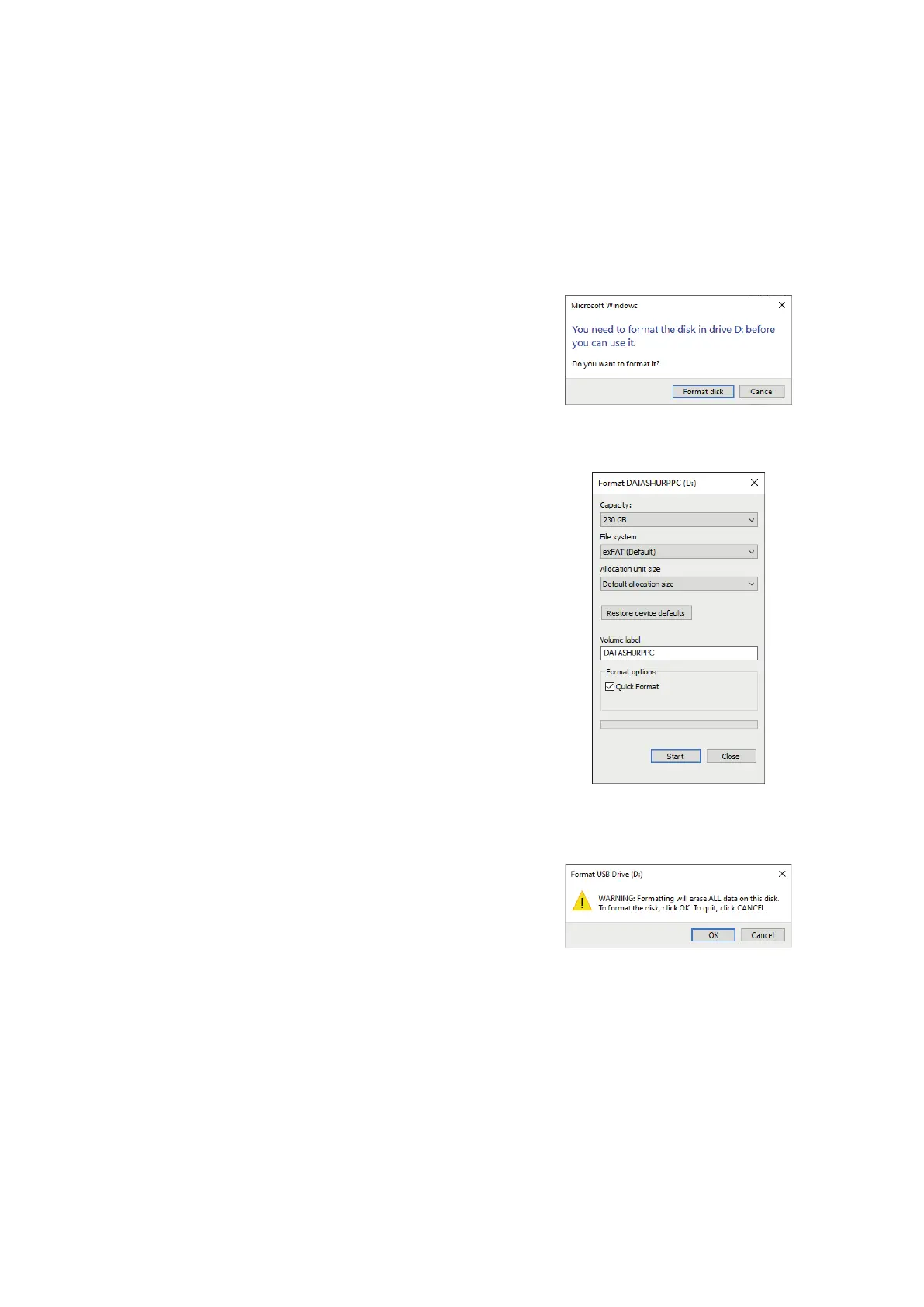
2. The system will prompt (Image 1) you with the Format window.
3. Press Format disk and Format USB drive window (Image 2) will open.
4. Enter a name for the drive on the Volume label. The name of the drive
will eventually appear on the Desktop. The File System dropdown
menu lists the available drive formats for windows. Select NTFS for
Windows or select FAT32 or exFAT for cross-platform compatibility,
which includes macOS.
5. Click OK (Image 3) to continue with formatting the drive.
6. The procedure will nish formatting the drive with conrmation that
formatting has been completed.
Image 1
Image 3
Image 2


 To Next Page
 Loading...











