– 41 –
(1) Installation of the knee switch
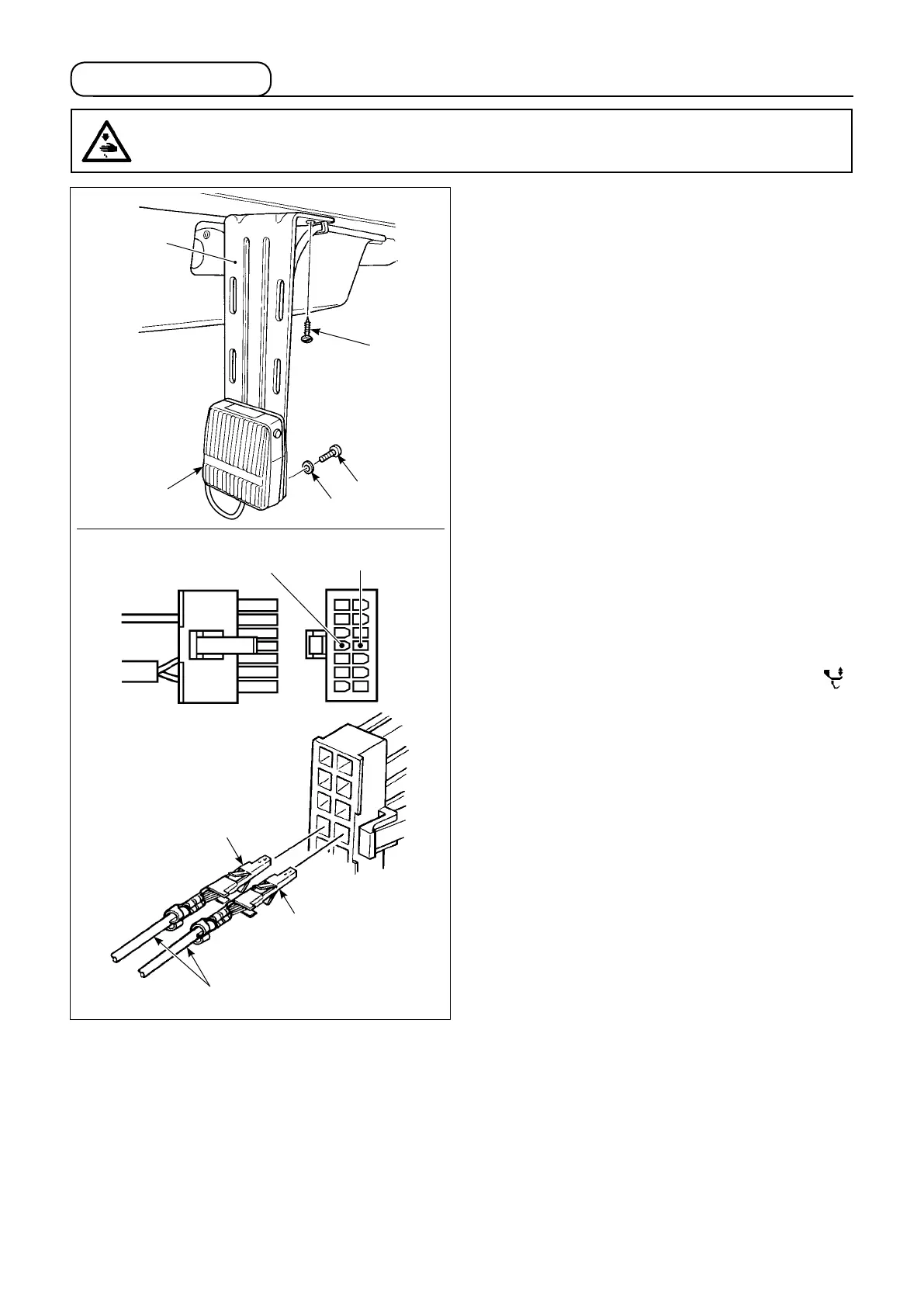
1) Install knee switch mounting plate
❶
on the
underside of the table with wood screw
❷
sup-
plied with the unit.
2) Install knee switch
❸
on knee switch mounting
plate
❶
with tapping screw
❹
and washer
❺
supplied with the unit so that the cord of knee
switch
❸
is brought to the downside of the
switch.
3) Connect the knee switch to #4 and #11 pins of
the machine connector 14P which is connected
to CN36 of the machine controller.
(2) Functions of the knee switch
If knee switch
❸
is pressed, the amount of the al-
ternating vertical movement of the walking foot and
the presser foot will be maximized. (Same with the
performance carried out by pressing the alternating
vertical movement amount change-over switch “ ”
on the machine head.)
The knee lifter switch can also be used as the press-
er bar lifting lever through the relevant function set-
ting. (When the switch is used as the presser lifting
switch, the function as the alternating vertical move-
ment amount changeover switch is lost.)
1
7
14
8
Black (No. 11)
White (No. 4)
Cords of knee switch
Black line
White line
5-8. Knee switch
WARNING :
To protect against possible personal injury due to abrupt start of the machine, be sure to start the
following work after turning the power off and ascertaining that the motor is at rest.
❸
❶
❷
❹
❺


 To Next Page
 Loading...