Maintenance
144
Printer paper jam
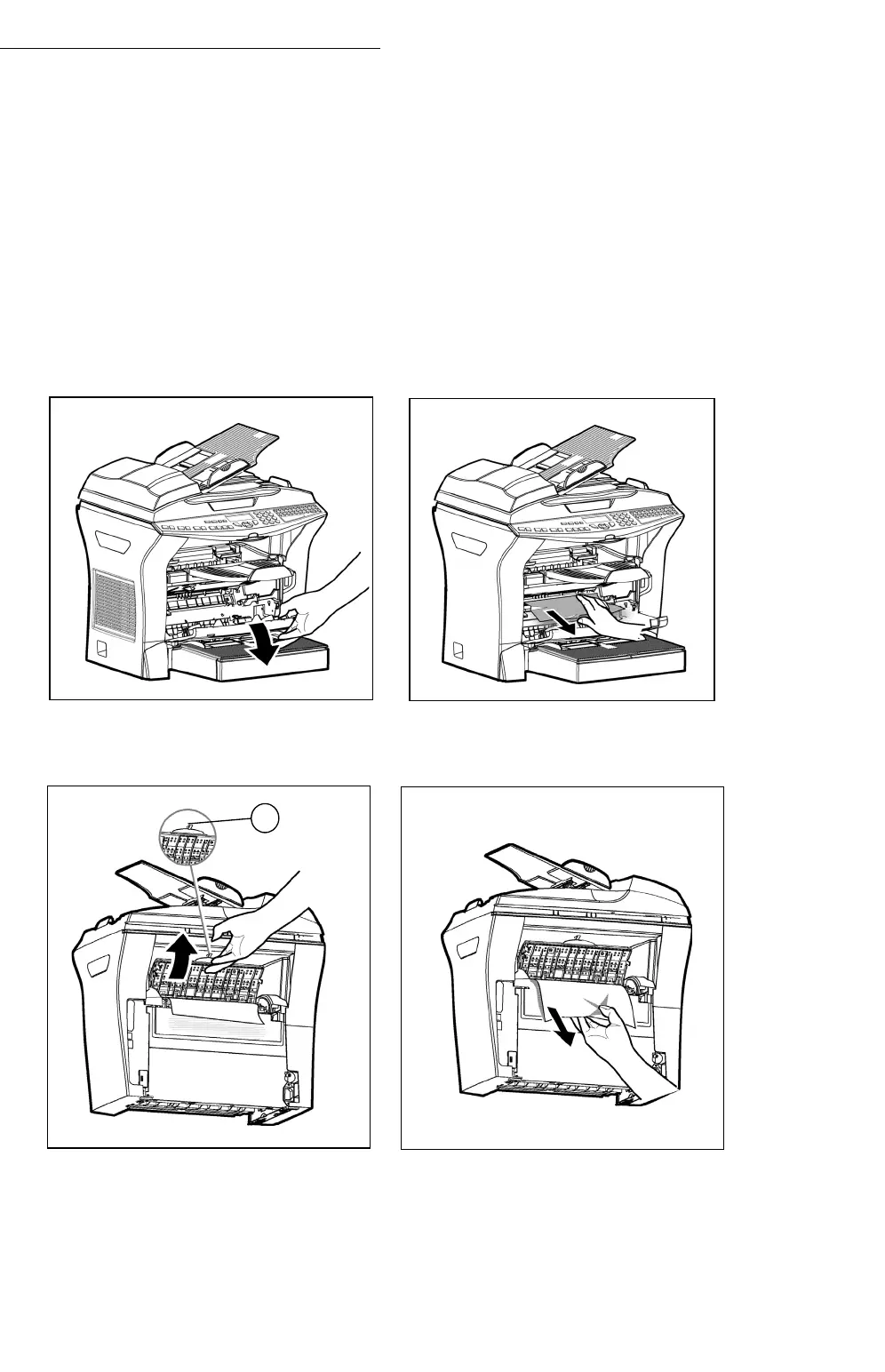
Inside the printer
+ Use the following procedure to remove any sheets of paper jammed inside
the printer.
Caution - The fusing unit inside the printer can become very hot during
operation. To avoid injury - do not touch.
+ Open the front cover of the printer.
+ Remove the toner/drum cartridge set from inside the printer.
+ Remove any jammed sheets.
+ Open the rear cover of the printer until locked behind lug A.
+ Remove any jammed sheets.
+ Reinstall the drum/toner cartridge set (refer to paragraph Replacing
cartridges, page -125).
+ Correctly close the front and rear covers of the printer.
A


 To Next Page
 Loading...