1. SYSTEM INTRODUCTION
1-3
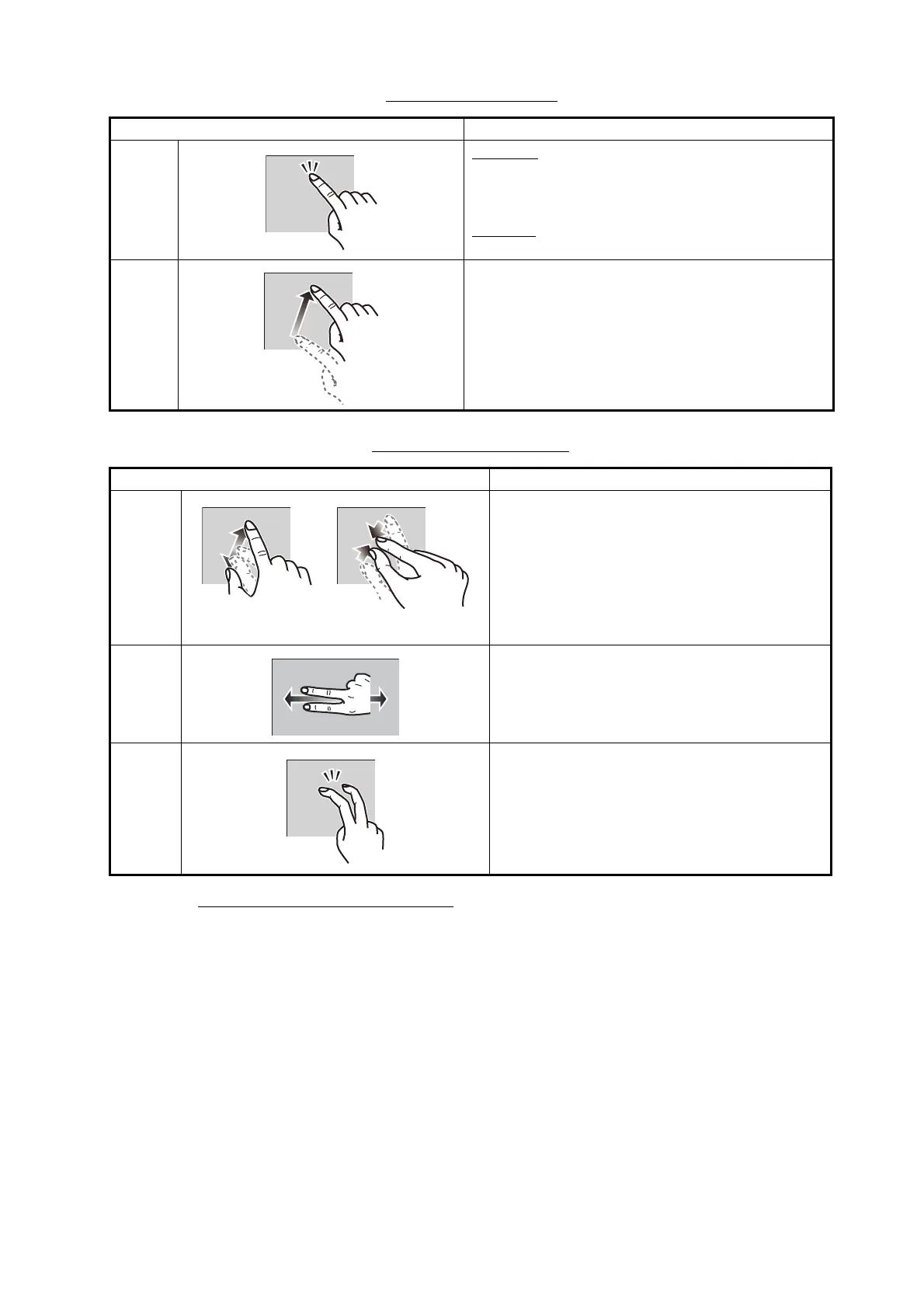
Operation with a finger
Operation with two fingers
Notes on touch control operations
• Waterdrops on the screen can cause mis-operation and slow touch response. Wipe
the screen with a dry cloth to remove the water.
• This equipment uses a capacitive touch screen. Tap the screen with your fingertips
directly. Do not use sharp objects (needle, pen, nail) or a stylus pen. Be careful not
to scratch the screen.
• The touchscreen cannot be operated while wearing gloves.
• Do not put objects (adhesive-backed paper, etc.) on the screen. Mis-operation can
result.
• Keep the equipment away from a radio antenna, fluorescent light, solenoid valve
and electronic devices to prevent unintended operation by noise.
Operation with a finger Function
Tap
Short tap
• Select a menu item.
• Select an object or position to display the cor-
responding pop-up menu.
Long tap
• Edit display icon (on home screen).
Drag • Pan the charts.
• Scroll the menu.
Operation with two fingers Function
Pinch • Zoom in or out the display range in the 2D/
3D modes or weather display.
• Select radar range on the radar display.
Drag Change 3D viewing point.
Tap Do the function assigned to [Function Ges-
ture], which is in the ([Settings] - [General]
menu. See section 1.15.
Zoom in
Zoom out


 To Next Page
 Loading...




