AC-5000 / 5100 User Guide 56
UNIONCOMMUNITY Co., Ltd. / 12F, Daemyung Valeon, 127, Beobwon-ro,
Songpa-gu, Seoul, 05836, Republic of Korea
TEL: +82-2-6488-3000 / FAX: +82-2-6488-3100 E-Mail :sales@unioncomm.co.kr
http://www.unioncomm.co.kr
10-digit hexadecimal number
Last 4byte to be expressed in a 10-digit decimal
number (01161DD6h)
Displays last 3bytes as the 6-digit hexadecimal
number.
SC card example: Card Number (4byte): 52h 9Dh 06h E3h
Expressed as an 8-digit hexadecimal number
Expressed as an 8-digit hexadecimal number
changing the order of byte
Hexadecimal number 529D06E3 to be expressed as a
10-digit decimal number
Hexadecimal number E3069D52 to be expressed as a
10-digit decimal number
Only the first 3 bytes are placed upside down.
The user can exit to the parent menu using the [ENT~] key to apply the changed values. Use
the [F4 (←)] key to cancel input during setting.
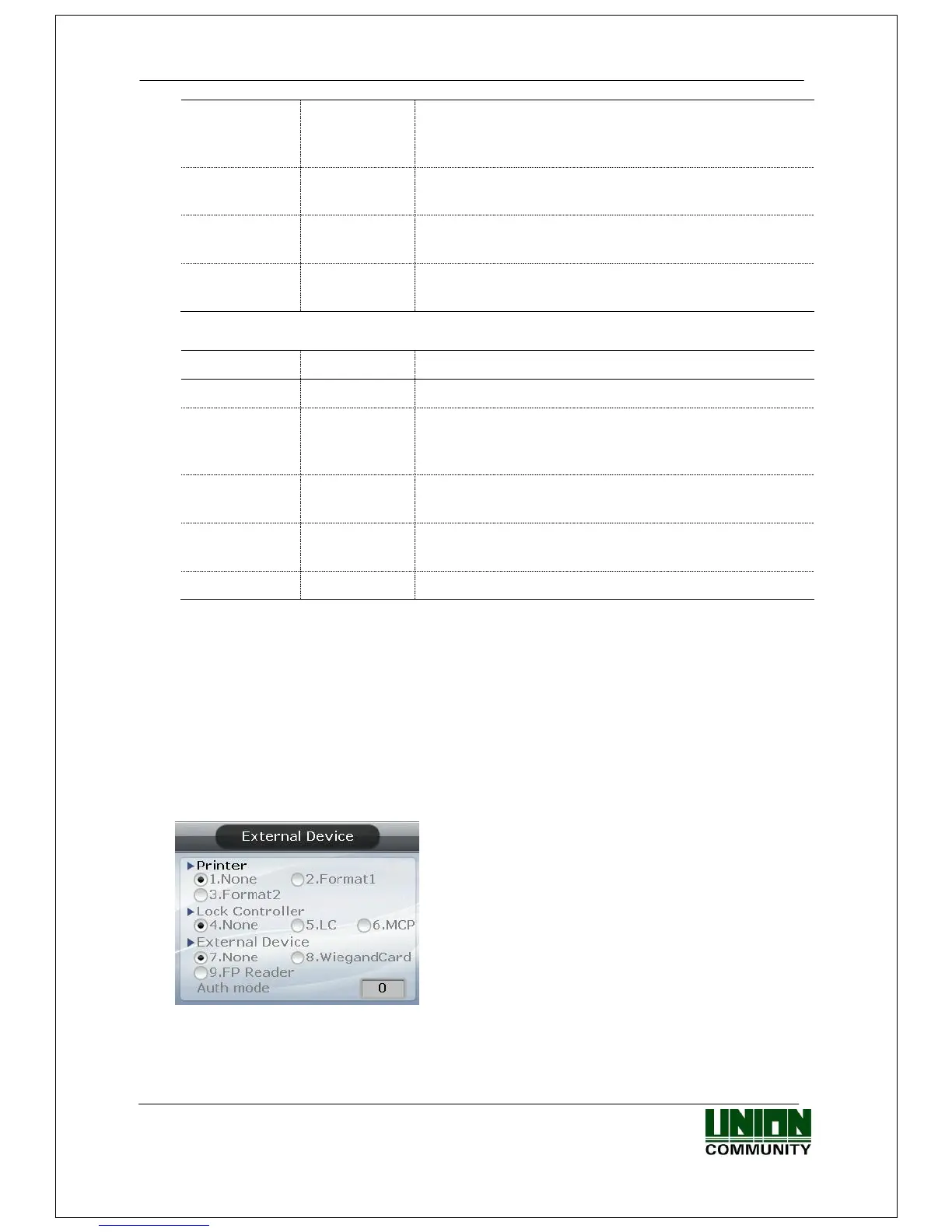
3.7.6. External Device
Select [ENT~] ([5. Terminal] [6. External Device]) in the initial screen ◆, and the following
screen appears.
Connector Settings shown as below
▶ Initial setting: Identical with the screen on the
left.



 To Next Page
 Loading...


