25 En
English
OPERATIONS
You can listen to world-wide radio stations via Internet.
Make sure that the unit is connected to the Internet properly (☞ P.10).
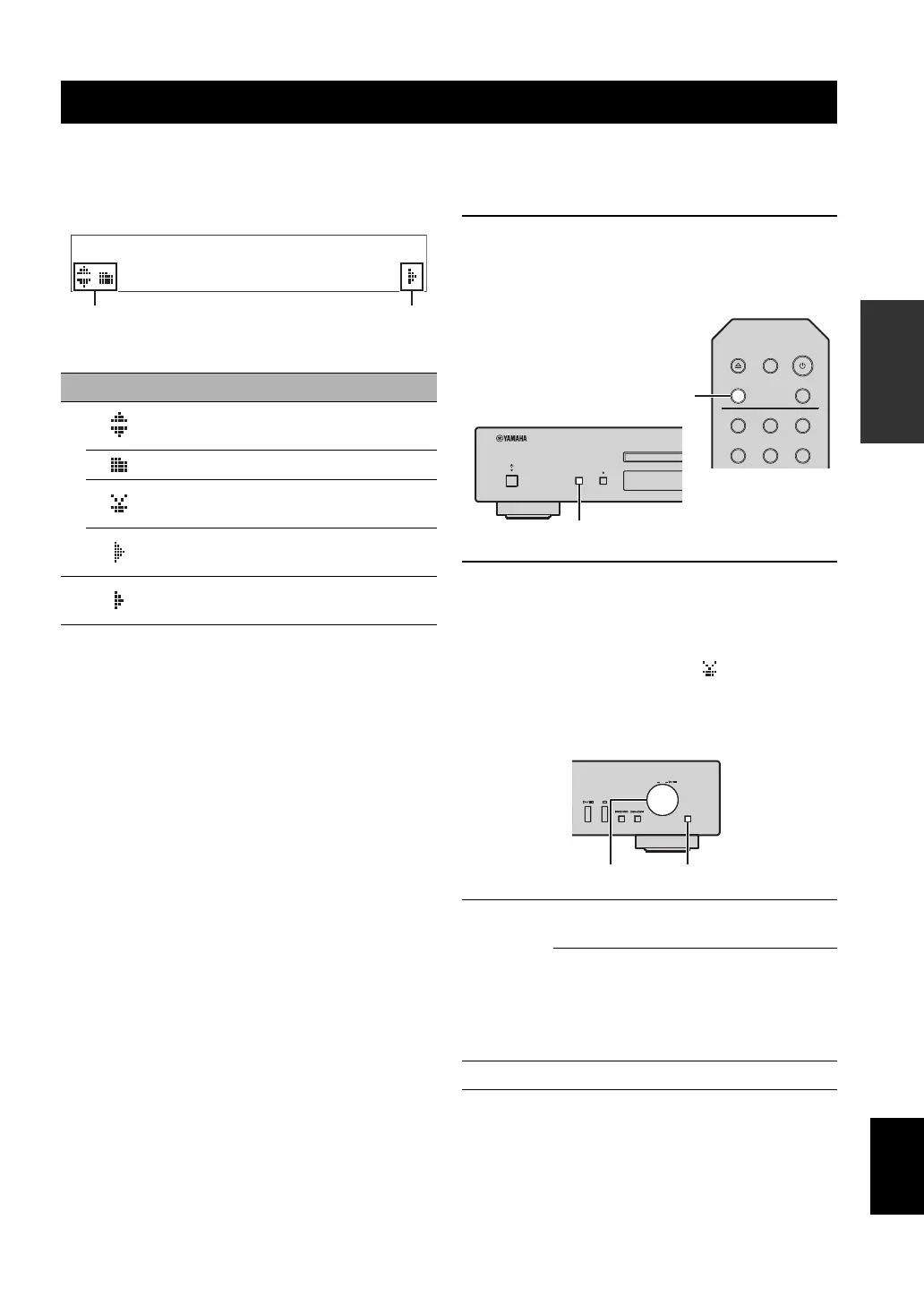
Front panel display (Example)
The following icons are displayed on the front panel display.
1 Press SOURCE repeatedly to switch the
audio source to “Net Radio”.
Main unit/Remote control
2 Selects an Internet radio station from the
folder, and press ENTER to start
playback.
y
When you select an internet radio station, appears on the front
panel display.
Main unit
PLAYBACK OF INTERNET RADIO
Icon Content
1
Displayed when a folder or Internet radio
station can be selected.
Displayed when a folder is selected.
Displayed when Internet radio station is
selected.
Displayed while a Internet radio station is
being played back.
2
Displayed when there is lower level in the
current folder.
SELECT/
ENTER
Rotate
Selects a folder or Internet radio
station.
Press
When a folder is selected:
moves down one level.
When Internet radio station is
selected:
starts playback.
RETURN Returns to the previous level.
PURE DIRECTSOURCE
4
123
56
SOURCE
OPEN/CLOSE DIMMER
PURE DIRECT



 To Next Page
 Loading...










