PSR-S910/S710 Owner’s Manual 17
Starting Up
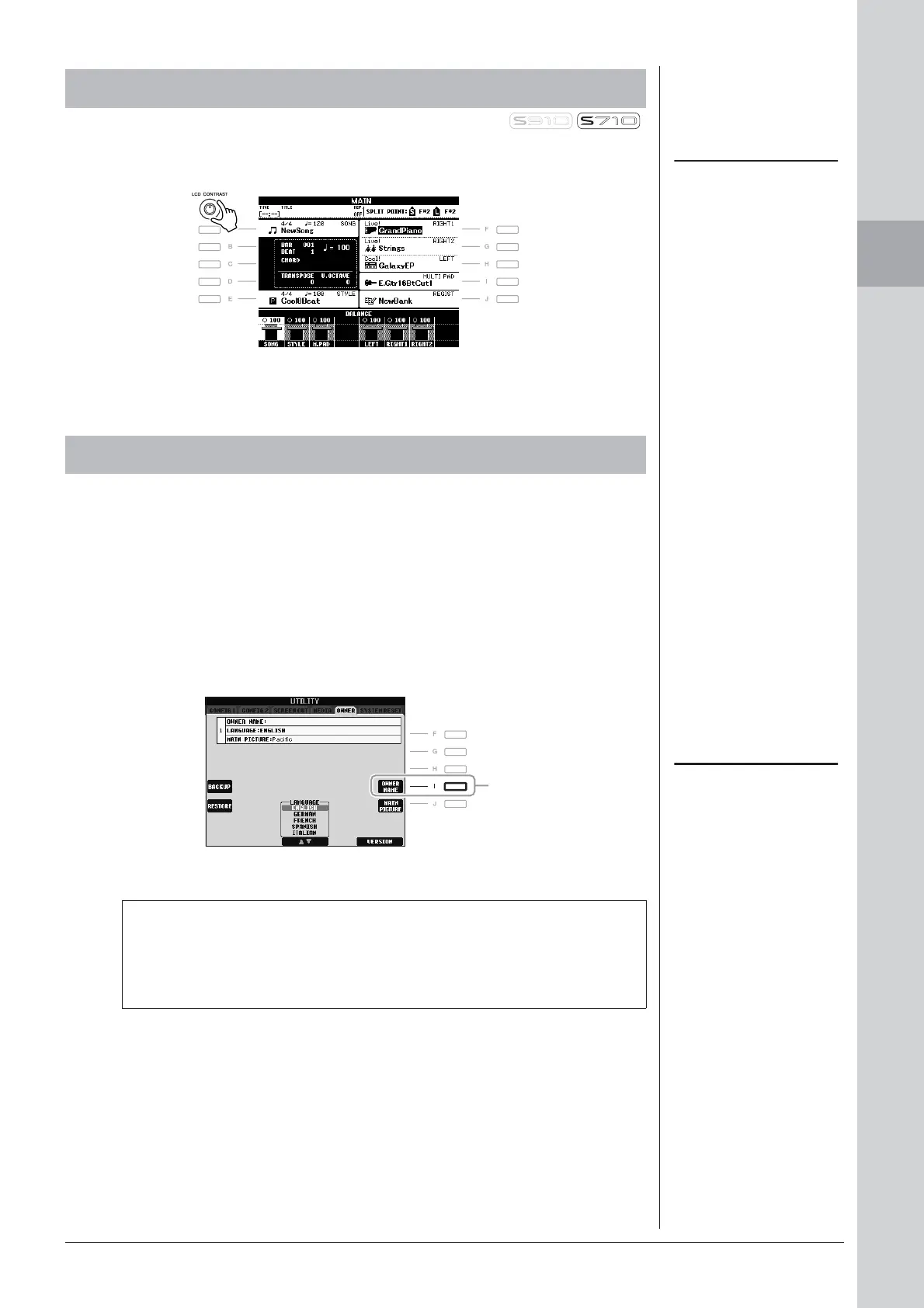
You can adjust the contrast of the display by turning the [LCD CONTRAST] knob
located to the left of the display.
You can have your name appear in the opening display (the display that appears
when the power is turned on).
1 Call up the operation display.
[FUNCTION] → [J] UTILITY → TAB [E][F] OWNER
2 Press the [I] (OWNER NAME) button to call up the Owner Name
display.
Refer to page 26 for character-entry details.
Adjusting the Contrast of the Display
NOTE
Since the color display of the PSR-
S910 has a high level of visibility, no
contrast adjustment function is nec-
essary.
Entering the Owner Name in the Opening Display
NOTE
(PSR-S910) If desired, you can also
change the background picture in the
Main display by pressing the [J]
(MAIN PICTURE) button in step 2
here.
Display the version number
To check the version number of this instrument, press the [7
▲▼]/[8 ▲▼]
(VERSION) buttons in the display in step 2 above. Press the [EXIT] button
or [8
▲▼] button to return to the original display.
2


 To Next Page
 Loading...