PSR-S910/S710 Owner’s Manual 83
Mixing Console – Editing the Volume and Tonal Balance –
8
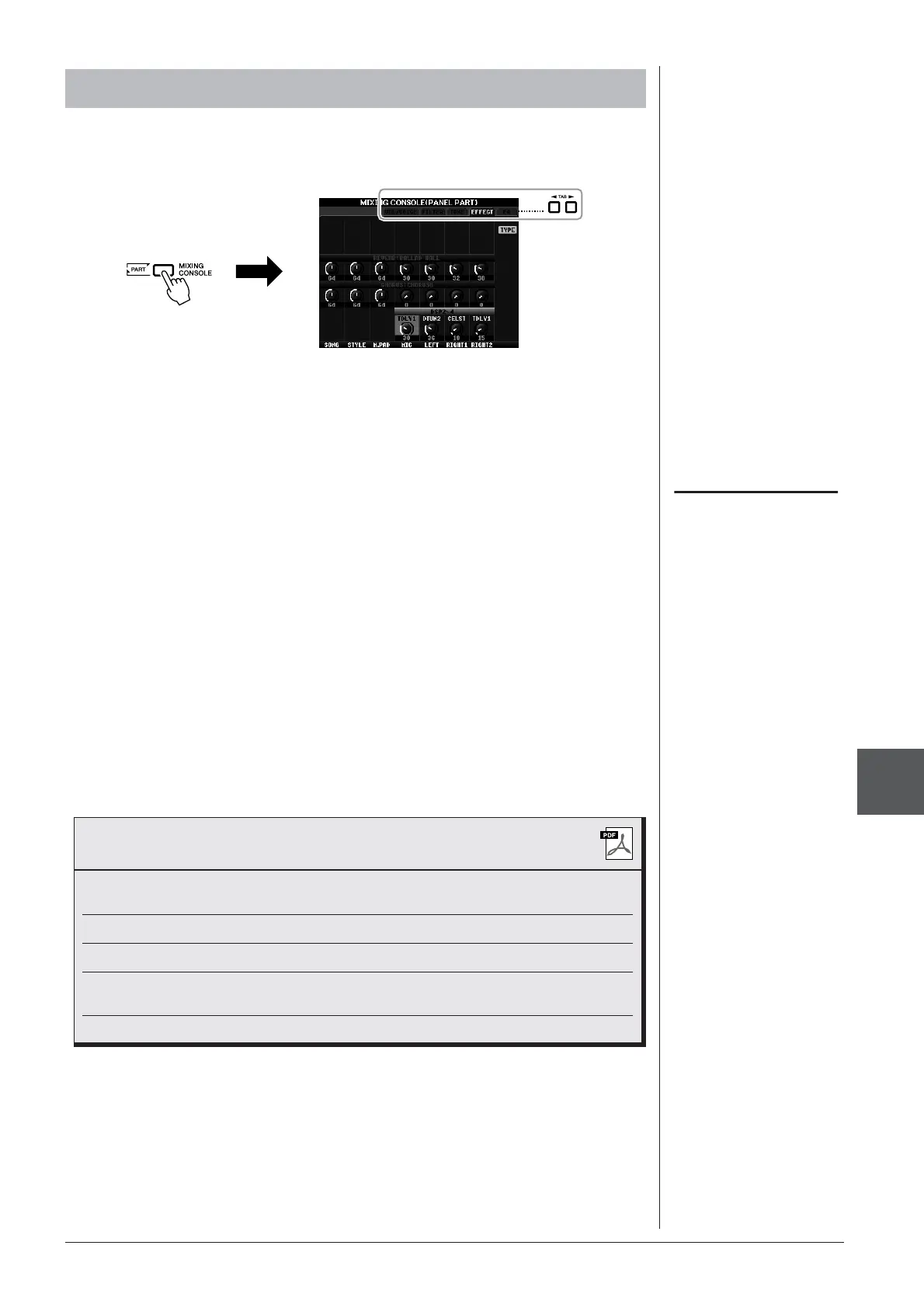
1 Same operation as in the “Basic Procedure” on page 79. In step
2, select EFFECT tab.
2 Use the [C]/[D]/[E] buttons to select the desired effect.
• REVERB:
Reproduce the warm ambience of playing in a concert hall or jazz club.
• CHORUS:
Produces a rich “fat” sound as if several parts are being played
simultaneously.
• DSP:
By default, the most appropriate effect for the selected Voice has been
selected.
3 Use the [1 ▲▼] – [8 ▲▼] buttons to adjust the depth of each
effect for the desired part.
4 Save your settings (step 5 on page 80).
Applying Effects to Each Part
NOTE
You can change the effect type by
pressing the [F] (TYPE) button. Refer
to the Reference Manual.
Advanced Features
Refer to the Reference Manual on the website, Chapter 8.
Converting XG Song Voice to this instru-
ment’s Voice (Song Auto Revoice):
[MIXING CONSOLE] → TAB [E][F] VOL/
VOICE → [G] SET UP
Editing FILTER parameters:
[MIXING CONSOLE] → TAB [E][F] FILTER
Editing TUNE parameters:
[MIXING CONSOLE] → TAB [E][F] TUNE
Changing an Effect type:
[MIXING CONSOLE] → TAB [E][F]
EFFECT → [F] TYPE
Editing EQ parameters:
[MIXING CONSOLE]
→
TAB [
E][F
] EQ


 To Next Page
 Loading...