44 PSR-S910/S710 Owner’s Manual
Styles – Playing Rhythm and Accompaniment –
2
• [FADE IN/OUT] button
The convenient Repertoire function automatically calls up the most appropriate
panel settings (Voice number, etc.) for the currently selected Style.
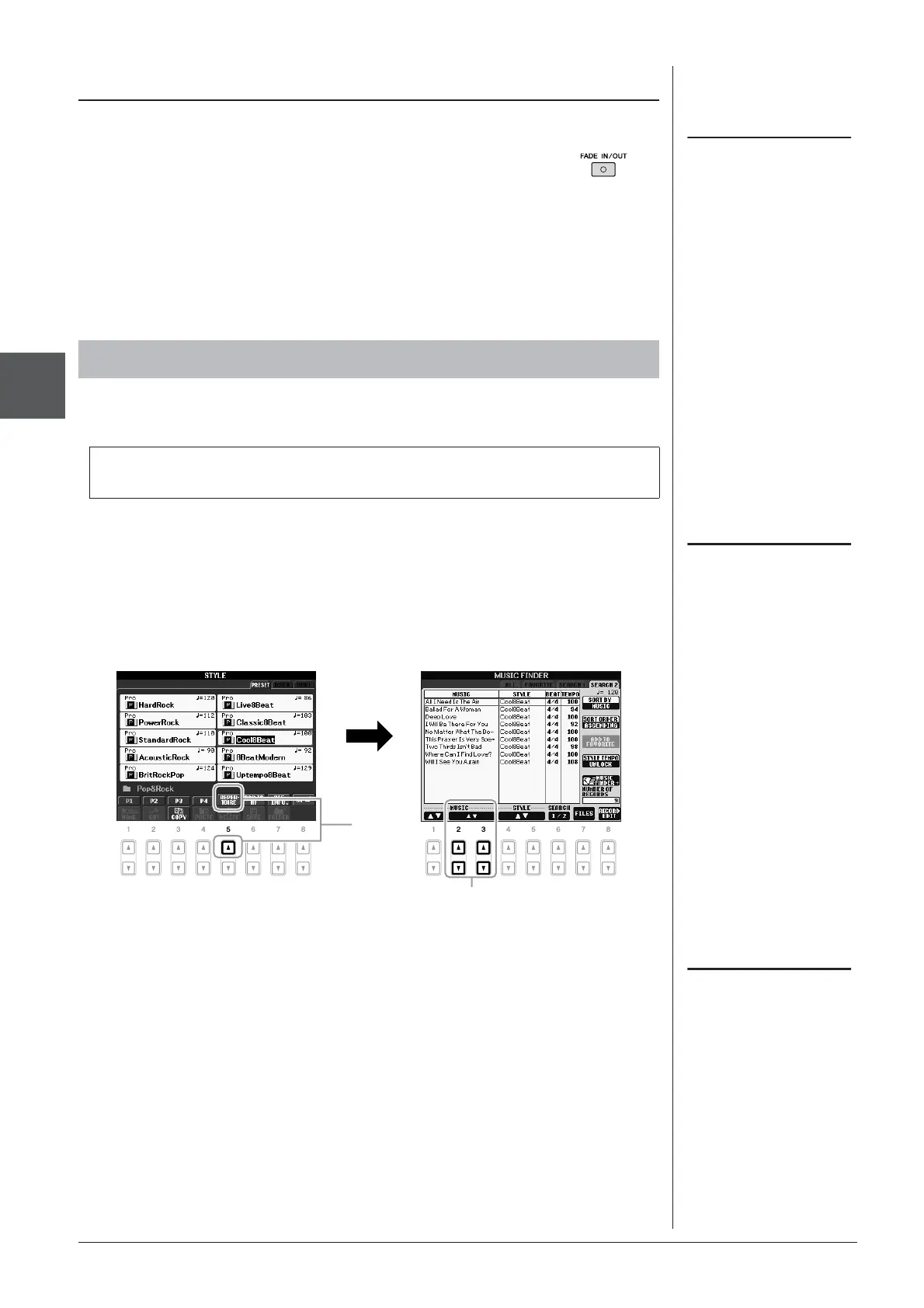
1 Select the desired Style from the Style Selection display (steps 1
– 2 on page 39).
2 Press the [5 ▲] (REPERTOIRE) button.
Various appropriate panel settings matching the selected Style will be shown in
the display.
3 Use the [2 ▲▼] – [3 ▲▼] buttons to select the desired panel
setting.
Fading In/Out
This operation is common for Song
playback (page 49).
Calling up the Panel Settings to Match the Style (Repertoire)
Before using the Repertoire function, you need to import Music Finder records
(see instructions on page 65).
This produces smooth fade-ins and fade-outs when starting/
stopping playback. Press the [FADE IN/OUT] button when
playback is stopped and press the [START/STOP] button to start
playback with a fade in. To stop the playback with a fade out,
press the [FADE IN/OUT] button during playback.
The settings shown here are Music
Finder Records. You can choose addi-
tional settings by using the Music
Finder feature (page 65).
3
2
Depending on the particular selected
Style, there may not be any panel set-
tings in the Repertoire function.


 To Next Page
 Loading...