System Utilities 2-19
Removing Insyde BIOS Passwords 0
The BIOS password can only be removed by software utility.
To reset the BIOS password, perform the following:
1. Press
Power
button.
2. Press
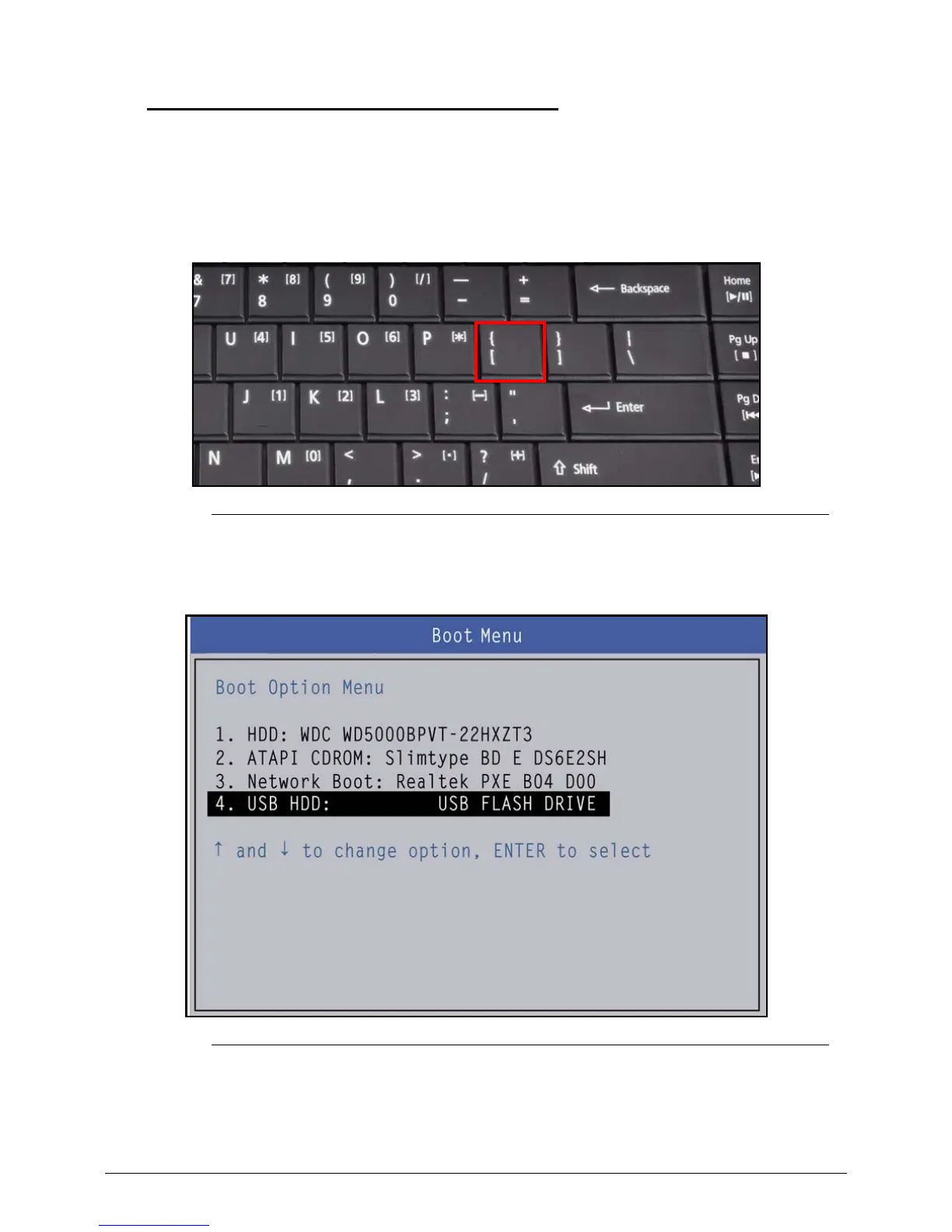
[
key before Acer logo disappears (Figure 2-18).
Figure 2-18. Keyboard Key Location
3. Select Boot Option item ‘USB HDD’ as highlighted in Figure 2-19 and press
Enter
to
exit the BIOS Boot Option menu.
Figure 2-19. BIOS Boot Option Meun
4. Execute ClearPwd.EXE under the DOS mode. Refer to Figure 2-21
5. When message Clear the SU Pws completely is displayed, supervisor password
has been removed.


 To Next Page
 Loading...