System Utilities 2-21
Removing Insyde HDD Password 0
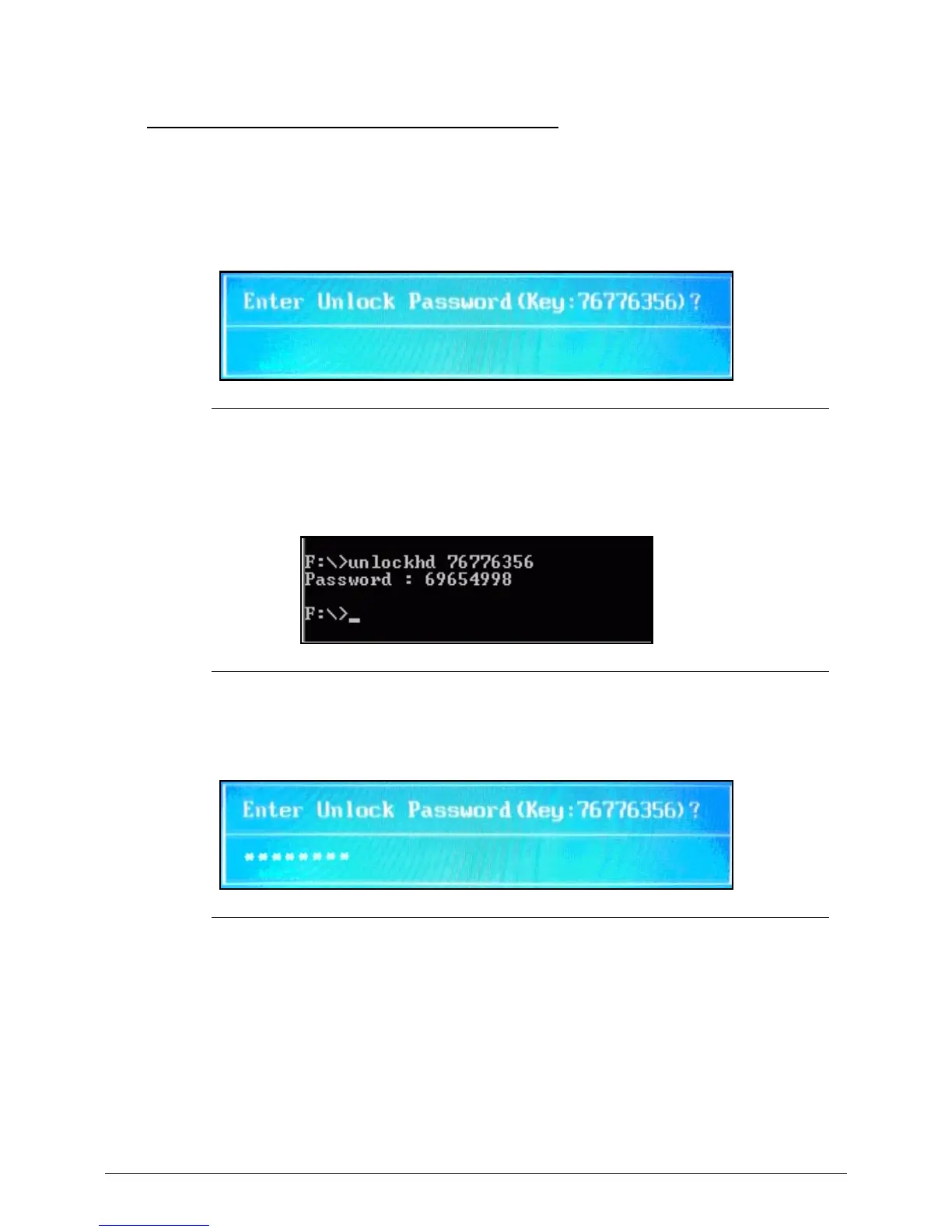
Clear the BIOS Password as follows:
To reset the BIOS password, perform the following:
1. When the user keys in the wrong password three times, the system reports the error
code:
Figure 2-22. Unlock Password Prompt
2. In DOS mode, execute UnlockHD.exe XXXXX (where XXXXX is the Unlock password
error code; example here is 76776356). The exe will generate an unlock password
(example here is 69654998).
Figure 2-23. UnlockHD.exe
3. The exe will generate a unlock passworrd. Enter this generated unlock password at
the prompt.
Figure 2-24. Enter Unlock Password


 To Next Page
 Loading...